
USB-C Power Delivery (PD) is a smart charging standard that lets your devices communicate to find the best voltage and current for efficient, safe charging. It supports a wide range of devices, from smartphones to laptops, by negotiating power levels dynamically. With bidirectional charging and higher power options up to 240W, PD makes charging simpler and more versatile. Keep going to discover how this technology can enhance your device experience.
Key Takeaways
- USB-C Power Delivery (PD) enables faster, flexible charging by negotiating optimal power levels between devices using the CC pins.
- It supports multiple voltage profiles (5V to 48V) and up to 240W power, accommodating everything from smartphones to laptops.
- PD allows bidirectional charging, meaning devices can both send and receive power through the same USB-C port.
- Certified cables are essential for safety and efficiency, especially at higher power levels and voltages.
- The standard continuously evolves to improve compatibility, safety, and device performance with firmware updates and new profiles.

Anker iPhone Charger, 2-Pack 20W Fast USB C Charger Block, Type C Charger Fast Charging for iPhone 17/17 Pro Max/16 Series/iPad Pro and More (Black, 2 Pack & 2 Cable)
20W High-Speed Charging: Enjoy fast charging with 20W max output for your iPhone, Samsung phones, and other devices.
As an affiliate, we earn on qualifying purchases.
As an affiliate, we earn on qualifying purchases.
What Is USB-C Power Delivery and How Does It Work?
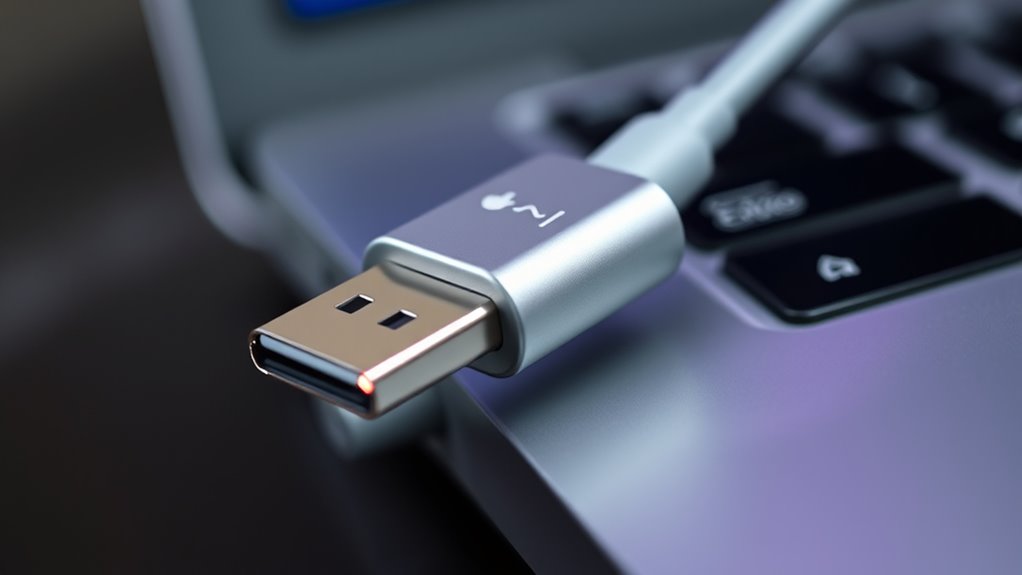
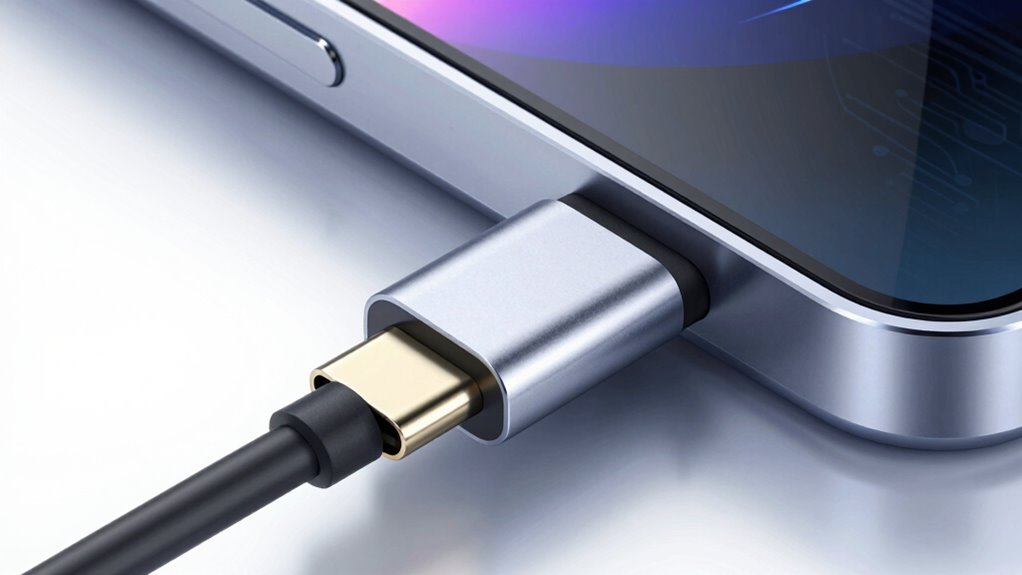
USB-C Power Delivery (PD) is a technology that allows devices to charge faster and more efficiently through the USB-C connector. It achieves this by negotiating power levels between the charger and the device, ensuring ideal and safe charging. When you connect a compatible device, PD communicates via the Configuration Channel (CC) pins to determine the appropriate voltage and current. This negotiation enables devices to dynamically switch power roles, so a phone can charge a laptop or vice versa. Unlike standard charging, PD supports higher power levels, up to 240W with the latest versions. It also protects your devices by preventing overvoltage and overheating. With this smart communication, USB-C PD delivers rapid, safe, and versatile charging for a wide range of devices. Additionally, the adoption of European cloud innovation promotes energy-efficient and sustainable infrastructure, aligning with the goal of reducing environmental impact while supporting advanced charging technologies. Moreover, power management plays a crucial role in optimizing device longevity and performance during fast charging. Proper safety protocols and proper handling are essential to prevent potential hazards associated with high-power charging.

Anker USB C to USB C Cable(2pack, 6FT),240W USB C Charger Cord Fast Charge for iPhone 16/15 Series,MacBook Pro 2020,iPad Air 4 and More (USB 2.0,Black)
High-Powered 240W Charging: Experience unparalleled speed as you power up your MacBook Pro 16" to 42% capacity within…
As an affiliate, we earn on qualifying purchases.
As an affiliate, we earn on qualifying purchases.
Evolution of Power Delivery Standards
The evolution of power delivery standards has considerably expanded the voltage profiles and power capacities supported by USB-C. As technology advances, newer versions enable higher wattages and broader voltage ranges, allowing devices to charge faster and handle more demanding tasks. Understanding these developments helps you see how USB-C adapts to meet increasing power needs over time. Additionally, care and maintenance practices ensure the longevity and optimal performance of your devices as power capabilities grow. Staying informed about standard updates can help users optimize compatibility and safety across various devices, and developing a proper charging routine can further prolong device lifespan. Regularly checking for firmware updates and compatibility improvements can also help maximize your device’s efficiency and safety. Moreover, awareness of support for different devices ensures that charging setups are safe and effective for a variety of gadgets.
Progression of Voltage Profiles
As the Power Delivery standards evolved, so did the voltage profiles to support a wider range of devices and power needs. You now have access to a broader spectrum of voltage levels, allowing faster charging and higher power delivery. For example, early standards mainly used 5V, while newer profiles include:
- 9V, 15V, and 20V for common devices like smartphones and laptops
- Extended ranges with 28V, 36V, and 48V for high-power applications
- Profiles tailored for accessories, with lower voltages and currents
- Higher voltage levels up to 48V, supporting up to 240W of power
- The development of voltage profile standards has been crucial in accommodating increasingly complex device requirements. Additionally, voltage regulation has played a vital role in maintaining stability and safety during power transfer. Modern standards also emphasize thermal management to prevent overheating during rapid charging cycles. The integration of safety protocols further ensures reliable operation across various environments, enhancing user confidence in fast-charging technologies.
This progression enables seamless, efficient charging across diverse devices, all while maintaining safety and compatibility. The voltage profiles have evolved to meet increasing demands without sacrificing device protection. Voltage compatibility has become a critical factor in ensuring reliable and safe power delivery across the expanding ecosystem of connected devices.
Advancements in Power Capacity
Advancements in power capacity have considerably expanded what USB Power Delivery can support, enabling faster charging and higher power levels for a broad range of devices. With the introduction of PD 3.1, the standard now supports up to 240W through Extended Power Range (EPR), allowing laptops, monitors, and even some high-power equipment to charge via USB-C. Earlier versions like PD 2.0 and 3.0 maxed out at 100W, sufficient for most laptops and peripherals. This evolution means you can now rely on a single cable and port for a wider variety of devices, reducing clutter and increasing convenience. These improvements also necessitate specially rated cables and connectors to handle higher voltages safely, ensuring efficient and secure power transfer across increasingly demanding applications. Additionally, the concept of Free Floating power delivery systems plays an important role in maintaining flexible and adaptable charging solutions. In addition, power capacity advancements have driven innovations in cable design to support higher wattages safely and efficiently, prompting manufacturers to develop higher-rated cables that meet these new standards. The development of safe and reliable high-power cables is critical to fully harness the benefits of these technological improvements and to ensure user safety.

Anker Desktop Charger, Fast Charging USB C Charger with 112W Max 6-Port Desk Accessories for Home Office, Campatible with Multiple Devices, iPhone, iPad, MacBook, Galaxy and More (Cable Not Included)
6-in-1 Charger for All: Designed for modern needs, this charger can power your entire digital lineup, from laptops…
As an affiliate, we earn on qualifying purchases.
As an affiliate, we earn on qualifying purchases.
Power Profiles and Voltage Ranges Explored
Power profiles and voltage ranges in USB-C Power Delivery define how devices negotiate and receive the appropriate power levels for their needs. You can think of these profiles as different “power modes” your device and charger agree on. For example:
- Standard Power Range (SPR): 5V, 9V, 15V, 20V at up to 5A (100W).
- Extended Power Range (EPR): Adds 28V, 36V, 48V at up to 5A (240W).
- Profile 1: 5V at 0.1-3A for accessories like headphones.
- Profile 4: 20V at 3-5A, suitable for laptops and displays, requiring special cables.
These profiles help guarantee your device receives the right voltage and current, whether it’s charging a phone or powering a high-performance laptop, ensuring safe and efficient power transfer.

Anker Portable Charger, 10,000mAh 30W Power Bank, USB-C in and Out Fast Charging Battery Pack, Travel Essential Phone Power Bank, for iPhone 17/16, Galaxy and More (Black, 10000.00, Milliamp Hours)
Speedy 30W Charging: Experience cutting-edge 30W fast charging technology—twice as fast as 5V/3A chargers. Boost an iPhone 16…
As an affiliate, we earn on qualifying purchases.
As an affiliate, we earn on qualifying purchases.
Comparing Power Levels: From Smartphones to Laptops

When comparing power levels, you’ll notice how smartphones typically use lower wattages, while laptops require much higher ones for proper charging. Device compatibility varies with these power demands, influencing cable choices and connection standards. Understanding these differences helps you select the right setup for safe, efficient charging across your devices. Additionally, being aware of cybersecurity vulnerabilities ensures your devices remain protected during charging and data transfer processes. Recognizing the importance of power management can also help optimize device performance and longevity.
Power Range Spectrum
The USB-C Power Delivery (PD) standard spans a wide range of power levels, enabling devices from smartphones to high-performance laptops to draw the appropriate amount of energy. You can expect a flexible spectrum that matches your device’s needs. For example:
- Small devices like earbuds and watches require minimal power, around 5V/1A.
- Smartphones typically use 5V/3A or 9V/3A for faster charging.
- Tablets and ultrabooks might draw 15V/3A or 20V/3A, delivering up to 45W.
- Laptops and monitors can use up to 20V/5A, reaching 100W or more in some cases.
- The standard’s ability to support variable power levels ensures compatibility and efficiency across diverse devices, making it a versatile charging solution. This adaptability is particularly beneficial for device interoperability, allowing multiple gadgets to be powered or charged from a single source. Additionally, the standard promotes safe charging practices, reducing the risk of damage to your devices during power transfer. This variety guarantees efficient, safe charging across your devices, streamlining your setup with a single cable and charger.
Device Compatibility Variations
Devices vary widely in their power needs, and USB-C Power Delivery adapts seamlessly to meet these demands. Whether you’re charging a smartphone, tablet, or laptop, PD adjusts power levels accordingly. Smaller devices like earbuds use low power, while laptops require up to 100W or more. Compatibility depends on device capabilities and cable ratings, ensuring safe and efficient charging.
| Device Type | Typical Power Needs | Common Power Profiles |
|---|---|---|
| Smartphones | 5-20W | 5V/3A, 9V/2A |
| Tablets | 10-45W | 9V/3A, 15V/3A |
| Laptops | 45-100W | 20V/5A, 20V/3A |
| High-Power Devices | Up to 240W | 48V/5A (EPR) |
Your device’s compatibility hinges on supported profiles and cable ratings, ensuring safe charging across the spectrum.
Cable Requirements Differences
Different power levels required by smartphones, tablets, and laptops demand specific cable capabilities to guarantee safe and efficient charging. Lower-power devices, like phones, often use standard cables supporting up to 3A at 20V (60W). In contrast, laptops need cables rated for higher power, such as 5A at 20V (100W), or even 48V for EPR, requiring specially designed cables. Key differences include:
- Current capacity: Standard cables support 3A; high-power cables go up to 5A or more.
- Voltage support: Regular cables handle up to 20V; EPR cables support up to 48V.
- Cable construction: Higher power cables have thicker, more durable wiring.
- Connector quality: Certified cables guarantee safety and reliable power delivery, especially at higher voltages and currents.
How Bidirectional Charging Benefits Devices

Ever wondered how your gadgets can share power seamlessly? With bidirectional charging, your devices can both draw and supply power through the same USB-C port. This means your laptop can charge your phone, or your phone can power a small accessory when needed. It simplifies your setup, reducing the need for multiple chargers and cables. You gain flexibility, especially during travel or emergencies, when a device can step in to power another. Bidirectional charging also extends device lifespan by managing power flow intelligently, preventing overcharging or overheating. Plus, it enhances energy efficiency by optimizing power use based on current needs. Overall, this feature makes your devices smarter and more adaptable, providing convenience and reducing clutter in your tech ecosystem.
The Role of Cables and Connectors in Power Delivery
Cables and connectors play a vital role in enabling the high-power capabilities of USB-C Power Delivery. They must support increased voltage and current levels to deliver the full potential of PD standards. Using the wrong cable can limit power transfer or cause damage. High-quality, rated cables guarantee safety and peak performance. Proper cables also ensure compatibility with various devices and prevent potential issues related to connectivity standards.
Key considerations include:
- Supporting at least 3A current at 20V for standard charging.
- Having a built-in chip for smart negotiation and communication.
- Using cables designed for EPR when higher voltages are involved.
- Confirming connectors are durable and compliant with USB-C specifications.
Without proper cables, devices may charge slowly, not reach maximum power, or risk damage. Choosing certified, high-quality cables guarantees safe, efficient Power Delivery.
Compatibility and Smart Negotiation Mechanisms

Compatibility in USB-C Power Delivery hinges on a device’s ability to communicate effectively with chargers and accessories, guaranteeing safe and ideal power transfer. This communication occurs through the Configuration Channel (CC), which negotiates power levels and data roles. Devices and chargers exchange information about their capabilities, preventing damage from overcurrent or voltage mismatches. Smart negotiation allows your device to determine the *best* power profile, whether charging a phone or powering a laptop. Here’s a quick look:
| Device Type | Supported Power Profile | Cable Requirements |
|---|---|---|
| Smartphone | 5V/3A, 9V/3A | Standard USB-C |
| Laptop | 20V/5A, EPR up to 48V | Rated for higher power |
| Accessories | 5V/0.1-3A | Low-power cables |
This system ensures safe, flexible, and *effective* charging for all your devices.
Advancements in Power Range: From 100W to 240W

Have you noticed how USB Power Delivery has evolved to support higher power levels? With the introduction of PD 3.1, the standard now pushes from the previous 100W limit to an impressive 240W. This means you can power larger devices like gaming laptops, high-end monitors, and professional equipment directly through USB-C. To visualize this, consider:
- Extending voltage from 20V up to 48V with the Extended Power Range (EPR)
- Supporting currents up to 5A at higher voltages
- Using specially rated cables designed for increased power and safety
- Enabling bidirectional flow for versatile device operation
These advancements let you charge and operate powerful devices with a single, universal cable, simplifying setups and reducing the need for multiple chargers.
Practical Tips for Using USB-C Power Delivery Safely
To guarantee safe and efficient use of USB-C Power Delivery, always verify that your devices and chargers support the appropriate power profiles and voltage levels. Check the device specifications or labels to confirm compatibility with the required wattage and voltage. Use certified cables rated for the power level you’re using; higher wattage needs cables with proper insulation and design. Avoid daisy-chaining multiple devices, which can overload the connection or cause overheating. When connecting high-power devices like laptops, ensure your charger and cable support the necessary power profile—preferably EPR for 240W devices. Keep your firmware updated, as manufacturers often release safety improvements. Finally, disconnect devices if you notice overheating, unusual heat, or inconsistent charging behavior. Safety first guarantees your devices last longer and operate reliably.
Frequently Asked Questions
Can I Use Any USB-C Cable for High-Wattage Charging?
You can’t use any USB-C cable for high-wattage charging. Standard cables support up to 3A at 20V (60W), but high-wattage devices like laptops need specially rated cables that handle higher currents and voltages, such as 100W or 240W cables. Using an unsupported cable risks damage, overheating, or failure. Always check your cable’s specifications to guarantee it’s rated for the power level your device requires.
How Does USB-C PD Prevent Damage to Low-Voltage Devices?
You might wonder how your low-voltage device stays safe amid powerful charging. USB-C PD uses smart negotiation, communicating with connected devices to tailor power delivery precisely. It detects the device’s voltage and current needs, ensuring it receives only safe levels. If a higher voltage is detected, the protocol halts or adjusts the flow instantly, preventing damage and keeping your device protected—powerful technology working silently in the background.
Is Backward Compatibility Guaranteed Across All USB-C Power Delivery Versions?
Yes, backward compatibility is assured across all USB-C Power Delivery versions. You can connect newer devices with PD 3.1 to older chargers with PD 2.0 or 3.0 without issues. The protocol ensures devices negotiate power levels safely, preventing damage. This seamless compatibility means you don’t need to worry about mismatched versions, as the system automatically adjusts to the highest safe power level supported by both devices.
What Are the Safety Considerations for Using Extended Power Range (EPR)?
When using Extended Power Range (EPR), you need to verify your cables and devices are rated for higher voltages up to 48V. Always select certified, EPR-compatible cables to prevent damage or safety hazards. Be cautious with connectors and avoid using damaged cables. Make sure your device can handle the increased power levels, and follow manufacturer guidelines to prevent overheating, electrical faults, or potential safety risks during high-power charging.
How Does USB-C PD Dynamically Switch Power Roles Between Devices?
You can see how USB-C PD dynamically switches power roles by utilizing the protocol’s communication system. When you connect devices, they negotiate power flow through the Configuration Channel (CC), allowing one device to act as a power provider and the other as a consumer. This real-time negotiation ensures efficient, safe power transfer, enabling your devices to charge or power each other seamlessly without manual intervention.
Conclusion
By understanding USB-C Power Delivery, you can confidently charge your devices faster and more safely. Imagine connecting your laptop and phone with one compatible cable, effortlessly switching power between them as needed. This seamless flexibility not only simplifies your tech setup but also protects your devices from damage. Embracing this standard means you’re ready for smarter, more efficient charging—making everyday tech use more convenient and reliable.