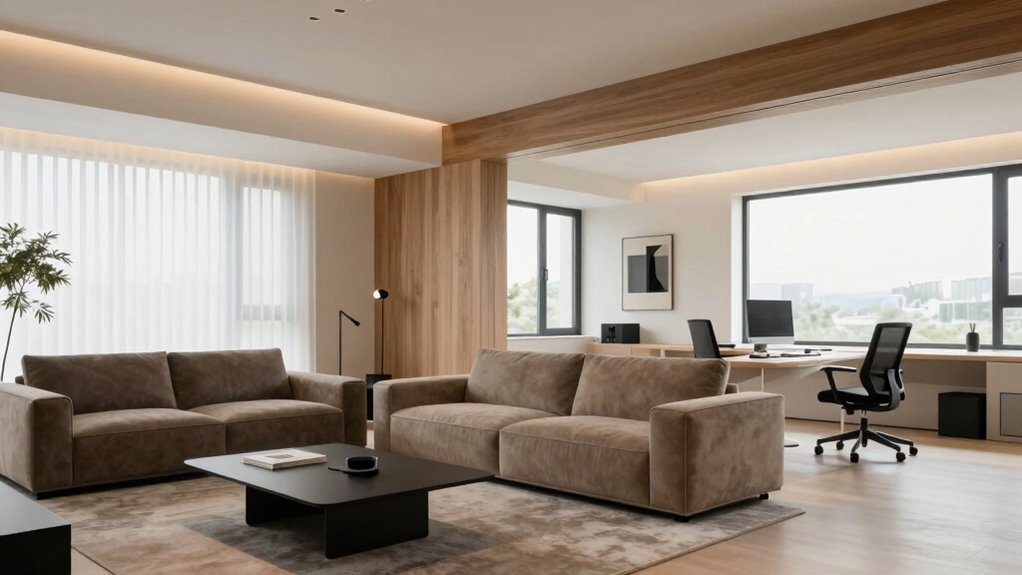
To divide your home into power priority zones, start by identifying essential areas like the kitchen, security systems, and medical devices. Assign these zones the highest priority to stay powered during outages or peak times. Automate non-critical areas like guest rooms and basements to turn off when needed. Using smart switches and home automation helps manage these zones efficiently. Keep going to discover how smart technology can make your energy management even smarter.
Open a free Amazon Business account
Business pricing, bulk buying and tax-exempt orders.
As an affiliate, we earn on qualifying purchases.
Key Takeaways
- Identify critical areas like kitchens, heating, security, and medical equipment to assign high-priority zones.
- Map out less critical spaces such as guest rooms and storage for lower-priority zones.
- Use smart switches and circuit breakers to automate zone control based on importance.
- Implement home automation systems to manage power distribution and prioritize essential devices.
- Regularly monitor energy consumption to adjust zone priorities for efficiency and safety.

Dividing your home into power priority zones helps guarantee that essential appliances and devices stay operational during outages or peak usage times. By implementing smart zoning, you can prioritize energy distribution, ensuring critical systems remain functional without wasting power on less important areas. This approach not only improves reliability but also promotes energy conservation, helping you reduce overall electricity consumption and lower utility bills. When you set up your zones thoughtfully, you create a system that adapts to your household’s needs, giving you control over where and when power flows.
Smart zoning ensures essential devices stay powered during outages, reducing waste and lowering energy bills.
Start by mapping out your home’s most crucial areas. Typically, these include your kitchen, heating and cooling systems, security devices, and medical equipment if you have any. These zones should receive the highest priority during a power shortage or when energy demand peaks. Next, consider less critical spaces like guest rooms, basements, or storage areas. These can be assigned lower priority or even shut off automatically during emergencies or high-demand periods. Smart zoning allows you to automate these decisions, using smart switches or circuit breakers that respond to your preset rules. That way, you don’t have to manually turn off appliances or worry about forgetting to save power.
Energy conservation plays a key role here. By intelligently dividing your home into zones, you minimize unnecessary energy use. For example, during a blackout, your smart zoning system can ensure your refrigerator and essential lighting stay on while non-essential devices like entertainment systems or outdoor lighting are temporarily shut down. When demand is high, the system can automatically reduce power to less critical zones, easing the strain on your electrical system and preventing overloads. This proactive management not only conserves energy but also extends the lifespan of your appliances and wiring, saving you money in the long run. Additionally, integrating smart appliances into your zones can further optimize energy use and automation. Recognizing how home automation can facilitate this process makes it easier to implement an efficient system tailored to your household’s needs. Incorporating energy management systems can also provide detailed insights into your power consumption, helping you make smarter decisions about usage and saving. Implementing these systems can also help you identify energy waste and optimize your overall energy strategy.

Leviton LB120-ST 2nd Gen Smart Circuit Breaker with Remote Control, Standard, 1-Pole 20 Amp, 120-Volt, 10kA Interrupt Rating
- Smart Home Integration: Controlled via My Leviton app
- Remote Control: Turn breakers on/off remotely
- Custom Scheduling: Set timers for energy savings
As an affiliate, we earn on qualifying purchases.
As an affiliate, we earn on qualifying purchases.
Frequently Asked Questions
Can I Reconfigure Power Zones Easily After Initial Setup?
Yes, you can reconfigure power zones easily after initial setup thanks to remote monitoring and zone flexibility. These features let you adjust zone boundaries or priorities without complex rewiring. With remote monitoring, you can make changes from anywhere, ensuring your zones adapt to your evolving needs. This flexibility makes it simple to optimize energy use, improve safety, and maintain control, even after the original configuration is complete.
Do All Homes Require the Same Number of Power Priority Zones?
Not all homes need the same number of power priority zones; think of your home’s wiring as a tailored suit—fitted perfectly to your needs. Your decision depends on factors like size, energy efficiency goals, and zoning flexibility. Larger or more complex homes might require more zones to optimize energy use, while smaller homes can often do with fewer. Adjusting zones later is possible but works best when planned thoughtfully from the start.
How Do I Handle Emergencies in a Multi-Zone Power System?
In emergencies, you handle a multi-zone power system by prioritizing essential zones, like the kitchen or medical areas, for power outage strategies. Keep emergency preparedness supplies handy, such as flashlights and backup chargers, and consider installing automatic transfer switches to switch to backup power seamlessly. Stay informed about local outages and have a plan to manually shut down or isolate zones if needed, ensuring safety and minimal disruption during crises.
What Safety Precautions Should I Follow When Dividing Zones?
You should always follow electrical safety protocols and adhere to zoning regulations when dividing your home into power priority zones. Turn off the main power before working on electrical panels, wear insulated gloves, and use proper tools. Make certain your zoning plans comply with local electrical codes to prevent hazards. Consulting a licensed electrician is highly recommended to verify that your zoning setup is safe, compliant, and correctly implemented for your home’s electrical system.
Are There Specific Tools Needed for Zone Division?
You’ll need specific zoning tools like wire strippers, voltage testers, and circuit analyzers to effectively divide your home into power priority zones. These tools help you safely work with electrical panels and identify circuits, ensuring proper zone separation. Make sure you have a good set of screwdrivers and possibly a drill for panel modifications. Using the right zoning tools makes the process safer and more precise, helping you manage your electrical load efficiently.
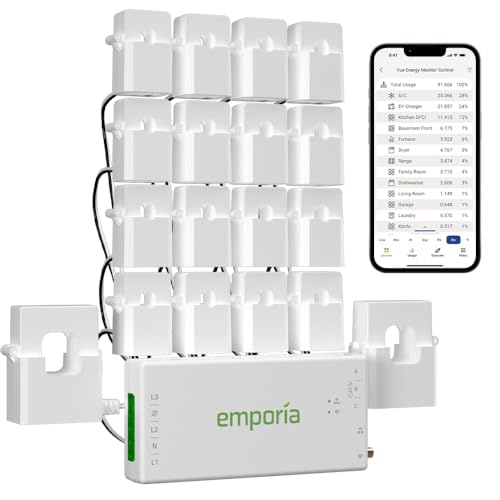
Emporia Vue 3 Home Energy Monitor – Smart Home Automation Module and Real Time Electricity Usage Monitor, Power Consumption Meter, Solar and Net Metering for UL Certified Safe Energy Monitoring
- UL Certified Safe Energy Monitoring: Certified for safety and reliability
- Easy Installation in Circuit Panel: Supports various home electrical systems
- Real-Time Energy Monitoring: 24/7 management and control of energy use
As an affiliate, we earn on qualifying purchases.
As an affiliate, we earn on qualifying purchases.
Conclusion
Now that you know how to divide your home into power priority zones, imagine what’s next. Are you ready to see your energy efficiency transform? The real challenge isn’t just setting up the zones—it’s maintaining that balance as your needs evolve. One simple tweak could make all the difference, revealing hidden savings and comfort. Don’t stop now—your home’s full potential is just a decision away. Will you take that step and redefine how you power your space?

Kasa Smart Light Switch, Single Pole, Need Neutral Wire, HS200
- Easy App-Guided Installation: Step-by-step setup with Kasa/Tapo app
- Remote Light Control: Manage lights from anywhere via smartphone
- Voice Control Compatibility: Works with Alexa and Google Assistant
As an affiliate, we earn on qualifying purchases.
As an affiliate, we earn on qualifying purchases.

aosu Outdoor Security Cameras Wireless Home Surveillance System with aosuBase, Battery Powered, Cross-Camera Tracking, True 2K HD Color Night Vision, Spotlight, Motion Alert, Easy Setup, 6-Cam-Kit
- Expandable Camera Kits: Choose 2/4/6-camera kits for coverage
- Wireless and Compact Design: Battery-powered, discreet outdoor cameras
- High-Resolution Video: Capture 2K clarity with 6X zoom
As an affiliate, we earn on qualifying purchases.
As an affiliate, we earn on qualifying purchases.
Pool season Picks
robotic pool cleaners
As an affiliate, we earn on qualifying purchases.