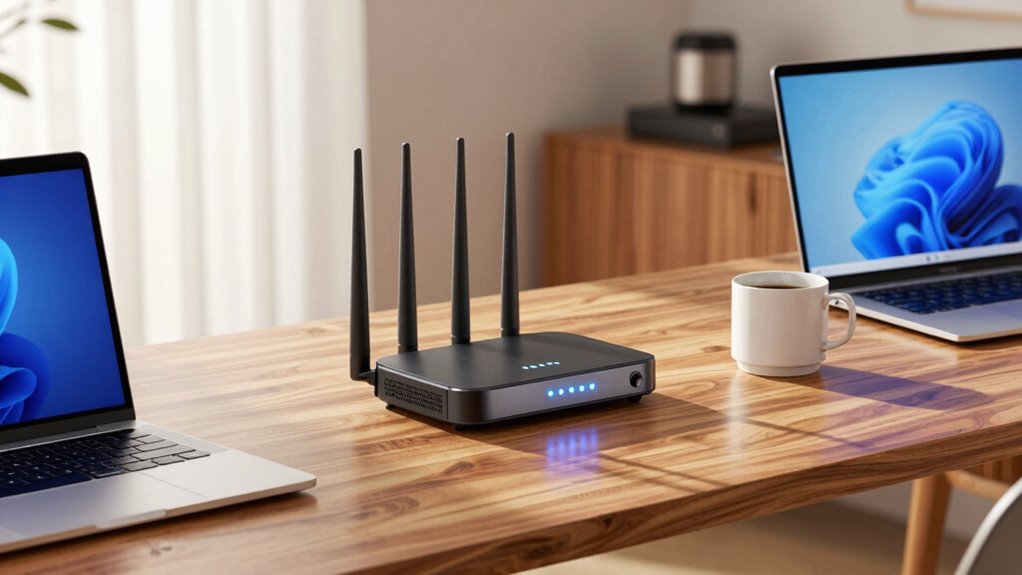
When selecting a WiFi router for a home office, reliability is the top priority. The best models can handle multiple devices, high-speed internet, and consistent coverage without interruptions. The NETGEAR Nighthawk WiFi 7 RS90 stands out for its fast speeds and broad coverage, ideal for busy work-from-home setups. Meanwhile, the TP-Link AXE5400 Tri-Band WiFi 6E Router offers cutting-edge technology for future-proof performance. On the flip side, tradeoffs often include cost versus features or ease of setup. Continue reading for a detailed breakdown of these options and what makes each suitable for different needs.
Play games included with Prime
Start a Prime free trial and play with Amazon Luna on your devices.
Start playingAs an affiliate, we earn on qualifying purchases.
Key Takeaways
- Top-tier WiFi 7 routers provide the fastest speeds and broadest coverage, but come at a higher price point.
- Choosing a dual-band WiFi 6 model can be a cost-effective way to ensure reliable performance for most home offices.
- Mesh systems like the eero Pro 7 excel in extending coverage but may introduce complexity and higher costs for smaller setups.
- Features like multiple bands and advanced security are key for handling multiple devices and sensitive data securely.
- Setup complexity varies, with user-friendly models favored by beginners and feature-rich options suited for tech-savvy users.
| NETGEAR Nighthawk WiFi 6 Router R6700AX |  | Best Overall for Small Home Office Reliability | WiFi Standard: WiFi 6 | Max Speed: 1.8 Gbps | Coverage: 1500 sq ft | VIEW ON AMAZON | See Our Full Breakdown |
| NETGEAR Nighthawk WiFi 7 Router RS90 |  | Best for Large, Demanding Home Office Environments | WiFi Standard: WiFi 7 | Speed: Up to 3.6 Gbps | Coverage: Up to 2000 sq ft | VIEW ON AMAZON | See Our Full Breakdown |
| TP-Link AX3000 Dual-Band Wi-Fi 6 Router for Home |  | Best for Mid-Range Home Office Speed and Security | Wi-Fi Standard: Wi-Fi 6 (802.11ax) | Speed: 2402 Mbps (5 GHz), 574 Mbps (2.4 GHz) | Coverage: Extended with external antennas | VIEW ON AMAZON | See Our Full Breakdown |
| TP-Link AC1200 Gigabit Dual Band WiFi Router (Archer A6) |  | Best Budget Dual-Band for Small Home Office | Speed: 1200 Mbps | Ports: 4 Gigabit LAN | Antennas: 4 external with Beamforming | VIEW ON AMAZON | See Our Full Breakdown |
| NETGEAR Nighthawk RS300 Tri-Band WiFi 7 Router (Refurbished) |  | Best for Maximum Speed and Coverage in Demanding Environments | Wireless Speed: Up to 9.3 Gbps | Coverage: Up to 2500 sq ft | WiFi Standard: WiFi 7 | VIEW ON AMAZON | See Our Full Breakdown |
| NETGEAR Nighthawk WiFi 7 Router RS100, Up to 2,000 sq ft, 3.6 Gbps |  | Best Overall for Large Homes and Multiple Devices | Speed: Up to 3.6 Gbps | Coverage: Up to 2,000 sq ft | Device Capacity: Up to 50 devices | VIEW ON AMAZON | See Our Full Breakdown |
| TP-Link AXE5400 Tri-Band WiFi 6E Router |  | Best for Tech-Savvy Users Who Want Future-Proof Speed | WiFi Speed: up to 5400 Mbps | WiFi Bands: Tri-Band (6 GHz, 5 GHz, 2.4 GHz) | 6 GHz Speed: 2402 Mbps | VIEW ON AMAZON | See Our Full Breakdown |
| TP-Link AC1200 WiFi Router Dual Band Wireless Internet Router (Archer A54) |  | Best Budget Dual-Band for Small to Medium Homes | Max Speed: 1200 Mbps | Coverage: Up to 1,000 sq ft | Bands: Dual-band (2.4 GHz, 5 GHz) | VIEW ON AMAZON | See Our Full Breakdown |
| NETGEAR Nighthawk WiFi 7 Router RS180, Up to 2,500 sq ft, 5.5 Gbps |  | Best for Ultra-High-Speed Large Home Coverage | Speed: up to 5.5 Gbps | Coverage: Up to 2,500 sq ft | WiFi Bands: Dual-band | VIEW ON AMAZON | See Our Full Breakdown |
| TP-Link BE6500 Dual-Band WiFi 7 Router (BE400) |  | Best for Seamless WiFi in Smart Homes | Max Speed: up to 5764 Mbps | Coverage: Up to 2,400 sq ft | Wi-Fi Technology: Wi-Fi 7 | VIEW ON AMAZON | See Our Full Breakdown |
| TP-Link Dual-Band Wi-Fi 7 Router, Archer BE3600 |  | Best Overall for High-Speed Home Office Connectivity | Wi-Fi Technology: Wi-Fi 7 | Speed (5 GHz): 2882 Mbps | Speed (2.4 GHz): 688 Mbps | VIEW ON AMAZON | See Our Full Breakdown |
| eero Pro 7 Tri-Band Mesh Wi-Fi 7 Router – Supports Internet Plans Up to 5 Gbps, Coverage up to 2,000 sq. ft., 1-Pack |  | Best for Seamless Whole-Home Coverage with High-Speed Internet | Wi-Fi Standard: Wi-Fi 7 (IEEE 802.11a/b/g/n/ac/ax/be) | Coverage: 2000 sq. ft. | Supported Devices: 200+ | VIEW ON AMAZON | See Our Full Breakdown |
| TP-Link AX1800 WiFi 6 Router (Archer AX21 V5) |  | Best Budget-Friendly Wi-Fi 6 Router for Reliable Home Office Use | Wi-Fi Standard: Wi-Fi 6 (802.11ax) | Total Bandwidth: 1.8 Gbps | Maximum Speed (5 GHz): 1200 Mbps | VIEW ON AMAZON | See Our Full Breakdown |
| wifi router for home office reliability | Coverage | Ports |
|---|---|---|
| NETGEAR Nighthawk WiFi 6 Route | 1500 sq ft | — |
| NETGEAR Nighthawk WiFi 7 Route | Up to 2000 sq ft | Four 1 Gbps LAN, 2.5 Gbps WAN |
| TP-Link AX3000 Dual-Band Wi-Fi | Extended with external antennas | — |
| TP-Link AC1200 Gigabit Dual Ba | — | 4 Gigabit LAN |
| NETGEAR Nighthawk RS300 Tri-Ba | Up to 2500 sq ft | — |
| NETGEAR Nighthawk WiFi 7 Route | Up to 2,000 sq ft | One 2.5 Gig WAN, four 1 Gig Ethernet LAN |
| TP-Link AXE5400 Tri-Band WiFi | — | — |
| TP-Link AC1200 WiFi Router Dua | Up to 1,000 sq ft | 5 Ethernet ports |
| NETGEAR Nighthawk WiFi 7 Route | Up to 2,500 sq ft | 1x 2.5 Gbps WAN, 1x 2.5 Gbps LAN, 3x 1 Gbps LAN, 1x USB 3.0 |
| TP-Link BE6500 Dual-Band WiFi | Up to 2,400 sq ft | 1x 2.5 Gbps WAN/LAN, 1x 2.5 Gbps LAN, 3x 1 Gbps LAN |
| TP-Link Dual-Band Wi-Fi 7 Rout | Up to 2,000 sq. ft. | 1 x 2.5G WAN/LAN, 1 x 2.5 Gbps LAN, 3 x 1 Gbps LAN |
| eero Pro 7 Tri-Band Mesh Wi-Fi | 2000 sq. ft. | — |
| TP-Link AX1800 WiFi 6 Router | — | — |
More Details on Our Top Picks
NETGEAR Nighthawk WiFi 6 Router R6700AX
The NETGEAR Nighthawk R6700AX stands out as the best overall choice for home offices in small to medium-sized homes, thanks to its reliable WiFi 6 performance supporting up to 20 devices. Compared with the TP-Link AX3000, it offers easier management and a more user-friendly app, but its range can be limited by walls and interference. Its 1.8 Gbps speed is sufficient for most remote work needs, though it doesn’t match the ultra-fast speeds of WiFi 7 models. Its four Gigabit LAN ports and WPA3 security bolster its utility, but the requirement for a separate subscription for NETGEAR Armor introduces ongoing costs. This router makes the most sense for users prioritizing stability and device support in a smaller home environment without intensive bandwidth needs.
Pros:- Reliable WiFi 6 performance for small to medium homes
- Easy setup and management via the Nighthawk app
- Supports multiple devices simultaneously with stable connections
Cons:- Range can be limited by walls and interference
- Separate subscription needed for NETGEAR Armor security
Best for: Small home office setups with multiple devices needing reliable WiFi coverage
Not ideal for: Large multi-story homes or users needing cutting-edge WiFi 7 speeds and extensive coverage
- WiFi Standard:WiFi 6
- Max Speed:1.8 Gbps
- Coverage:1500 sq ft
- Number of Devices Supported:Up to 20
- Ethernet Ports:4 Gigabit LAN, 1 Gigabit WAN
Our verdict“Ideal for small home offices seeking dependable WiFi coverage and straightforward management without the need for ultra-fast speeds.”
NETGEAR Nighthawk WiFi 7 Router RS90
The NETGEAR Nighthawk RS90 is tailored for those with large homes or high bandwidth demands, offering WiFi 7 speeds up to 3.6 Gbps and coverage up to 2,000 sq ft. It’s a step above WiFi 6 models like the NETGEAR R6700AX in speed and device capacity, managing up to 50 devices with MU-MIMO and OFDMA technology. While its high speeds are impressive, real-world performance depends heavily on device compatibility and internet plan limitations. The inclusion of NETGEAR Armor security is a plus but requires a subscription after the trial period. This model suits users who need top-tier speed and coverage for streaming, gaming, and smart home devices in larger spaces, though it may be overkill for smaller or simpler setups.
Pros:- Fast WiFi 7 speeds for demanding applications
- Wide coverage up to 2,000 sq ft
- Supports numerous devices with MU-MIMO and OFDMA
Cons:- Requires compatible devices to realize full speed benefits
- Larger size and higher cost may be unnecessary for smaller homes
- Security subscription after trial adds ongoing expense
Best for: Large homes or users with high-bandwidth needs like gaming and 4K streaming
Not ideal for: Small or medium homes with modest internet requirements or budget constraints
- WiFi Standard:WiFi 7
- Speed:Up to 3.6 Gbps
- Coverage:Up to 2000 sq ft
- Device Capacity:Up to 50
- Ports:Four 1 Gbps LAN, 2.5 Gbps WAN
Our verdict“Best suited for large, tech-heavy homes needing top-speed WiFi and extensive device support.”
TP-Link AX3000 Dual-Band Wi-Fi 6 Router for Home
The TP-Link AX3000 offers solid WiFi 6 speeds that support smooth video calls, streaming, and downloads, making it suitable for busy home offices. Its external antennas and Beamforming improve coverage, rivaling less capable routers like the TP-Link AC1200. While it provides advanced security features like TP-Link HomeShield and supports voice control with Alexa, it requires a separate modem to connect to most ISPs, which could add to setup complexity. This model balances performance and security reasonably well but is best for users who already have or plan to buy a compatible modem and want reliable, secure WiFi without the premium price of WiFi 7 routers.
Pros:- Fast WiFi 6 speeds for smooth work-from-home tasks
- Enhanced coverage with external antennas and Beamforming
- Strong security features including TP-Link HomeShield
Cons:- Requires a separate modem for most internet providers
- No included modem, increasing initial setup cost
Best for: Home office users with existing modem and seeking reliable WiFi 6 performance
Not ideal for: Users without a modem or those requiring WiFi 7 speeds for intensive tasks
- Wi-Fi Standard:Wi-Fi 6 (802.11ax)
- Speed:2402 Mbps (5 GHz), 574 Mbps (2.4 GHz)
- Coverage:Extended with external antennas
- Security:TP-Link HomeShield
- Compatibility:Works with all major ISPs
Our verdict“A reliable choice for home offices that want solid WiFi 6 performance and security without the highest price tag.”
TP-Link AC1200 Gigabit Dual Band WiFi Router (Archer A6)
The TP-Link Archer A6 provides a budget-friendly, reliable WiFi 5 solution for small home offices. Its 1200 Mbps combined speed supports basic streaming and video conferencing, comparable to entry-level WiFi 6 models but with less future-proofing. The external antennas and Beamforming improve coverage modestly, and MU-MIMO technology allows multiple devices to connect simultaneously. However, it requires a separate modem for most ISPs and doesn’t include advanced security features found in higher-end models. This router is best for users with modest internet needs who want a straightforward, affordable setup for remote work in smaller spaces.
Pros:- Affordable dual-band WiFi 5 performance
- Supports MU-MIMO for multiple device connections
- External antennas with Beamforming for better coverage
Cons:- Requires a separate modem for most ISPs
- Limited future-proofing compared to WiFi 6 or WiFi 7 routers
Best for: Small home office users on a tight budget with basic internet needs
Not ideal for: Power users or those with multi-story homes requiring extensive coverage or high speeds
- Speed:1200 Mbps
- Ports:4 Gigabit LAN
- Antennas:4 external with Beamforming
- Technology:MU-MIMO
- Security:WPA3
Our verdict“A solid, budget-friendly router suitable for small home offices with basic internet requirements.”
NETGEAR Nighthawk RS300 Tri-Band WiFi 7 Router (Refurbished)
The NETGEAR Nighthawk RS300 delivers exceptional speeds up to 9.3 Gbps and coverage up to 2,500 sq ft, making it a prime option for tech-heavy home offices or demanding households. Its tri-band WiFi 7 technology outpaces the RS90 and WiFi 6 options, supporting multiple high-bandwidth activities simultaneously. While the refurbished status might raise concerns about warranty and longevity, the robust hardware and features like multiple 2.5 Gbps Ethernet ports serve power users well. However, it requires a separate modem, and its higher price tag reflects its premium performance. This router makes the most sense for those who need the fastest WiFi and extensive wired options in a large or busy home environment, accepting the tradeoff of potential risks with a refurbished unit.
Pros:- Extremely high WiFi 7 speeds for intensive uses
- Large coverage area ideal for big homes
- Multiple high-speed Ethernet ports for wired devices
Cons:- Requires a separate modem for internet connectivity
- Refurbished units may have limited warranty or lifespan
- Higher price point may not suit casual users
Best for: Power users in large homes or small offices needing ultra-fast WiFi and extensive wired connections
Not ideal for: Budget-conscious buyers or those with smaller, less demanding networks
- Wireless Speed:Up to 9.3 Gbps
- Coverage:Up to 2500 sq ft
- WiFi Standard:WiFi 7
- Ethernet Ports:2 x 2.5 Gbps, 2 x 1 Gbps
- Refurbished:Yes
Our verdict“Designed for power users who require maximum speed and coverage, and are comfortable with a refurbished unit.”
NETGEAR Nighthawk WiFi 7 Router RS100, Up to 2,000 sq ft, 3.6 Gbps
The NETGEAR Nighthawk RS100 makes a strong case as the best choice for large homes needing reliable, high-speed WiFi. Its WiFi 7 capabilities deliver up to 3.6 Gbps, supporting multiple devices—ideal for busy home offices or households with many gadgets. Compared with the TP-Link AXE5400, the RS100 offers similar speed but excels in coverage, making it better suited for sprawling spaces. However, it requires a separate modem, which adds complexity and cost. The setup is straightforward via mobile or web, and security features like NETGEAR Armor enhance protection. The tradeoff is that it relies on an existing modem, so users must ensure compatibility. Overall, this router suits those who prioritize coverage and speed for many connected devices, provided they have or plan to get a compatible modem.
Pros:- High-speed WiFi 7 performance up to 3.6 Gbps
- Coverage up to 2,000 sq ft for large homes
- Supports up to 50 devices simultaneously
- Easy setup via app or web interface
Cons:- Requires a separate modem or gateway for internet access
- Some gateways may need bridge mode configuration
Best for: Homeowners with large, multi-room spaces and many connected devices who want high-speed, reliable internet coverage.
Not ideal for: Small apartments or users seeking an all-in-one solution, as it does not include a modem and is designed for larger coverage areas.
- Speed:Up to 3.6 Gbps
- Coverage:Up to 2,000 sq ft
- Device Capacity:Up to 50 devices
- Ports:One 2.5 Gig WAN, four 1 Gig Ethernet LAN
- Compatibility:Works with most cable, fiber, DSL, satellite providers
- Security:Advanced Router Protection, NETGEAR Armor (trial)
Our verdict“This router is best for large homes where multi-device reliability and high speeds are priorities, assuming compatible modem setup.”
TP-Link AXE5400 Tri-Band WiFi 6E Router
The TP-Link AXE5400 stands out for those eager to adopt WiFi 6E, offering blazing speeds up to 5400 Mbps across three bands. Its tri-band setup, including a dedicated 6 GHz band, ensures less congestion and smoother streaming or video conferencing—making it ideal for power users. Compared to the NETGEAR RS180, it provides slightly lower maximum speed but is easier to manage for tech enthusiasts thanks to its advanced features like OFDMA and EasyMesh. The setup may be complex for non-technical users, and it requires a separate modem, just like most high-end routers. Its security suite, TP-Link HomeShield, adds protection for sensitive work data. This router fits well for users who want cutting-edge WiFi 6E tech and are comfortable with a more advanced setup, sacrificing some ease of use for future-proofing.
Pros:- High-speed tri-band WiFi with 5400 Mbps total
- Supports OFDMA and EasyMesh for seamless coverage
- Includes advanced security with TP-Link HomeShield
- 6 GHz band reduces congestion
Cons:- Requires a separate modem for internet access
- Setup can be complex for non-tech users
Best for: Tech enthusiasts and power users who need ultra-fast, low-latency WiFi for demanding work-from-home tasks and streaming.
Not ideal for: Less technical users or those with smaller homes, as setup complexity and price may outweigh benefits for average use.
- WiFi Speed:up to 5400 Mbps
- WiFi Bands:Tri-Band (6 GHz, 5 GHz, 2.4 GHz)
- 6 GHz Speed:2402 Mbps
- CPU:1.0 GHz dual-core
- Memory:512 MB
- Compatibility:EasyMesh
Our verdict“Best suited for tech-savvy users seeking the latest WiFi 6E technology for demanding home office setups.”
TP-Link AC1200 WiFi Router Dual Band Wireless Internet Router (Archer A54)
The TP-Link Archer A54 offers a straightforward solution for users who need reliable WiFi without breaking the bank. Its dual-band setup supports up to 867 Mbps on 5 GHz and 300 Mbps on 2.4 GHz, totaling 1200 Mbps—adequate for typical home office tasks. Compared to higher-end models like the NETGEAR RS100, it provides a more affordable entry point, though with less coverage and speed. Its four external antennas improve signal stability, and WPA3 security keeps your network protected. However, it does not support the 6 GHz band, limiting future-proofing, and setup requires a separate modem. This router is a good fit for smaller homes or users with modest internet needs looking for affordability and ease of use.
Pros:- Affordable dual-band WiFi supporting up to 1200 Mbps
- Stable coverage with four external antennas
- Supports advanced WPA3 security protocols
- Easy management via Tether app
Cons:- Limited to dual-band WiFi, no 6 GHz support
- Requires a separate modem for internet access
- Performance may vary in obstacle-filled environments
Best for: Small to medium-sized homes or those with basic internet needs who want reliable WiFi on a budget.
Not ideal for: Large homes or users with high bandwidth demands, as coverage and speed may fall short under heavy load.
- Max Speed:1200 Mbps
- Coverage:Up to 1,000 sq ft
- Bands:Dual-band (2.4 GHz, 5 GHz)
- Antennas:4 external
- Security:WPA3
- Ports:5 Ethernet ports
Our verdict“A solid budget choice for smaller homes or light workloads where affordability matters most.”
NETGEAR Nighthawk WiFi 7 Router RS180, Up to 2,500 sq ft, 5.5 Gbps
The NETGEAR Nighthawk RS180 is designed for users who demand the fastest speeds and broadest coverage in large homes. Supporting WiFi 7 with up to 5.5 Gbps, it surpasses many competitors like the TP-Link BE6500 in raw speed, offering exceptional performance for demanding streaming and multi-device use. It covers up to 2,500 sq ft, making it ideal for sprawling spaces. Its quad-core processor and support for WiFi 6 and earlier devices offer both speed and backward compatibility, though it requires a separate modem, similar to most high-end routers. The app-based management simplifies setup, and security features guard against threats. The tradeoff is its higher cost and complexity, making it better suited for power users or large households with intensive internet needs.
Pros:- Exceptional WiFi 7 speeds up to 5.5 Gbps
- Coverage up to 2,500 sq ft for large homes
- Supports up to 80 devices with MU-MIMO and OFDMA
- Easy setup and management via app
Cons:- Requires a separate modem or gateway
- Higher price point and complexity
Best for: Large households or home offices that require ultra-fast speeds and extensive coverage for multiple simultaneous users.
Not ideal for: Small apartments or users seeking an all-in-one, budget-friendly router with simple setup.
- Speed:up to 5.5 Gbps
- Coverage:Up to 2,500 sq ft
- WiFi Bands:Dual-band
- Ports:1x 2.5 Gbps WAN, 1x 2.5 Gbps LAN, 3x 1 Gbps LAN, 1x USB 3.0
- Processor:Quad-core 2.0 GHz
- Device Capacity:Up to 80 devices
Our verdict“Best for users with large homes and high-speed demands who are prepared for a more complex setup and higher investment.”
TP-Link BE6500 Dual-Band WiFi 7 Router (BE400)
The TP-Link BE6500 exemplifies the latest WiFi 7 standard with features like Multi-Link Operation, MU-MIMO, and OFDMA, making it a reliable choice for smart homes and busy home offices. Its dual-band setup delivers speeds up to 5764 Mbps on 5GHz, supporting demanding activities like 4K streaming and online gaming. Compared with the NETGEAR RS100, the BE6500 emphasizes advanced features and security, with easy setup via the Tether app. While it covers up to 2,400 sq ft, it does require a separate modem, which might deter less experienced users. Its security options, including WPA3, protect sensitive work data, and compatibility with smart assistants adds convenience. This router is a strong choice for those who want fast, reliable WiFi with smart home integration, but it’s not designed for simple plug-and-play simplicity.
Pros:- Supports WiFi 7 with speeds up to 5764 Mbps
- Multi-Link Operation enhances stability and throughput
- Supports MU-MIMO and OFDMA for multiple devices
- Integrates security with WPA3 and HomeShield
Cons:- Requires a separate modem for internet
- Limited detailed info on firmware updates
Best for: Smart home users and busy home offices needing high-speed, secure WiFi with integrated device management.
Not ideal for: Users with smaller homes or those seeking a budget-friendly, straightforward router without advanced features.
- Max Speed:up to 5764 Mbps
- Coverage:Up to 2,400 sq ft
- Wi-Fi Technology:Wi-Fi 7
- Antennas:6 high-performance
- Security:WPA3, HomeShield
- Ports:1x 2.5 Gbps WAN/LAN, 1x 2.5 Gbps LAN, 3x 1 Gbps LAN
Our verdict“Ideal for smart home enthusiasts and busy households looking for modern WiFi 7 tech with security and smart device compatibility.”
TP-Link Dual-Band Wi-Fi 7 Router, Archer BE3600
This TP-Link Archer BE3600 stands out as the best overall choice for a home office that demands fast, reliable Wi-Fi. Its Wi-Fi 7 support delivers speeds up to 2882 Mbps on 5 GHz, making it suitable for high-bandwidth tasks like streaming and large file transfers. Compared to the eero Pro 7, it offers similar coverage but at a more approachable price, though it lacks the tri-band flexibility and mesh expansion options of the eero. The multiple gigabit ports ensure wired devices get ample bandwidth, while the quad-core processor keeps network traffic smooth. However, it does not support the 6 GHz band, which could limit future-proofing, and requires a separate modem. This pick suits tech-savvy users who want fast, stable Wi-Fi without the premium cost of a mesh system.
Pros:- High-speed Wi-Fi 7 performance for demanding tasks
- Multiple gigabit ports for wired connections
- Good coverage with internal antennas and beamforming
- Easy setup via mobile app
Cons:- Lacks support for the 6 GHz band, limiting future expansion
- Requires a separate modem for internet connection
- Performance can vary in environments with many obstacles
Best for: Home office users who prioritize high-speed, wired, and wireless performance with straightforward setup
Not ideal for: Small apartments or users seeking a simple, single-router setup without mesh expansion
- Wi-Fi Technology:Wi-Fi 7
- Speed (5 GHz):2882 Mbps
- Speed (2.4 GHz):688 Mbps
- Ports:1 x 2.5G WAN/LAN, 1 x 2.5 Gbps LAN, 3 x 1 Gbps LAN
- Coverage:Up to 2,000 sq. ft.
- Processor:Quad-core 2.0 GHz
Our verdict“Ideal for home office users wanting fast, reliable Wi-Fi with solid wired and wireless options, without the need for mesh expansion.”
eero Pro 7 Tri-Band Mesh Wi-Fi 7 Router – Supports Internet Plans Up to 5 Gbps, Coverage up to 2,000 sq. ft., 1-Pack
The eero Pro 7 excels in delivering seamless, reliable Wi-Fi across larger or multi-room home offices, especially for those with multiple devices. Its tri-band Wi-Fi 7 supports internet plans up to 5 Gbps, outperforming the TP-Link BE3600 in raw speed and mesh flexibility. Unlike the TP-Link, it offers mesh expansion, making it more suitable for larger or multi-story spaces. The easy setup and integration with Alexa and Matter make it accessible for users wanting a hassle-free experience. The higher price point might deter budget-conscious buyers, and it requires compatible internet plans and app-based setup. This model makes the most sense for professionals or small teams working in a larger home environment who need dependable, expansive coverage.
Pros:- Supports internet plans up to 5 Gbps for fast data transfer
- Provides expansive coverage up to 2,000 sq. ft.
- Supports over 200 devices with reliable mesh technology
- Easy to expand and set up with app and voice control
Cons:- Higher price compared to single-router options
- Requires compatible internet plans and app setup
- Limited to small and medium-sized homes or offices
Best for: Tech-savvy homeowners needing robust, expandable Wi-Fi coverage for multiple workspaces
Not ideal for: Users with small apartments or limited budgets who don’t need mesh expansion or ultra-high speeds
- Wi-Fi Standard:Wi-Fi 7 (IEEE 802.11a/b/g/n/ac/ax/be)
- Coverage:2000 sq. ft.
- Supported Devices:200+
- Ethernet Ports:2x 5 Gbps
- Processor:1.5 GHz quad-core
- Warranty:3 years
Our verdict“Best suited for users with larger or multi-room home offices who need reliable, scalable Wi-Fi coverage with high-speed support.”
TP-Link AX1800 WiFi 6 Router (Archer AX21 V5)
The TP-Link AX1800 offers a solid balance of speed and affordability, making it a good choice for home offices that don’t require the latest Wi-Fi 7 technology. Its Wi-Fi 6 support provides speeds up to 1.8 Gbps, adequate for most remote work, video conferencing, and file sharing. Unlike the higher-tier Wi-Fi 7 models, it doesn’t support the 6 GHz band, which might limit future-proofing or peak performance in crowded environments. The high-gain antennas and beamforming help extend coverage, but it can struggle in very large or obstacle-filled spaces compared with the eero Pro 7. This router is ideal for small to medium-sized home offices on a budget who want reliable, secure Wi-Fi without the complexity or expense of newer standards.
Pros:- Affordable price for Wi-Fi 6 technology
- Supports multiple devices simultaneously with OFDMA
- Good coverage with beamforming and high-gain antennas
- Includes built-in security features
Cons:- Limited to Wi-Fi 6, no support for 6 GHz or Wi-Fi 7
- Speeds capped at 1.8 Gbps, less future-proof
- Performance may degrade with many obstacles or large areas
Best for: Budget-conscious home office users needing dependable Wi-Fi 6 performance with good coverage
Not ideal for: Power users or those with large, multi-story offices seeking future-proofing or multi-gigabit speeds
- Wi-Fi Standard:Wi-Fi 6 (802.11ax)
- Total Bandwidth:1.8 Gbps
- Maximum Speed (5 GHz):1200 Mbps
- Maximum Speed (2.4 GHz):574 Mbps
- Antennas:4 high-gain
- Security:Advanced security, VPN support
Our verdict“A reliable, budget-friendly choice for small to medium home offices that prioritize security and stable Wi-Fi performance.”

How We Picked
I evaluated these routers based on performance, coverage area, ease of setup, future-proofing, and value. I prioritized models that deliver consistent, high-speed connections across typical home office environments, considering the number of devices commonly used. The rankings reflect a balance between cutting-edge technology, user experience, and price, with a focus on reliability for ongoing work-from-home needs. Models that offer advanced features like WiFi 6E or WiFi 7 are rated higher for future-proofing, while simpler options are included for affordability and ease of use.Factors to Consider When Choosing Wifi Router For Home Office Reliability
Choosing a WiFi router for home office reliability involves understanding several key factors. Beyond raw speed, coverage and stability matter most for preventing dead zones and interruptions. Features like multi-band support and security protocols protect your network and optimize performance. It’s also important to consider ease of setup and future compatibility with evolving WiFi standards. Balancing these factors can help you avoid common pitfalls, such as overpaying for unnecessary features or settling for a model that doesn’t cover your entire space.Coverage Area
Assess your home office size and layout to determine coverage needs. Larger spaces or multi-room setups benefit from routers with higher range or mesh systems. Remember that walls and furniture can weaken signals, so opting for a model with extra range or multiple access points can make a significant difference. Overestimating your needs can lead to unnecessary expense, while underestimating may cause dead zones and slow connections.
Speed and Performance
While maximum speed sounds appealing, real-world performance depends on your plan and device capabilities. For most home offices, a router supporting WiFi 6 or WiFi 6E provides future-proof speeds and better handling of multiple devices. Consider your internet plan’s speed and choose a router that can match or exceed it to avoid bottlenecks. Investing in higher performance models pays off if you work with large files or use video conferencing frequently.
Ease of Setup and Management
User-friendly interfaces and mobile app management simplify initial setup and ongoing maintenance. Beginners should look for routers with straightforward instructions and minimal configuration. Advanced users might prioritize features like Quality of Service (QoS) controls or custom firmware support. Remember that complex setups can lead to frustration or misconfiguration, impacting reliability.
Future-Proofing and Compatibility
WiFi standards evolve quickly, so choosing a router with WiFi 6E or WiFi 7 support can extend its lifespan. These standards offer higher speeds, increased capacity, and better handling of multiple devices. Compatibility with existing devices is key—most new models support backward compatibility, but verify this if you have older equipment. Upgrading prematurely can be unnecessary, but waiting too long might leave you with outdated hardware.
Security Features
Secure networks are vital for protecting sensitive work data. Look for routers with WPA3 encryption, automatic firmware updates, and guest network options. These features help prevent unauthorized access and keep your network safe. Budget models may lack advanced security, so consider your security needs carefully—particularly if you handle confidential information regularly.
Frequently Asked Questions
Is a WiFi 6E router worth the extra cost for my home office?
WiFi 6E offers access to the 6 GHz band, which can reduce congestion and improve performance in busy environments. If your home office has many devices or you require the highest possible speeds, investing in WiFi 6E can be worthwhile. However, keep in mind that your devices must support WiFi 6E to benefit fully, and compatibility may take time to become widespread. For most typical home setups, WiFi 6 provides ample performance at a lower cost.
Should I prioritize speed or coverage when choosing a router?
Both speed and coverage are important, but the priority depends on your space and work habits. If your home office is large or spread across multiple rooms, coverage and range are more critical. Conversely, if your space is small but you do bandwidth-intensive tasks, speed might matter more. Often, a balanced approach with a router supporting both high speeds and broad coverage provides the best reliability for most users.
Are mesh systems better than traditional routers for home office reliability?
Mesh systems excel at extending coverage evenly across larger or multi-room spaces, reducing dead zones. They are especially useful if your home layout makes signal distribution challenging. However, they can be more expensive and slightly more complex to set up. Traditional routers with good range may suffice for smaller spaces, offering a simpler and more affordable solution without sacrificing too much performance.
How important is security in choosing a home office router?
Security is vital for protecting sensitive work data and personal information. Routers with WPA3 encryption, automatic updates, and guest networks provide a higher level of security. Neglecting security features can leave your network vulnerable to attacks or unauthorized access. Even in a home environment, securing your WiFi reduces risks and ensures your work remains private and protected.
Can I upgrade my existing router for better reliability without replacing it?
Upgrading firmware on your current router can sometimes improve performance and security, but hardware limitations may restrict gains. If your device is several years old or lacks support for newer standards like WiFi 6, replacing it might be more effective. Newer routers generally provide more stable connections, better handling of multiple devices, and improved security features, making replacement a worthwhile consideration for consistent reliability.
Conclusion
For most home office users, the NETGEAR Nighthawk WiFi 7 RS90 offers the best blend of speed, coverage, and future-proofing, making it the top overall choice. Budget-conscious buyers will find the TP-Link AX1800 WiFi 6 Router provides reliable performance at a lower price. If you’re new to networking or prefer a simple setup, the eero Pro 7 Mesh offers straightforward installation and dependable coverage. For those handling sensitive data or requiring advanced security, models with WPA3 and robust management features are advisable. Ultimately, your choice should align with your space, device needs, and budget to ensure reliable, seamless connectivity for your home office.
As an affiliate, we earn on qualifying purchases.NFL season / tailgating Picks
team gear