TL;DR

Get backup power and energy gear delivered free with Prime
- Fast, free delivery on millions of items
- Prime Video, Amazon Music and more included
- Member-only deals all year
Portable power stations store electricity in a battery and provide it through outlets and USB ports, so you can run selected essentials during an outage. Choose by both watt-hours (stored energy) and watts (power delivered at once), plan for conversion losses and recharging limits, and never connect a station to household wiring without equipment designed and installed for that purpose.
When the power cuts out, your kitchen can go silent in a blink: the refrigerator stops humming, the router goes dark, and the hallway lamp becomes a phone flashlight. A portable power station can keep some essentials running, but it cannot stretch a small battery into a whole-house generator.
This guide shows you how to estimate capacity and runtime, choose devices worth backing up, and plan for recharging. You’ll also see why output ratings and safe connections matter. A quick plan made before the storm is far easier than comparing labels by candlelight.
Think of choosing a station like packing a car for a long trip: you have limited room, so you decide what matters, check the weight, and plan your fuel stops. With a short device list and realistic runtime estimates, you can tell whether a unit fits your home before you buy.
Use watt-hours to estimate stored energy and watts to check how much power the station can supply at once.
Account for conversion losses and reserve limits; rated capacity does not all reach your devices.
Check surge output for refrigerators and other motor-driven appliances before relying on them.
Treat solar panel output as variable, and plan charging around shade, weather, and station input limits.
Never feed household wiring through a wall outlet; use compatible equipment installed by a licensed electrician.
Learn What Capacity and Output Tell You
Portable power stations for home backup store energy in watt-hours (Wh) and deliver power in watts (W). Wh gives you a rough sense of how much electricity the battery holds; W tells you how much a device the station can supply at one time. You need both numbers to judge whether a station can run an appliance and for how long.
Start with a rough calculation: runtime in hours = capacity in Wh × usable fraction ÷ device power in W. If you run a 50 W router from a 500 Wh station and estimate 80% usable energy, the calculation gives about eight hours. The actual time may be shorter because power conversion, temperature, and changing device loads all affect the result.
Now check the output label. A refrigerator compressor may need a brief surge of power when it starts, even though its average draw is much lower. If its startup demand exceeds the station’s surge rating, it may fail to start despite the station having plenty of stored energy. Continuous output is the steady limit; surge output covers a short peak, when the model supports it.
Picture a rainy evening with a router, two LED lamps, and phones to charge. Their combined demand may be modest, but adding a kettle changes the picture: its heating element can draw substantial power for a few minutes. Check each device’s label and the station’s continuous and surge ratings before building your backup plan.
Products Worth Considering

Bose SoundLink Plus Portable Bluetooth Speaker, Wireless Outdoor Speaker, Up to 20 Hours Battery Life, Waterproof and Dustproof, Black

Ring Alarm Pro 14-Piece Home Security Kit with Built-In eero Wi-Fi 6 Router

Ring Alarm 14-Piece Kit
As an affiliate, we earn on qualifying purchases.
Choose the Devices You’ll Need First
A portable power station works best when you reserve it for essential, manageable loads such as communication, lighting, and selected small appliances. Space heaters, ovens, electric water heaters, and central air conditioning can use energy quickly or exceed a station’s output limit. A backup plan starts with what you need, not with everything you might want.
Write down the devices you would actually use in an outage, then note their wattage and how many hours you expect to run each one. A family might prioritize a Wi-Fi router for work updates, a few LED lamps, phone charging, and a medical device. That list reveals more than a headline capacity number because it ties the station to a real day at home.
Refrigerators need special attention. Their compressors cycle on and off, so the energy they use changes with age, size, room temperature, and how often you open the door. If you can, measure actual use with a watt-hour meter or use reliable appliance energy data. For example, an older fridge in a warm kitchen with frequent door openings may use more than a newer one in a cool room.
Medical equipment deserves a separate check. Confirm the device’s power and backup requirements with its provider, and plan for a longer outage than you hope to face. Do not assume compatibility from a plug that fits: output characteristics, runtime, and device instructions all matter.
- Start with communication: phone charging and internet equipment.
- Add practical lighting: LED lamps use relatively little power.
- Check motor loads: refrigerators and pumps may need startup surge capacity.
- Handle medical devices carefully: confirm requirements and maintain a backup plan.
Compare Recharging Plans Before the Outage
Portable power stations can recharge through a wall outlet, a vehicle outlet, or compatible solar panels, depending on the model. The right method depends on how long an outage lasts and what resources remain available. A wall outlet may be convenient before a storm; solar can help during a sunny multi-day outage, but it does not provide a guaranteed daily refill.
Solar panel output is a peak rating under test conditions. Shade from a chimney, a poor panel angle, winter sun, clouds, and heat can all lower real production. For example, a panel rated at 200 W will not necessarily deliver 200 W steadily from dawn to dusk. Check the station’s solar input range and connector requirements, and follow the manufacturer’s setup instructions.
Use this simple sequence to make a recharging plan:
- Check the input options: confirm wall, vehicle, and solar charging support.
- Compare recharge time: use the maker’s figures for your chosen source and note any input limits.
- Plan around conditions: account for daylight, shade, travel, and access to a working outlet.
- Leave a reserve: avoid spending all the stored energy on nonessential devices.
Some models charge from more than one source at once or support faster AC charging, but those features vary. A household that plans to use panels should include compatible panels, cables, and any extra batteries in the cost. A bare station may not deliver the backup plan you imagined if the rest of the charging system is missing.
Pick a Battery That Fits Your Storage Habits
Battery chemistry, weight, cost, and cycle life shape how a station fits your home. Many newer models use lithium iron phosphate (LFP or LiFePO₄), a lithium battery chemistry generally associated with longer cycle life and good thermal stability compared with some other common lithium-ion chemistries. That broad advantage does not guarantee identical performance across brands or models.
Look at the maker’s cycle-life rating as a comparison point, not a calendar promise. Capacity gradually declines, and the result depends on how often you charge and discharge the unit, the temperature where you store it, and how you care for it. Follow the product’s guidance on storage charge level and periodic checks so the station is ready when you need it.
Weight matters too. A high-capacity unit may be useful for a refrigerator and several small loads, but it can be awkward to carry up basement stairs. Imagine a storm warning arriving while the station sits in a detached shed: a lighter model kept indoors may be easier to reach and check. Balance capacity, output, portability, and storage location against the devices on your list.
Expansion batteries and home backup modes can increase what some systems support, but not every station offers them or works with every accessory. Compare the full setup, including expansion batteries, solar panels, cables, warranty, and any required installation. Prices and product specifications change, so confirm current details in the manufacturer’s documentation before you decide.
Use the Station Safely Around Your Home
A portable power station can run selected appliances from its own outlets, but it does not automatically become a whole-home backup system. Follow the manufacturer’s instructions for temperature, placement, ventilation, charging, and storage. Battery units differ from fuel-burning generators, which produce exhaust and must never run indoors or in enclosed spaces.
Never plug a station into a household wall outlet to energize home wiring, and do not use an improvised backfeed cable. That can create a serious shock or fire hazard and may send power where it should not go. If you want to supply household circuits, the station and connection equipment must be designed for that job, with a correctly installed transfer arrangement.
Electrical work that connects a backup system to home wiring belongs with a licensed electrician. They can assess compatible equipment and local code or permit requirements. Keep power off where the work requires it, use appropriate protective equipment, and leave installation to the professional rather than attempting a shortcut.
Keep the boundary clear: plug appliances directly into the station’s designed outlets, or use a properly installed connection system that the manufacturer supports.
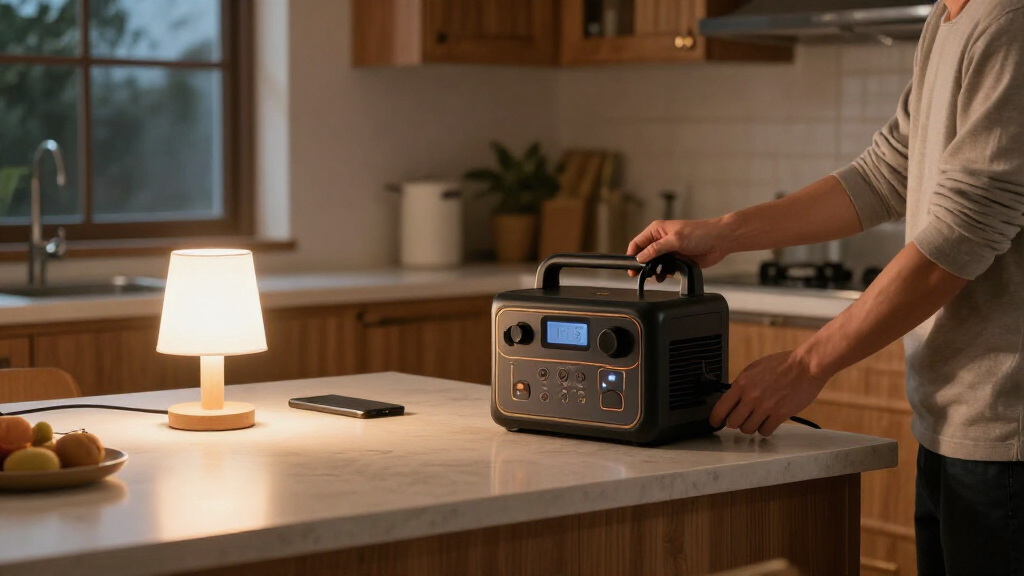
For instance, you might run a lamp and router from the station beside the kitchen table while leaving the home’s wiring untouched. That simple setup still needs the product’s placement and charging instructions followed, but it avoids confusing a portable outlet with an electrical panel connection.
Match the Purchase to the Outage You Expect
The best portable power station is the one whose usable energy, output, and recharging plan match the outage you are preparing for. A compact unit can be a sensible choice for phones, lamps, and a router; a larger expandable system may fit someone who needs longer backup or selected household circuits. Capacity alone does not settle the question.
Suppose you want to keep a refrigerator cold, run a router, and charge two phones overnight. Add their expected energy use, allow for inverter losses, and confirm that the fridge’s startup surge fits. Then ask how you will recharge the battery the next day. If your answer depends on solar, consider the season, panel location, and likely shade around your home.
Compare systems by their complete cost and practical details. A higher-capacity station can cost more and weigh more; extra batteries and panels add expense and storage needs. Some modern products offer apps, faster charging, modular expansion, or selected-circuit integration, but those features are not universal. Verify each model’s current specifications rather than assuming a broad market trend applies to the unit you are considering.
- Write an outage list with device wattage and expected hours.
- Check continuous and surge output against each appliance.
- Estimate usable energy with room for conversion losses.
- Price the full setup, including compatible charging gear.
- Review safety and storage instructions before placing the station.
Once you can describe the specific devices you want to run, for how long, and how you will recharge, you have a useful buying brief. That is more dependable than choosing a unit by its biggest advertised number.
Frequently Asked Questions
What size portable power station do I need for a home outage?
It depends on which devices you want to run, how much power they use, and for how long. Add up your essential energy needs, allow for conversion losses, and check that the station can handle each device’s startup demand.
How long will a portable power station run my refrigerator?
There is no single runtime for every refrigerator. Size, age, temperature setting, room conditions, door openings, and compressor cycling all change energy use; measured consumption can give you a better estimate than a guess from the label alone.
Can a portable power station run my whole house?
Usually, a standalone portable unit is better suited to selected devices than an entire home, especially when heating, cooling, or major appliances are involved. Some modular systems can support selected circuits with compatible equipment and proper installation.
Can I use a portable power station indoors?
Follow the specific manufacturer’s instructions for placement, temperature, ventilation, and charging. Battery power stations do not operate like fuel-burning generators, which produce exhaust and must never be used indoors or in enclosed spaces.
Can I connect a portable power station to my electrical panel?
Only if the station and connection equipment support that use and a correctly installed transfer arrangement meets applicable electrical requirements. Never plug a station into a household outlet to energize home wiring; use a licensed electrician for electrical installation.
Conclusion
Make your decision from a short list of essential devices, their likely energy use, and a realistic recharge plan. Check both stored capacity and output limits, especially for appliances with motors or heating elements.
Then store the station where you can reach it and follow its care instructions. When the neighborhood goes dark, a well-planned backup can keep the router blinking and a warm pool of lamplight on the kitchen table.