Before plugging appliances back in after an outage, you should inspect your circuit breakers for any signs of damage or tripping. Check surge protectors for visible damage or indicator lights signaling failure, and replace them if needed. Restoring power gradually by turning on the main supply first and then essential appliances helps prevent overloads. Carefully examine appliances for damage like cracked cords or burnt displays before reconnecting. If you’re curious about more safety tips, you’ll learn helpful insights to keep your home safe.

Get backup power and energy gear delivered free — and shop member deals
- Fast, free delivery on millions of items
- Access to Prime Big Deal Days deals on October 6–7
- Prime Video, Amazon Music and more included
Key Takeaways
- Ensure all circuit breakers are reset and functioning properly without signs of damage.
- Inspect surge protectors for visible damage or indicator lights signaling failure.
- Gradually restore power by turning on the main supply before plugging in appliances.
- Check appliances for damage, such as cracked cords or burnt displays, before reconnecting.
- Avoid plugging in multiple appliances simultaneously to prevent overloads or tripped breakers.

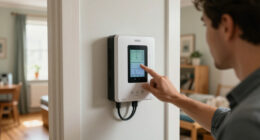
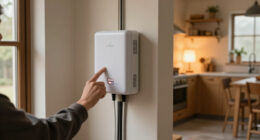
Before plugging your appliances back in, it’s essential to make sure everything is safe and ready. Power outages can sometimes cause electrical issues that aren’t immediately obvious, so taking a few precautions helps prevent damage or injury. Start by inspecting your circuit breakers. After an outage, circuit breakers may trip or become faulty, so flip each breaker to the off position, then back to on, to confirm they’re functioning correctly. If any breaker trips again or shows signs of damage—like burn marks or a burning smell—you might need to call an electrician. Only when you’re confident the breakers are secure and working properly should you proceed.
Check and reset circuit breakers before restoring power to ensure safety after an outage.
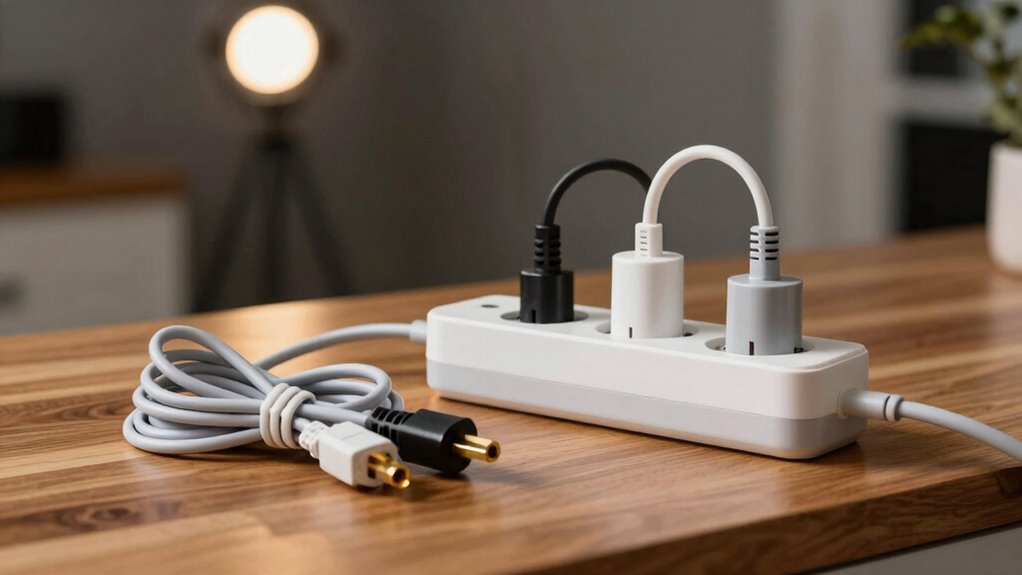
Next, check your surge protectors. These devices are designed to shield your appliances from power surges, which can happen when electricity is restored after a blackout. If you have surge protectors, examine them for any visible damage, such as frayed cords, scorch marks, or blinking indicator lights that signal failure. If your surge protectors look damaged or are old, replace them before plugging in sensitive electronics. You don’t want to risk a power surge damaging your expensive appliances or causing electrical fires. Remember, surge protectors are an extra layer of safety, but they aren’t foolproof; confirm they’re in good condition before relying on them again.
Once you’ve checked your circuit breakers and surge protectors, turn on your main power supply gradually. Avoid plugging in all appliances at once, especially high-wattage items like space heaters or refrigerators. Instead, start with essential appliances and observe how the system handles the load. This cautious approach helps identify any hidden issues, such as flickering lights or tripped breakers, before you overload your system. If you notice any irregularities during this process, disconnect the appliances immediately and consult a professional.
Finally, check your appliances themselves before plugging them in. Look for any signs of damage caused by power fluctuations, such as cracked cords or burnt-out displays. When plugging in, do so carefully, ensuring the plugs are fully inserted and secure. Avoid forcing plugs into outlets, which can damage both the outlet and the plug. By taking these steps—examining circuit breakers, surge protectors, and your appliances—you minimize the risk of electrical mishaps and ensure your home’s electrical system is safe after a power outage. Also, it’s helpful to understand electrical safety measures to prevent future issues. Staying informed about electrical safety protocols can further protect your home and loved ones from potential hazards. Additionally, understanding power surge protection can help you better safeguard your electronics in the future.
Being aware of electrical system troubleshooting tips can further enhance your safety measures during such situations.
As an affiliate, we earn on qualifying purchases.
Frequently Asked Questions
Can I Plug in Appliances Immediately After a Power Outage?
You shouldn’t plug in appliances immediately after a power outage. Power surges can occur when electricity’s restored, risking appliance safety. Wait a few minutes and check your circuit breaker to confirm power’s stable. Use surge protectors for added safety, and unplug sensitive electronics during outages. This way, you protect your appliances from damage caused by sudden voltage spikes and guarantee they’re safe to use once power is back.
Should I Reset All Circuit Breakers Before Plugging in Appliances?
Yes, you should reset all circuit breakers before plugging in your appliances. Circuit breaker safety is vital; a breaker might trip during an outage, and resetting guarantees the circuit is stable. Follow proper appliance reset procedures by turning off appliances first, then resetting the breakers to the “on” position. This prevents electrical hazards and guarantees your appliances operate safely once power is restored. Always double-check the breakers before plugging in.
Is It Safe to Turn on Appliances if the Power Flickers?
It’s tempting to just turn your appliances on during flickering power, but that’s like playing with fire. Flickers often mean unstable voltage, risking damage. Instead, use surge protection and inspect your appliances first. If you notice irregularities or surges, wait until the power stabilizes. Turning on appliances prematurely can lead to costly repairs, so exercise patience and confirm everything’s safe before powering up.
How Do I Check if My Appliances Are Damaged After an Outage?
To check if your appliances are damaged after an outage, start with an appliance inspection for any signs of damage, like burnt smells, unusual noises, or visible burns. Test each device carefully by plugging them in one at a time, and observe their operation. If you notice any damage signs or if they don’t work properly, it’s safest to have a professional inspect or repair them before use, preventing further issues.
What Precautions Should I Take With Sensitive Electronic Devices?
You should use surge protectors for sensitive electronic devices to guard against power surges. Make sure your devices are properly grounded for safety, reducing the risk of electrical shock or damage. Before plugging them in, inspect cords and outlets for damage. Keep your electronics unplugged during storms or outages, and wait for stable power before reconnecting. Taking these precautions helps protect your devices from electrical issues and guarantees grounding safety.
surge protector with indicator lights
As an affiliate, we earn on qualifying purchases.
As an affiliate, we earn on qualifying purchases.
Conclusion
Once you’ve checked everything, you’ll feel confident plugging your appliances back in. It’s easy to worry about damage after an outage, but taking these simple steps minimizes risks and keeps your home safe. Remember, a quick inspection now can save you from costly repairs later. Don’t rush—doing it right gives you peace of mind, so you can enjoy a safe, hassle-free return to normal. Your home’s safety is worth those few extra moments!
As an affiliate, we earn on qualifying purchases.
As an affiliate, we earn on qualifying purchases.
Halloween Picks
halloween
As an affiliate, we earn on qualifying purchases.