When setting up temporary power for your home office, make certain your circuits can handle the load and avoid overloading by distributing devices across multiple circuits. Use high-quality, surge-protected power strips and inspect cords for damage to prevent hazards. Proper grounding and adhering to safety standards are essential to avoid shock risks and equipment damage. If you want to guarantee your setup is safe and compliant, there’s more important information to take into account.

Get backup power and energy gear delivered free with Prime
- Fast, free delivery on millions of items
- Prime Video, Amazon Music and more included
- Member-only deals all year
Key Takeaways
- Ensure temporary power sources are stable and meet the electrical load requirements of your home office devices.
- Use surge protectors or UPS systems to safeguard sensitive electronics from power fluctuations.
- Avoid overloading circuits by distributing devices across multiple outlets and circuits.
- Inspect and use high-quality extension cords rated for the intended load; avoid daisy-chaining cords.
- Consult a licensed electrician to verify proper grounding, wiring, and compliance with electrical standards.

Are you setting up a home office and need temporary power? If so, you’ll want to verify you’re handling the electrical setup safely and efficiently. Temporary power routing can be straightforward, but it requires careful attention to circuit safety to prevent potential hazards. When connecting devices to temporary power sources, avoid overloading circuits. Too many devices drawing power at once can cause circuit breakers to trip or, worse, lead to overheating and electrical fires. Always check the capacity of the circuits you’re using and distribute the load evenly to keep everything running smoothly.
Ensure circuit capacity is not exceeded and distribute power evenly for safe temporary home office setup.
One major concern with temporary power setups is the risk of a power surge. Power surges can occur unexpectedly due to various factors, such as lightning strikes or fluctuations in the main power supply. These surges can damage sensitive electronics, including your computer, printer, or other office equipment. To protect your devices, consider installing surge protectors or uninterruptible power supplies (UPS). These devices can absorb or block excess voltage, safeguarding your equipment from sudden power spikes. Additionally, understanding circuit capacity is essential to ensure your setup remains safe and reliable. Proper grounding techniques also play a vital role in minimizing electrical risks and protecting your equipment.
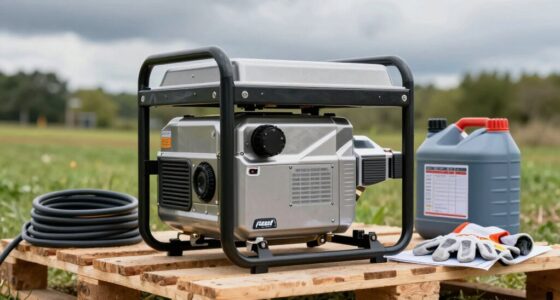
When routing power temporarily, it’s best to use high-quality extension cords rated for the intended load. Avoid daisy-chaining multiple cords, as this increases the risk of overload and potential fire hazards. Instead, plug your devices directly into a surge-protected power strip, and ensure the cords are in good condition—no frays or exposed wires. If you’re using a generator or an external power source, make sure it supplies clean, stable power with minimal fluctuation. Many generators have built-in surge protection, but it’s always wise to double-check their specifications. For added safety, consider proper grounding techniques to minimize electrical risks and ensure a safe setup. Being aware of electrical standards and adhering to them can further enhance safety during your temporary setup.
Another important aspect is to make sure that your setup complies with local electrical codes and standards. If you’re unsure, consult a licensed electrician to inspect your temporary wiring and confirm that everything is safe and code-compliant. This step helps prevent circuit overloads and ensures that your home office remains a safe working environment.
Products Worth Considering

Bose SoundLink Plus Portable Bluetooth Speaker, Wireless Outdoor Speaker, Up to 20 Hours Battery Life, Waterproof and Dustproof, Black

Ring Alarm Pro 14-Piece Home Security Kit with Built-In eero Wi-Fi 6 Router

Shark HydroVac MessMaster Corded Wet Dry Vacuum and Mop (WD161)
As an affiliate, we earn on qualifying purchases.
Frequently Asked Questions
Can I Install Temporary Power Routing Myself?
You can attempt a DIY installation of temporary power routing, but it’s vital to prioritize electrical safety. If you’re experienced with electrical work, follow proper procedures and local codes carefully. However, if you’re uncertain or inexperienced, it’s best to hire a licensed electrician. Incorrect setup risks electrical hazards, fire, or damage. Always guarantee safety measures are in place and avoid rushing the process to protect yourself and your home.
How Long Can Temporary Power Be Safely Used?
You can safely use temporary power for a home office as long as the power source remains stable and safety measures are followed. Typically, it’s recommended to limit usage to a few days or weeks, depending on the setup and local regulations. Regularly check connections for signs of wear or damage, guarantee proper grounding, and avoid overloading circuits to maintain safety during extended use.
What Permits Are Required for Temporary Power Setup?
Think of your temporary power setup as a delicate dance—each step requires permission to guarantee safety. You’ll need to submit a permit application to your local electrical safety authority before installing. These permits act like a safety net, catching potential hazards. It’s essential to follow this process to keep your home office powered without risking electrical mishaps, making sure your workspace remains safe, compliant, and ready to serve your needs.
Will Temporary Power Affect My Home Insurance Policy?
Temporary power routing shouldn’t automatically affect your home insurance policy, but it’s wise to check with your insurer. Insurance implications vary, and some policies may require you to disclose temporary electrical setups to verify coverage remains valid. Review your policy coverage and speak with your insurance agent to clarify any concerns. Staying transparent helps prevent potential claim issues and guarantees your policy remains effective during the temporary power installation.
How Do I Ensure Safety With Temporary Power Systems?
Imagine a home office fire caused by improper generator safety or tangled power cords. To prevent this, always use generators outdoors in well-ventilated areas and follow manufacturer instructions. Manage power cords carefully by avoiding tripping hazards and ensuring they’re not damaged. Regularly inspect your setup, keep cords organized, and never overload circuits. These steps help protect your home, family, and equipment while keeping your temporary power system safe and reliable.
Conclusion
Installing temporary power for your home office keeps your work running smoothly, especially during outages or renovations. Just remember to follow safety guidelines and consult a professional if needed. Did you know that nearly 60% of electrical fires are caused by improper wiring or temporary setups? Staying cautious not only protects your equipment but also keeps your home safe. With the right precautions, you can enjoy uninterrupted productivity without risking electrical hazards.