
TL;DR

Get backup power and energy gear delivered free with Prime
- Fast, free delivery on millions of items
- Prime Video, Amazon Music and more included
- Member-only deals all year
With a local-first workflow, you can turn one video into multiple assets—clips, metadata, posts—on your own hardware. No cloud, no recurring fees, total control. It’s a game-changer for privacy-focused creators.
Imagine finishing a video and having a whole publishing toolkit ready in minutes—without sending a single file to the cloud. It sounds nearly impossible until you realize how powerful local AI tools have become. You get faster workflows, more privacy, and total ownership of your content.
This isn’t just about saving time. It’s about reclaiming control over your footage, reducing costs, and customizing every asset. Whether you’re a solo creator or running a small team, the idea of turning one video into a full publishing kit—on your own hardware—could change everything.
Key Takeaways
- Processing all video data locally keeps your footage private and eliminates recurring cloud costs.
- One source video can generate transcripts, clips, metadata, and social posts—saving hours of manual work.
- Compatibility and hardware capacity are key—invest in supported cameras and sufficient processing power.
- Metadata enhances searchability and reuse, turning raw footage into a valuable content library.
- While hardware costs upfront are higher, long-term savings and control make it worthwhile for many creators.
As an affiliate, we earn on qualifying purchases.
What does ‘without the cloud’ really mean for your workflow?
‘Without the cloud’ means all processing, storage, and asset creation happen on your local device—no servers, no internet dependencies. This setup lets you keep footage private, avoid subscription fees, and skip the lag of uploading and downloading.
For example, with a system like ChannelHelm, you drop in a video, and all the magic happens on your machine. You get transcripts, clips, metadata, and social posts—ready to review, edit, and publish—without any data ever leaving your network.

As an affiliate, we earn on qualifying purchases.
How one video becomes a full publishing kit—step by step
Turning one video into multiple assets isn’t magic. It’s a four-step process:

- Ingest: Drop your video or paste a link. The system recognizes the source and prepares it for analysis.
- Understand: AI transcribes speech, detects scene changes, reads on-screen text, and fuses all data into a structured timeline.
- Review: You see a dashboard with draft titles, descriptions, clips, and social posts. Make quick edits or regenerate assets as needed.
- Publish: Approve everything and send it to your platforms. All assets are packed into a single publishing kit—ready for upload.
As an affiliate, we earn on qualifying purchases.
Comparison: Cloud-based vs. Local AI workflows
| Feature | Cloud AI | Local AI (like ChannelHelm) |
|---|---|---|
| Processing location | Remote servers | On your device |
| Cost | Recurring subscription fees | One-time hardware investment |
| Privacy | Data leaves your network | All data stays in-house |
| Speed | Depends on upload/download speeds | Immediate, limited by hardware |
| Control | Limited, governed by provider | |
| Customization | Limited to provider features |
video clipping software for creators
As an affiliate, we earn on qualifying purchases.
As an affiliate, we earn on qualifying purchases.
Why metadata and AI-generated assets matter for creators
Metadata isn’t just tags; it’s the backbone of efficient content repurposing. When your system adds descriptions, scene info, and search tags locally, you gain instant access to your footage. Need a clip for TikTok? Search and find it in seconds. Want to draft a blog post? The metadata guides your story.
In-depth metadata tagging allows creators to unlock the full potential of their footage. For instance, detailed scene descriptions and keywords enable rapid searching and filtering, which is crucial when managing large content libraries. This not only speeds up content creation but also enhances discoverability across platforms. Additionally, AI-generated assets such as highlight clips and captions can be customized to match your style, giving you a tailored, efficient workflow. The tradeoff, however, is that setting up detailed metadata and AI assets requires initial effort, but it pays off in faster, more organized content management later.
What cameras and hardware do you need for a local publishing kit?
Most local AI tools work best with specific cameras—like UniFi Protect’s G4, G5, and AI-series models. These cameras offer onboard AI ports and robust video quality. For example, the G4 cameras support up to 1,000 detections per hour, making them ideal for detailed analysis without overloading your hardware.
To build your system, you’ll need a capable NVR or PC, and compatible cameras. Compatibility is key—check manufacturer lists or product specs before investing.
How local AI systems handle detection limits and performance
Local AI is powerful but not limitless. A typical setup supports around 1,000 detections per hour per AI key—enough for most small to medium setups. To learn more about hardware options, visit woodsplittersdirect.com. If you run multiple cameras, you’ll need more keys or hardware upgrades.
For example, a small business with four cameras might process 4,000 detections hourly, which is manageable. But heavy surveillance or complex workflows may need more robust setups. Understanding these limits helps you plan your hardware investments wisely—overestimating capacity can lead to bottlenecks, while underestimating may cause missed detections or delays. Therefore, assessing your specific needs and hardware capabilities is essential to maintain smooth performance and avoid costly upgrades later.
How metadata transforms your ability to search and repurpose footage
Metadata turns your raw video into a searchable, organized library. When your local AI tags scenes, topics, or highlights, you can instantly find and clip moments. It’s like having a detailed index for your entire footage archive.
Imagine a YouTube creator who, after analyzing a 30-minute video, finds a 10-second clip of a key point within seconds—saving hours of manual scrubbing. This capability is vital for creators who need to produce content quickly or repurpose footage across multiple platforms. Well-structured metadata not only accelerates content retrieval but also enables automated workflows, such as generating social media snippets or blog excerpts, with minimal manual intervention. However, the effectiveness depends on how comprehensively you tag your footage—more detailed metadata yields better searchability and reuse potential.
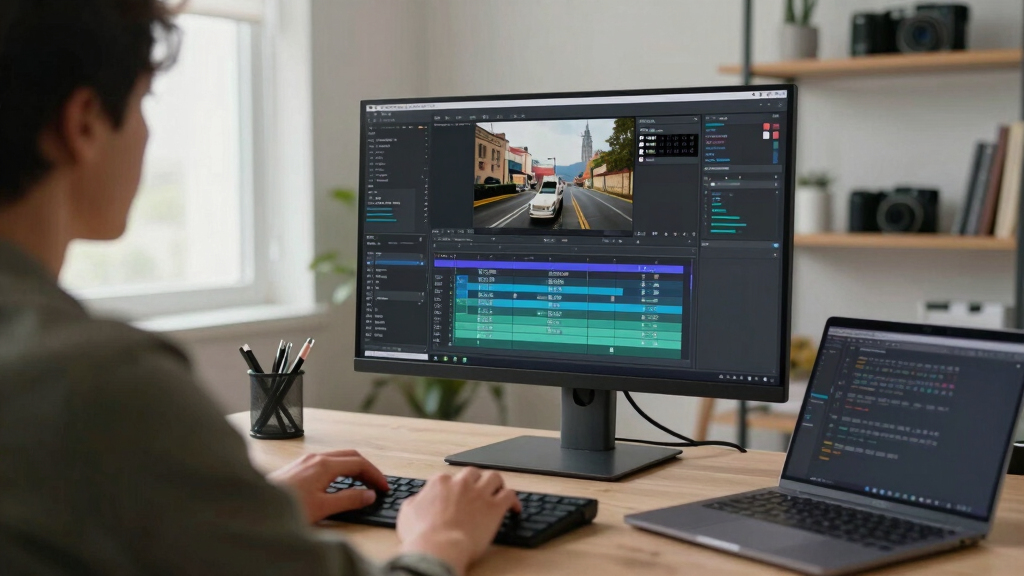
Cost comparison: one-time hardware vs. ongoing cloud subscriptions
Choosing local AI means paying once for hardware—like a powerful NVR or PC—and avoiding monthly fees. For hardware recommendations, check out charlottesfurniture.com. Cloud services often charge $20–$50 per month per channel, which adds up quickly over time.
For example, a creator investing $2,000 upfront in local hardware might save over $1,200 over a year compared to a cloud subscription. Additionally, owning your hardware means you’re not subject to provider price increases or service disruptions, giving you long-term stability. While the initial investment can be significant, it provides a predictable expense model and greater control over your workflow costs, making it appealing for dedicated creators who plan to scale or manage large content libraries.

Real-world uses: from home security to professional content creation
Local AI shines in many scenarios: a homeowner uses it to instantly get alerts and clips from security footage. Content creators use it to generate assets for social media, blogs, and clients—all on-site.
One YouTuber reported saving hours each week by automating clip creation and metadata tagging, all without relying on cloud services. This not only speeds up content delivery but also enhances security—since sensitive footage remains on local devices. The ability to customize detection parameters and asset generation workflows allows creators to tailor solutions to their specific needs, whether for personal security or professional content production. The key is understanding how local AI can be integrated into daily routines, making processes more efficient while maintaining strict control over data privacy.

The tradeoffs: what you sacrifice for local control
Local AI isn’t perfect. It requires hardware investment, some technical know-how, and may have limits on detection capacity. You won’t get the instant scalability of cloud solutions, but you gain full control and privacy.
For instance, if your needs grow beyond your hardware’s capacity, you’ll need upgrades. This upfront investment can be a barrier but also ensures you’re not locked into ongoing subscription costs or data-sharing agreements. Furthermore, the responsibility for maintenance, updates, and troubleshooting falls on you, which may require a learning curve. However, many creators find that the benefits of data sovereignty, customization, and avoiding vendor lock-in outweigh these challenges, especially for niche or privacy-conscious applications.

Getting started: your step-by-step guide to a local publishing workflow
Ready to build your own local publishing kit? Here’s how:
- Check your hardware compatibility—think NVR, PC, or server with enough processing power.
- Choose compatible cameras—like UniFi Protect’s AI-capable models.
- Install software such as [ChannelHelm](https://channelhelm.com/) or similar local AI tools.
- Configure your system for detection limits and metadata tagging.
- Start dropping videos, review generated assets, and publish—locally, with full control.
Frequently Asked Questions
Does ‘without the cloud’ mean all processing and storage stay on my device?
Yes. All processing—transcription, metadata creation, clipping—happens on your local hardware. Your footage remains within your network, giving you full control and privacy.
What kinds of assets can I generate from a single video?
You can produce transcripts, highlight clips, metadata tags, social media posts, blog drafts, and more—all from one source file, ready for review and publishing.
Is there a subscription fee or hidden costs?
No. With a local AI setup, you pay once for hardware and software. There are no recurring monthly fees, making it a cost-effective solution over time.
What cameras are compatible with a local publishing workflow?
Most systems work best with cameras like UniFi Protect’s G4, G5, and AI-series models, which support onboard AI processing and high-quality video. Always verify compatibility before investing.
How scalable is a local AI system for multiple cameras?
It depends on your hardware and detection limits. A typical setup handles around 1,000 detections per hour per AI key. For larger needs, add more hardware or keys accordingly.
Conclusion
Turning one video into a full publishing kit without relying on the cloud isn’t just a dream—it’s a practical reality for those willing to invest in the right tools. Privacy, control, and cost savings become your new normal.
Imagine a workflow where every asset is crafted on your own hardware—faster, safer, and more tailored to your needs. That’s the power of a local-first approach. Ready to take that step?

Fall Picks
fall essentials
As an affiliate, we earn on qualifying purchases.