During power instability, keep essential devices like your modem, router, and computer plugged into surge protectors or UPS units to prevent damage. Unplug non-essential gadgets such as chargers, entertainment systems, and decorative lights, especially during storms or voltage fluctuations. Avoid plugging high-power appliances into surge protectors. If you want to understand which devices need protection and how to stay safe, there’s more to learn about managing power fluctuations effectively.

Get backup power and energy gear delivered free with Prime
- Fast, free delivery on millions of items
- Prime Video, Amazon Music and more included
- Member-only deals all year
Key Takeaways
- Keep critical devices like modems, routers, and computers plugged into surge protectors or UPS units.
- Unplug non-essential electronics such as printers, entertainment systems, and decorative lights during instability.
- Avoid plugging high-power appliances (e.g., refrigerators, space heaters) into surge protectors or power strips.
- Use dedicated surge protectors for sensitive electronics to guard against voltage spikes.
- Unplug devices entirely if power fluctuations worsen or last for an extended period.

During power instability, knowing what to keep plugged in and what to unplug can protect your devices and prevent data loss. When the electricity supply fluctuates, sudden surges can damage sensitive electronics, so it’s essential to be strategic about your connections. Surge protectors are your best defense against voltage spikes, so make sure your valuable devices—like computers, routers, and external drives—are plugged into them. These devices absorb excess voltage, reducing the risk of damage. Avoid plugging high-power appliances, such as refrigerators or space heaters, into surge protectors, as they draw large amounts of current and can cause overloads. Instead, use dedicated power strips for multiple low-power devices, but always check their capacity to prevent overloading.
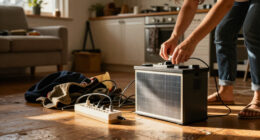
During unstable power conditions, it’s wise to unplug devices that aren’t critical. This includes chargers, printers, or entertainment systems, which are vulnerable to power surges. Unplugging these items reduces the risk of damage and also conserves energy. For devices that don’t require continuous operation, disconnecting them entirely is the safest approach. Keep in mind, even if a device isn’t actively in use, a sudden surge can still cause harm if it remains plugged in. Power strips with surge protection are helpful for organizing multiple devices, but they aren’t foolproof—they only protect against certain levels of voltage spikes. When power instability worsens or becomes prolonged, consider unplugging entire strips or devices directly from outlets to eliminate the risk entirely.
Another important point is to prioritize essential electronics, such as your modem, router, and computer. These are vital for maintaining communication and data access, so keep them plugged into surge protectors, preferably with battery backup units like uninterruptible power supplies (UPS). This setup provides a buffer against sudden outages and surges, giving you time to save your work or shut down properly. For non-essential gadgets, like decorative lights or speakers, unplug them entirely if you’re expecting a storm or ongoing power fluctuations. This prevents unnecessary wear and tear on their circuits and minimizes energy waste. Additionally, understanding power fluctuations and how they impact electronic safety can help you develop a more effective response plan during outages. Recognizing voltage stability as a key factor in protecting your devices can further enhance your preparedness. Being aware of electrical safety tips can help you avoid hazards during these unpredictable conditions.
Products Worth Considering

Ring Alarm 5-Piece Wireless Security System

LG 85-Inch QNED84B Mini LED 4K Smart TV (2026)

Shark Rotator Lift-Away Upright Vacuum, White/Red (NV501)
As an affiliate, we earn on qualifying purchases.
Frequently Asked Questions
How Can I Tell if My Devices Are Surge-Sensitive?
You can tell if your devices are surge-sensitive by checking their labels or user manuals for terms like “surge-sensitive” or “damage-prone.” If unsure, use a surge protector with built-in safeguards, as it helps protect even those devices that are more vulnerable. High-end electronics like computers and audio equipment tend to be more surge-sensitive, so plugging them into surge protectors is a smart move to prevent damage during power fluctuations.
Are There Specific Appliances That Are Safer to Keep Plugged In?
Coincidences often remind you of the importance of appliance safety. During power instability, keep essential appliances like refrigerators and medical devices plugged in, as they require continuous power for safety and function. Use proper power management for electronics and sensitive equipment by unplugging non-essential devices. This reduces risk of damage and guarantees critical appliances stay operational. Prioritize safety and smart power use to protect your home and appliances during unpredictable power fluctuations.
Should I Unplug My Wi-Fi Router During Power Fluctuations?
Yes, you should unplug your Wi-Fi router during power fluctuations. Power surges can damage sensitive electronics like routers, causing data loss or hardware failures. To protect it, plug your router into a surge protector or power strip with surge protection. During unstable power, unplugging your router prevents surges from reaching it, ensuring it stays safe. Always use surge protectors for valuable devices, especially during electrical instability.
What Precautions Should I Take With Medical Devices?
Did you know that nearly 80% of medical device malfunctions are caused by power fluctuation risks? You should always unplug sensitive medical devices during severe power fluctuations to prevent damage. Regular medical device maintenance is essential, and using surge protectors can help safeguard your equipment. Never ignore these precautions; they guarantee your devices function correctly and keep you safe during unstable power conditions.
How Often Should I Check My Uninterruptible Power Supply (UPS)?
You should check your UPS at least once every three to six months. During these checks, perform battery maintenance by testing the battery’s health and replacing it if needed, ensuring device compatibility with the UPS’s capacity. Regular inspections help prevent unexpected failures during power outages and extend the lifespan of your equipment. Keep an eye on indicator lights and listen for alarms, and always follow the manufacturer’s maintenance guidelines.
Conclusion
So, next time the lights flicker and your devices tremble in fear, remember: keep the essentials plugged in—your phone, maybe that lucky lamp—and unshackle the rest. After all, who needs a fancy toaster or that antique blender during a power crisis? Unplugging is your new hero move, saving your gadgets from the chaos. Embrace the chaos with a grin—after all, it’s just another excuse to buy shiny new tech when it all settles down.