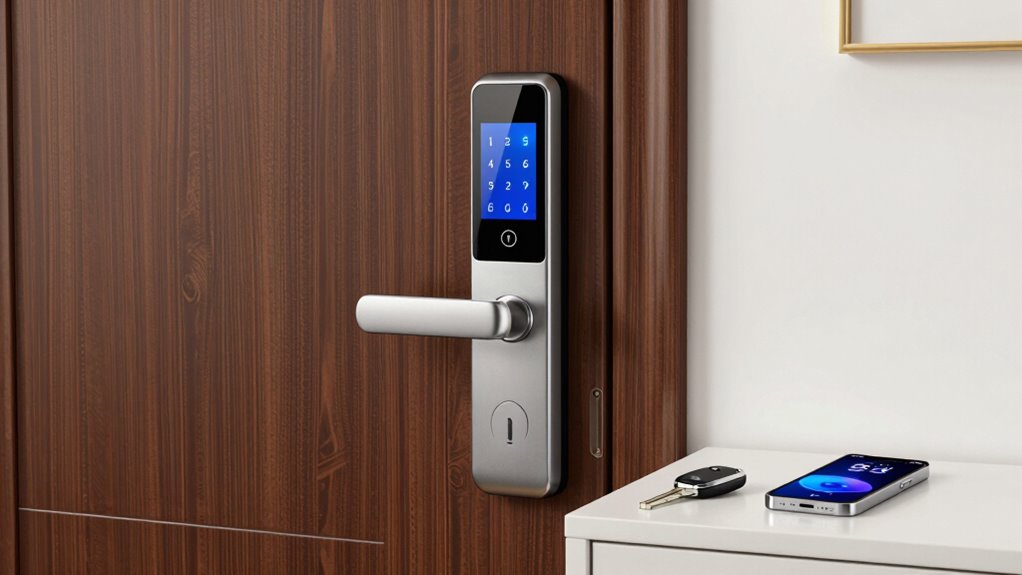
Finding a smart lock that works well for renters involves balancing ease of installation, affordability, and compatibility with existing door setups. The best options allow for keyless entry, remote control, and seamless integration without damaging the door or requiring permanent hardware changes. The August Home Smart Lock stands out as the overall top pick for its ease of use and reliable performance, while the Wyze Lock Bolt v2 offers affordability with advanced features like fingerprint access. However, renters often face tradeoffs such as limited compatibility, installation restrictions, or subscription costs. Keep reading to explore the best options and what features matter most for your rental needs.

Get backup power and energy gear delivered free with Prime
- Fast, free delivery on millions of items
- Prime Video, Amazon Music and more included
- Member-only deals all year
Key Takeaways
- The top smart locks for renters prioritize easy, non-destructive installation to avoid damaging rental doors.
- Connectivity options like Wi-Fi or Zigbee/Z-Wave significantly influence remote access and smart home integration.
- Affordable models often compromise on advanced features like fingerprint recognition or auto-unlock, which are found in premium options.
- Compatibility with voice assistants and smart home ecosystems varies, making it crucial to verify before purchase.
- Battery life and backup access methods are critical for ensuring reliable security without unexpected lockouts.
| August Home Smart Lock – Keyless Entry with Smartphone – Dark Gray |  | Best Overall for Ease and Compatibility | Compatibility: Works with Alexa, August App (iOS 9.0+ or Android 5.0+) | Power: 4 AA batteries (included) | Installation: Attaches to existing deadbolt, takes under 10 minutes | VIEW ON AMAZON | See Our Full Breakdown |
| Wyze Lock Bolt v2 Smart Lock with Fingerprint, Wi-Fi, and Keyless Entry |  | Best for Fast, Biometric Access with Remote Control | Model Number: WLCKB2 | Weather Resistance: IP53 | Battery Life: Up to 8 months | VIEW ON AMAZON | See Our Full Breakdown |
| Smart Lock Ultra with Keypad, Fingerprint Door Lock, App Remote Control, Built-in WiFi Deadbolt, Auto Unlock, Waterproof, Easy Install, Supports Alexa and Google |  | Best for Versatility and Multi-Method Access | Power Source: Battery Powered | Connectivity Technology: Wireless | Entry Control Method: App, Touch, Voice | VIEW ON AMAZON | See Our Full Breakdown |
| SwitchBot WiFi Smart Lock Pro + Hub Mini Matter, Keyless Entry Smart Deadbolt Retrofit for Existing Deadbolt |  | Best for Retrofit Flexibility and Platform Support | Brand: SwitchBot | Model Number: W9022003 | Recommended Uses: Residential front doors, home automation | VIEW ON AMAZON | See Our Full Breakdown |
| eufy Security Smart Lock C220, Fingerprint Keyless Entry Door Lock |  | Best for Biometric and Smart Home Integration | Unlock Methods: Fingerprint, keypad, app, voice (Alexa/Google), physical key | Battery Life: 8 months | Batteries: 8 AA batteries | VIEW ON AMAZON | See Our Full Breakdown |
| Anona Holo Wi-Fi Smart Lock, Keyless Entry Door Lock with App Remote Control, Auto-Lock & Anomaly Detection, Supports Alexa, Apple Home, Matter |  | Best Overall for Versatile Ecosystem Support | Compatibility: Alexa, Apple HomeKit, Matter | Installation: Non-destructive, inside door mounting | Power: 4 AA batteries, lasts 4-6 months | VIEW ON AMAZON | See Our Full Breakdown |
| Philips WiFi Smart Retrofit Lock |  | Best for Easy Upgrades on Existing Hardware | Connectivity: WiFi 2.4GHz | Battery: 2 x CR123 batteries | Auto Lock Timer: 10-180 seconds | VIEW ON AMAZON | See Our Full Breakdown |
| August Silver Wi-Fi Smart Keyless Entry Door Lock |  | Best for Ease of Use and Convenience | Compatibility: Most single cylinder deadbolts | Connectivity: Wi-Fi (802.11 b/g/n 2.4GHz or 5GHz) | App Requirements: iOS or Android smartphone | VIEW ON AMAZON | See Our Full Breakdown |
| Tapo Smart Wi-Fi Deadbolt Door Lock, Keyless Tactile Buttons, DL100 |  | Best for Outdoor Durability and Multiple Unlocking Options | Battery Life: Up to 200 days in Wi-Fi mode, 300 days in Bluetooth mode | Power: 4xAA batteries, USB-C for emergency power | Weatherproof Rating: IP54 | VIEW ON AMAZON | See Our Full Breakdown |
| CANDY HOUSE Sesame 5 Smart Lock Bluetooth Electronic Deadbolt Keyless Entry Door Lock |  | Best for Rental Spaces and Shared Access | Connectivity: Bluetooth | Included Components: Batteries, adapters, screws, screwdriver | Recommended Uses: Airbnb rentals, vacation homes, shared spaces | VIEW ON AMAZON | See Our Full Breakdown |
| Anona Holo Wi-Fi Smart Lock with Keypad, Keyless Entry Deadbolt Door Lock with App Remote Control, AutoLock & Anomaly Detection, Non-Destructive Installation, Supports Alexa, Apple Home |  | Best Overall for Flexibility and Security | Compatibility: Alexa, Apple HomeKit | Installation: Non-destructive, inside door, screwdriver required | Battery Life: 4 AA batteries, lasts 4-6 months | VIEW ON AMAZON | See Our Full Breakdown |
| August Home Smart Lock 3rd Generation – Silver |  | Best for Quick, Renter-Friendly Upgrades | Color: Silver | Compatibility: Most single-cylinder deadbolts | Installation Time: Approximately 10 minutes | VIEW ON AMAZON | See Our Full Breakdown |
| Philips Wi-Fi Smart Deadbolt Lock, Keyless Entry Door Lock |  | Best for Multi-Method Access and Customization | Brand: PHILIPS | Model Number: DDL242X-1HW | Included Components: 1 x door lock | VIEW ON AMAZON | See Our Full Breakdown |
| ULTRALOQ Bolt SE Wi-Fi Smart Lock with Matter over Thread |  | Best for Seamless Smart Home Integration | Fingerprint Capacity: 50 fingerprints | Passcode Capacity: 50 passcodes | Connectivity: Wi-Fi 2.4 GHz, Matter over Thread | VIEW ON AMAZON | See Our Full Breakdown |
| Nuki Smart Lock (Deadbolt) Keyless Entry WiFi Electronic Deadbolt with Auto-Unlock, App Control, Remote Access, Easy Installation, Smart Home for Front Door, Home & Rentals |  | Best for Multi-Platform Compatibility and Easy Setup | Brand: Nuki | Model Number: 221146 | Included Components: Nuki Smart Lock Ultra | VIEW ON AMAZON | See Our Full Breakdown |
| smart lock for renter | Compatibility | Battery Life | Connectivity |
|---|---|---|---|
| August Home Smart Lock | Works with Alexa, August App (iOS 9.0+ or Android 5.0+) | — | — |
| Wyze Lock Bolt v2 Smart Lock w | — | Up to 8 months | WiFi |
| Smart Lock Ultra with Keypad | Alexa, Google, Apple HomeKit (via Hub mini) | — | — |
| SwitchBot WiFi Smart Lock Pro | — | 6-9 months | WiFi, Matter, HomeKit, Alexa, Google |
| eufy Security Smart Lock C220 | Most standard deadbolts, bore under 54mm | 8 months | — |
| Anona Holo Wi-Fi Smart Lock | Alexa, Apple HomeKit, Matter | — | — |
| Philips WiFi Smart Retrofit Lo | — | Up to 4 months | WiFi 2.4GHz |
| August Silver Wi-Fi Smart Keyl | Most single cylinder deadbolts | — | Wi-Fi (802.11 b/g/n 2.4GHz or 5GHz) |
| Tapo Smart Wi-Fi Deadbolt Door | Alexa, Google Home, Samsung SmartThings | Up to 200 days in Wi-Fi mode, 300 days in Bluetooth mode | — |
| CANDY HOUSE Sesame 5 Smart Loc | — | — | Bluetooth |
| Anona Holo Wi-Fi Smart Lock wi | Alexa, Apple HomeKit | 4 AA batteries, lasts 4-6 months | — |
| August Home Smart Lock 3rd Gen | Most single-cylinder deadbolts | — | — |
| Philips Wi-Fi Smart Deadbolt L | — | — | Wi-Fi 2.4 GHz |
| ULTRALOQ Bolt SE Wi-Fi Smart L | — | Up to 18 months | Wi-Fi 2.4 GHz, Matter over Thread |
| Nuki Smart Lock | — | Months | Bluetooth, Wi-Fi, Matter over Thread |
More Details on Our Top Picks
August Home Smart Lock – Keyless Entry with Smartphone – Dark Gray
This August Smart Lock excels for renters who want a straightforward, no-fuss upgrade to their existing deadbolt. Its quick installation—attaching directly to your current lock—makes it highly accessible for those hesitant about complex setups. While it supports remote access, you’ll need to purchase a separate Wi-Fi Bridge, which adds an extra step and cost compared to the Wyze Lock Bolt v2, that natively offers Wi-Fi and remote control built-in. Its integration with Alexa enhances voice control, but some features like auto-lock and Door Sense depend on additional accessories. Compared with the eufy C220, August’s setup is simpler, but it falls behind in all-in-one functionality without extra purchases.
Pros:- Easy to install without replacing existing deadbolt
- Supports remote locking/unlocking via app
- Integrates seamlessly with Alexa for voice commands
- Includes security features like auto-lock and door sensing
Cons:- Requires separate purchase of Wi-Fi Bridge for remote access
- Batteries need regular replacement
- Limited features without additional accessories
Best for: Renters seeking easy, quick installation with broad smart home compatibility
Not ideal for: People who want a completely wireless, all-in-one system without extra accessories or complex setup
- Compatibility:Works with Alexa, August App (iOS 9.0+ or Android 5.0+)
- Power:4 AA batteries (included)
- Installation:Attaches to existing deadbolt, takes under 10 minutes
- Additional features:Auto Lock, Door Sense, remote access with Wi-Fi Bridge (sold separately), key-code entry (sold separately)
Our verdict“This lock makes sense for renters who prioritize simplicity and compatibility over built-in remote features.”
Wyze Lock Bolt v2 Smart Lock with Fingerprint, Wi-Fi, and Keyless Entry
The Wyze Lock Bolt v2 stands out for renters who want quick, biometric unlocking paired with versatile remote management. Its fingerprint scanner unlocks in under half a second, surpassing many competitors like the August Lock in speed and convenience. It supports multiple unlocking options—fingerprint, keypad, app, backup keys—which offers flexibility but also increases setup complexity. While its IP53 weather resistance makes it suitable for most environments, it’s not ideal for extreme weather conditions. Compared with the eufy C220, the Bolt v2’s biometric speed is a clear advantage, but users should consider battery replacement frequency and the potential learning curve for setup.
Pros:- Fast fingerprint unlocking in under 0.5 seconds
- Learns and improves recognition over time
- Remote management via Wi-Fi and Wyze app
- Multiple unlocking options including keypad, app, fingerprint, and backup keys
Cons:- Batteries need replacement every few months
- Weather resistance rated IP53, not suitable for heavy rain or snow
- Setup may be complex for some users
Best for: Renters who prioritize quick biometric access and remote control via Wi-Fi
Not ideal for: Those living in harsh weather zones needing heavy-duty weatherproofing or minimal setup
- Model Number:WLCKB2
- Weather Resistance:IP53
- Battery Life:Up to 8 months
- Included Components:AA Battery x8, Wyze Lock Bolt v2
- Connectivity:WiFi
- Durability:BHMA2
Our verdict“Ideal for renters wanting biometric speed and versatile remote control, with some tradeoffs in weather resistance and setup complexity.”
Smart Lock Ultra with Keypad, Fingerprint Door Lock, App Remote Control, Built-in WiFi Deadbolt, Auto Unlock, Waterproof, Easy Install, Supports Alexa and Google
The Smart Lock Ultra is tailored for renters who want flexible access options and broad smart home integration. Its support for fingerprint, keypad, app, and voice—via Alexa, Google, and Apple HomeKit—outperforms simpler locks like the August or Wyze in versatility. However, it requires a SwitchBot Hub mini for full smart home integration, adding complexity and cost. The long battery life of approximately 12 months and straightforward DIY installation make it appealing, but the need for the hub can be a drawback for renters seeking an entirely wireless, plug-and-play setup. Compared to the eufy C220, it offers more unlocking methods but involves more setup steps.
Pros:- Supports multiple unlocking methods including fingerprint and app
- Long battery life of around 12 months
- Compatible with Alexa, Google, and Apple HomeKit via SwitchBot Hub mini
- DIY installation with included accessories
Cons:- Requires SwitchBot Hub mini for full smart home features
- Setup can be complex for less tech-savvy users
- Not directly compatible with European locksets without extra accessories
Best for: Renters who want multi-method access and compatibility with various smart home ecosystems
Not ideal for: Users seeking a plug-and-play solution without additional hubs or setup complexity
- Power Source:Battery Powered
- Connectivity Technology:Wireless
- Entry Control Method:App, Touch, Voice
- Battery Average Life:12 months
- Dimensions:2.4 x 2.5 x 4.8 inches
- Compatibility:Alexa, Google, Apple HomeKit (via Hub mini)
Our verdict“A flexible choice for renters who value multiple access methods and integrated smart home control, despite added setup complexity.”
SwitchBot WiFi Smart Lock Pro + Hub Mini Matter, Keyless Entry Smart Deadbolt Retrofit for Existing Deadbolt
The SwitchBot WiFi Smart Lock Pro paired with the Hub Mini is well-suited for renters who want a retrofit solution compatible across multiple platforms, including Apple HomeKit, Alexa, and Google Assistant. Its easy retrofit installation avoids damaging existing locks, a key advantage over locks like the August that require replacement or overlay. Real-time notifications and auto-lock features enhance security, but it requires a separate keypad for additional unlocking options, which can complicate setup. Compared to the eufy C220, it provides broader platform support but may need more frequent battery replacements if used heavily. This lock is ideal for tech-savvy renters comfortable with multi-platform integration.
Pros:- Easy retrofit installation without damaging existing locks
- Supports multiple platforms including Apple HomeKit, Alexa, Google
- Auto-lock and real-time door status notifications
- No drilling required, minimal damage risk
Cons:- Requires separate keypad for additional unlocking options
- Compatibility limited to certain deadbolt types and shapes
- Battery life may necessitate frequent replacements with heavy use
Best for: Renters seeking a flexible retrofit lock compatible with multiple smart home systems
Not ideal for: Renters who prefer a simple, all-in-one lock without the need for additional accessories or multiple platform support
- Brand:SwitchBot
- Model Number:W9022003
- Recommended Uses:Residential front doors, home automation
- Battery Life:6-9 months
- Connectivity:WiFi, Matter, HomeKit, Alexa, Google
- Installation:Retrofit, no drilling or damage
Our verdict“A versatile retrofit option that balances platform support with easy installation, suitable for tech-oriented renters.”
eufy Security Smart Lock C220, Fingerprint Keyless Entry Door Lock
The eufy Security Smart Lock C220 offers an appealing option for renters seeking biometric access combined with multiple unlocking methods. Its AI-powered fingerprint recognition is fast and reliable, providing a significant advantage over keypad or app-only locks like the August or Wyze. The long battery life of around 8 months and straightforward installation make it attractive for renters who want minimal fuss. Its compatibility with eufy’s ecosystem allows for routine automation, but battery life can vary with heavy use, and it requires a standard deadbolt for installation. Compared to the Wyze Bolt v2, the C220 emphasizes biometric speed but may not offer the same level of remote control versatility without additional setup.
Pros:- Fast, reliable fingerprint recognition
- Multiple unlocking methods including keypad, app, voice, and key
- Long battery life of up to 8 months
- Easy installation within 15 minutes
Cons:- Battery life may be affected by heavy use
- Requires standard deadbolt compatibility
- Self-learning AI may need time to optimize recognition
Best for: Renters desiring biometric security and seamless smart home integration
Not ideal for: Those in extreme weather conditions or with non-standard deadbolt setups needing more rugged solutions
- Unlock Methods:Fingerprint, keypad, app, voice (Alexa/Google), physical key
- Battery Life:8 months
- Batteries:8 AA batteries
- Compatibility:Most standard deadbolts, bore under 54mm
- Certification:BHMA Grade 3
- Waterproof Rating:IP53
Our verdict“A solid choice for renters prioritizing biometric access and easy smart home integration, with some limitations on weather and deadbolt compatibility.”
Anona Holo Wi-Fi Smart Lock, Keyless Entry Door Lock with App Remote Control, Auto-Lock & Anomaly Detection, Supports Alexa, Apple Home, Matter
The Anona Holo Wi-Fi Smart Lock stands out for its broad compatibility, supporting Alexa, Apple HomeKit, and Matter, making it ideal for renters who want seamless integration across different smart home systems. Compared with the Philips WiFi Smart Deadbolt, the Anona offers more ecosystem flexibility, which is important for users with diverse smart devices. Its non-destructive, inside-door installation means renters can upgrade their security without damaging doors, but the moderate customer rating suggests some users experience setup or reliability issues. Features like auto-lock and anomaly detection boost security, especially useful for short-term renters or shared spaces. However, the battery life of 4-6 months may require frequent replacements, and app setup can be tricky for some. This pick is best for renters seeking a flexible, easy-to-install smart lock with advanced security features, willing to handle occasional setup challenges.
Pros:- Supports multiple smart home ecosystems including Alexa and Apple HomeKit
- Easy to install on most single-cylinder deadbolts without damaging the door
- Features auto-lock and anomaly detection for enhanced security
- Allows sharing access with family and guests via app
Cons:- Battery life may require frequent replacement (every 4-6 months)
- Some users may find app setup or integration challenging
Best for: Renters who want compatibility with multiple smart home systems and easy, damage-free installation
Not ideal for: Renters seeking a plug-and-play device with minimal setup or those sensitive to moderate customer ratings
- Compatibility:Alexa, Apple HomeKit, Matter
- Installation:Non-destructive, inside door mounting
- Power:4 AA batteries, lasts 4-6 months
- Features:Auto-lock, anomaly detection, remote control, temporary passcodes
- Model Number:SL2001
- Included Components:4 AA batteries, adapters, mounting plate, adhesive tape
Our verdict“This lock is best suited for renters who value ecosystem flexibility and advanced security but are comfortable managing moderate setup and maintenance.”
Philips WiFi Smart Retrofit Lock
The Philips WiFi Smart Retrofit Lock excels for renters who want to upgrade their current deadbolt without replacing the entire lock or door hardware. Unlike the August Silver, which offers a full lock replacement, this retrofit option transforms your existing lock into a smart device with minimal effort. Its easy installation, supported by app remote control and voice command compatibility with Alexa and Google Assistant, makes it appealing for those seeking quick upgrades. The 4-month battery life is decent, but the need to replace batteries and the requirement for a 2.4GHz WiFi network may pose inconveniences. This model’s limitation to interior knob replacement means it’s less suitable for renters with certain lock types. It’s best for those wanting a simple, non-invasive upgrade that maintains their existing hardware, though users should be prepared for occasional maintenance and connectivity needs.
Pros:- Easy to upgrade existing deadbolt without replacing exterior hardware
- Remote control and real-time notifications via app
- Supports voice commands with Alexa and Google Assistant
- Long battery life of up to 4 months
Cons:- Requires 2.4GHz WiFi network, which may limit compatibility for some
- Battery replacement needed every few months
- Limited to interior knob replacement only, not suitable for all lock types
Best for: Renters who prefer upgrading existing locks without hardware replacement and want remote control features
Not ideal for: Renters with incompatible lock types or those seeking a fully integrated smart lock system with longer battery life
- Connectivity:WiFi 2.4GHz
- Battery:2 x CR123 batteries
- Auto Lock Timer:10-180 seconds
- Battery Life:Up to 4 months
- Voice Control:Alexa, Google Assistant
- Control App:Philips Home Access
Our verdict“Ideal for renters wanting quick, non-invasive upgrades with remote access but prepared for regular battery changes and compatibility checks.”
August Silver Wi-Fi Smart Keyless Entry Door Lock
The August Silver Wi-Fi Smart Lock makes a compelling case for renters prioritizing ease of installation and reliable remote access. It supports a wide range of voice assistants, including Alexa, Google, and Apple, making it versatile for various smart ecosystems. Compared to the Tapo DL100, August’s auto-lock and auto-unlock features add convenience, especially for busy renters. Its quick 10-minute setup suits those who want an immediate upgrade, but it does require a Wi-Fi connection for full functionality, and some features like the keypad or biometric options are sold separately. While the app is generally user-friendly, additional accessories may increase the total cost. This lock is perfect for renters who want an intuitive, hassle-free upgrade that integrates well with existing smart home devices, with the caveat of needing a steady Wi-Fi connection.
Pros:- Easy to install on most deadbolts in about 10 minutes
- Supports remote access and smart home integration
- Auto-lock and auto-unlock features for convenience
- Compatible with Alexa, Google, and Apple voice assistants
Cons:- Requires Wi-Fi connection for full functionality
- Additional accessories like keypad are sold separately
- Biometric features are optional and may require extra setup
Best for: Renters seeking straightforward installation and reliable remote access with broad voice assistant support
Not ideal for: Renters without stable Wi-Fi or those needing integrated biometric security options upfront
- Compatibility:Most single cylinder deadbolts
- Connectivity:Wi-Fi (802.11 b/g/n 2.4GHz or 5GHz)
- App Requirements:iOS or Android smartphone
- Installation Time:Approximately 10 minutes
- Color:Silver
Our verdict“Best suited for renters who value quick installation, broad voice support, and convenience features, provided Wi-Fi stability is assured.”
Tapo Smart Wi-Fi Deadbolt Door Lock, Keyless Tactile Buttons, DL100
The Tapo DL100 appeals to renters who need a weatherproof, outdoor-ready smart lock with multiple unlocking methods. Its durable IP54 rating makes it suitable for various climates, and the inclusion of keypad, Bluetooth, Wi-Fi, and voice command options offers flexible access control. Compared with the Sesame 5, which emphasizes versatility with NFC and app control, the Tapo’s weatherproof build makes it more reliable outdoors. Installation is straightforward, with no drilling required, but the need for regular battery replacements every few months can be a hassle. Its BHMA Grade 3 certification indicates basic durability, which is often sufficient for rental use but less ideal for heavy-use scenarios. This lock is best for outdoor-oriented renters who want multi-method access and weather resistance, but should be prepared for ongoing battery maintenance.
Pros:- Multiple unlocking options including keypad, Bluetooth, Wi-Fi, and voice commands
- Easy installation with no drilling required
- Weatherproof and durable for outdoor use
- Real-time alerts and activity logs via app
Cons:- Batteries need replacement every few months
- Limited to standard lock sizes, may not fit all doors
- Basic durability with BHMA Grade 3, less suited for high-traffic or heavy-duty use
Best for: Renters in outdoor or exposed environments who want multiple unlocking options and weatherproof durability
Not ideal for: Renters in indoor-only spaces or those seeking a more premium or commercial-grade lock
- Battery Life:Up to 200 days in Wi-Fi mode, 300 days in Bluetooth mode
- Power:4xAA batteries, USB-C for emergency power
- Weatherproof Rating:IP54
- Certification:BHMA Grade 3
- Dimensions (Outdoor):5.88 x 2.65 x 2.2 inches
- Compatibility:Alexa, Google Home, Samsung SmartThings
Our verdict“Ideal for outdoor renters needing weatherproof, multi-access control with straightforward installation, accepting regular battery changes.”
CANDY HOUSE Sesame 5 Smart Lock Bluetooth Electronic Deadbolt Keyless Entry Door Lock
The CANDY HOUSE Sesame 5 is tailored for renters managing multiple users or short-term stays, thanks to its support for NFC tags, smartphone apps, and voice assistants. Its straightforward, no-drill installation makes it attractive for Airbnb hosts or shared housing. Unlike the August Silver, which offers auto-unlock, the Sesame 5 emphasizes flexible control methods, making it ideal for diverse guest or tenant needs. However, some connectivity issues and limited compatibility with certain lock types can challenge smooth operation, especially if your existing hardware isn’t a perfect fit. Its auto-lock feature enhances security for renters who may forget to lock up, but the price and availability might fluctuate. Overall, this lock is best for rental managers and shared spaces where easy, versatile access control is vital.
Pros:- Supports multiple control options including app, NFC tags, and voice assistants
- Easy to install without drilling, suitable for rental setups
- Auto-lock feature enhances security
- Flexible access management for multiple users
Cons:- Limited to compatible lock types or requiring adapters for some
- Connectivity or compatibility issues reported by some users
- Price and stock may vary, affecting availability
Best for: Rental property owners or hosts needing flexible, multi-user access management
Not ideal for: Renters seeking a simple, standalone lock without multi-control options or those with incompatible lock types
- Connectivity:Bluetooth
- Included Components:Batteries, adapters, screws, screwdriver
- Recommended Uses:Airbnb rentals, vacation homes, shared spaces
- Installation:No-drill, straightforward
- Control Methods:App, NFC, voice
Our verdict“Best for rental operators or shared living situations needing versatile, easy-to-install access options for multiple users.”
Anona Holo Wi-Fi Smart Lock with Keypad, Keyless Entry Deadbolt Door Lock with App Remote Control, AutoLock & Anomaly Detection, Non-Destructive Installation, Supports Alexa, Apple Home
The Anona Holo Wi-Fi Smart Lock stands out for its combination of Wi-Fi connectivity, anomaly detection, and compatibility with both Alexa and Apple HomeKit. Unlike the August 3rd Generation, which excels in quick, renter-friendly installation, the Anona offers remote control and security features that appeal to tech-savvy users who want peace of mind. The primary tradeoff is its battery life—lasting only 4-6 months—which might mean more frequent replacements. Its non-destructive installation makes it accessible for renters who cannot alter their doors, but the need for Wi-Fi limits its reliability if your internet drops. This pick is ideal for renters seeking a secure, remotely manageable lock with voice assistant support, but less suited for those who prioritize long battery life or operate in areas with unstable Wi-Fi.
Pros:- Easy to install on most standard deadbolts without damage
- Supports voice control via Alexa and Apple HomeKit
- Auto-lock and anomaly detection enhance security
- Allows sharing access with family and guests
Cons:- Battery life may require frequent replacement
- Relies heavily on Wi-Fi stability for remote features
- Limited to single-cylinder deadbolts
Best for: Renters who want easy, non-invasive installation combined with strong security features and remote management
Not ideal for: Users with unstable Wi-Fi or who prefer longer-lasting batteries without frequent replacements
- Compatibility:Alexa, Apple HomeKit
- Installation:Non-destructive, inside door, screwdriver required
- Battery Life:4 AA batteries, lasts 4-6 months
- Features:Auto-lock, anomaly detection, remote control, temporary passcodes
Our verdict“This lock is best for renters wanting a versatile, app-controlled security upgrade with voice assistant compatibility.”
August Home Smart Lock 3rd Generation – Silver
The August 3rd Generation Smart Lock simplifies upgrading a rental door by replacing the inside thumbturn, making it ideal for quick, damage-free installations. Compared to the Anona Holo, it doesn’t offer Wi-Fi or remote control directly but integrates seamlessly with Apple Watch and supports auto-unlock, which boosts convenience for users who prioritize ease of use over extensive security features. Its major limitation is the need for a smartphone or Apple Watch for full functionality, which might be inconvenient if you prefer a more standalone solution. The installation takes around 10 minutes and leaves no permanent marks, making it perfect for renters who want a straightforward upgrade. However, it’s less suitable for those wanting remote access or comprehensive security features.
Pros:- Quick and easy to install on most doors
- Supports auto-unlock and auto-lock for convenience
- Removes easily without damage, ideal for rentals
- Integrates with Apple Watch and supports Apple ecosystem
Cons:- Requires a smartphone or Apple Watch for full use
- Limited to single-cylinder deadbolts
- No built-in Wi-Fi for remote access
Best for: Renters who prioritize quick, damage-free installation and Apple ecosystem integration
Not ideal for: Those needing remote control or multi-method unlocking in areas with poor smartphone connectivity
- Color:Silver
- Compatibility:Most single-cylinder deadbolts
- Installation Time:Approximately 10 minutes
- Features:Auto-Unlock, Auto-Lock, DoorSense
Our verdict“This lock is ideal for Apple users seeking a simple, renter-friendly upgrade with automatic features, but not for those needing remote access away from their device.”
Philips Wi-Fi Smart Deadbolt Lock, Keyless Entry Door Lock
The Philips Wi-Fi Smart Deadbolt offers a flexible approach with multiple unlocking options, including app, passcode, fingerprint, and voice control with Alexa or Google Assistant. Unlike the August or Anona, it provides a broader range of access methods, making it suitable for households with varying user preferences. However, it requires a 2.4GHz Wi-Fi network and batteries are not included, adding some setup complexity and maintenance. The absence of a door sensor and auto-lock feature means users need to manually manage security, which might be a drawback for renters seeking seamless automation. It’s a good fit for those who want multiple unlocking options but less suited for renters who prefer plug-and-play simplicity or longer battery life.
Pros:- Supports app, passcode, fingerprint, and voice control
- Remotely manage access and receive real-time notifications
- Easy DIY installation compatible with most doors
- Flexible access options for family and guests
Cons:- Requires 2.4GHz Wi-Fi, not compatible with 5GHz networks
- Batteries not included, adding extra step
- Lacks auto-lock and door sensor features
Best for: Renters who value multiple access methods and customizable security options
Not ideal for: Users seeking automatic locking or long-lasting batteries without manual intervention
- Brand:PHILIPS
- Model Number:DDL242X-1HW
- Included Components:1 x door lock
- Connectivity:Wi-Fi 2.4 GHz
- Features:Remote access, passcode, fingerprint, voice control
Our verdict“This lock suits renters who want versatile access methods and remote management but don’t mind manual locking and frequent battery changes.”
ULTRALOQ Bolt SE Wi-Fi Smart Lock with Matter over Thread
The ULTRALOQ Bolt SE excels in smart home connectivity, supporting Matter over Thread and Wi-Fi for broad ecosystem compatibility. Its support for fingerprint, passcodes, app, and voice control makes it a versatile choice, especially since it offers an impressive battery life of up to 18 months. Compared to the Nuki, which also supports multiple access methods, the ULTRALOQ’s long battery life reduces maintenance needs. Its IP65 waterproof rating means it can withstand weather, making it suitable for outdoor applications. However, it requires a Matter hub for remote access via Thread, which adds complexity and cost. This makes it a very capable option for tech-forward renters who want seamless smart home integration without frequent battery changes, but less ideal for those without a compatible hub or who prefer simpler setups.
Pros:- Supports multiple access methods including fingerprint, passcodes, app, and voice
- Long battery life of up to 18 months minimizes maintenance
- Weather-resistant IP65 waterproof design
- Supports Matter over Thread for broad smart home compatibility
Cons:- Requires a Matter hub for remote access via Thread
- Wi-Fi only supports 2.4 GHz, not 5 GHz
- Door sensor not included
Best for: Renters with a Matter-compatible smart home setup seeking weather-resistant, long-lasting security
Not ideal for: Renters without a Matter hub or those who want a straightforward, Wi-Fi-only lock
- Fingerprint Capacity:50 fingerprints
- Passcode Capacity:50 passcodes
- Connectivity:Wi-Fi 2.4 GHz, Matter over Thread
- Battery Life:Up to 18 months
- Material:Zinc alloy
- Water Resistance:IP65 Waterproof
Our verdict“Ideal for renters who want a durable, long-lasting lock that integrates seamlessly into a Matter-enabled smart home ecosystem.”
Nuki Smart Lock (Deadbolt) Keyless Entry WiFi Electronic Deadbolt with Auto-Unlock, App Control, Remote Access, Easy Installation, Smart Home for Front Door, Home & Rentals
The Nuki Smart Lock offers a compact deadbolt design with support for Bluetooth, Wi-Fi, and Matter over Thread, making it one of the most versatile options for renters seeking seamless smart home integration. Compared with the ULTRALOQ Bolt SE, Nuki’s support for multiple connectivity protocols and near-instant setup (under 15 minutes) makes it appealing to tech-savvy renters. Its secure encryption and tamper alerts bolster security, but it relies on a compatible smartphone for full operation, which could be limiting for some users. Battery life varies based on usage, but its quick installation and multi-platform support make it a favorite for those who want a flexible, easy-to-use smart lock that adapts to future tech.
Pros:- Supports Bluetooth, Wi-Fi, and Matter over Thread for broad compatibility
- Easy installation, taking less than 15 minutes
- Secure encryption and tamper alerts for peace of mind
- Supports various smart home platforms including Apple, Alexa, Google, SmartThings
Cons:- Requires a smartphone for full functionality
- Battery life can vary significantly with usage
- Setup instructions may be complex for some users
Best for: Renters who want compatibility across multiple smart home ecosystems and quick, non-invasive installation
Not ideal for: Those who prefer standalone locks without smartphone dependency or who dislike complex setup instructions
- Brand:Nuki
- Model Number:221146
- Included Components:Nuki Smart Lock Ultra
- Number of Pieces:1
- Battery Charging Time:2 hours
- Battery Life:Months
- Connectivity:Bluetooth, Wi-Fi, Matter over Thread
- Security Features:Bank-level encryption, tamper alerts
Our verdict“This lock is perfect for renters wanting a highly compatible, quick-install solution with robust security features across multiple platforms.”

How We Picked
Our evaluation focused on factors most relevant to renters: ease of installation without permanent modifications, affordability, and flexible access options. We prioritized products that can be installed with minimal tools and do not require drilling or hardware changes that could risk damage or losing security deposit. Connectivity was also key—Wi-Fi capability for remote control, smart home integration, and auto-unlock features ranked highly. Durability and reliability were considered, but with a preference for models that offer straightforward maintenance and battery life suited for frequent use. The ranking reflects a balance between cost, convenience, and feature set suitable for temporary or leased living spaces.
Factors to Consider When Choosing Smart Lock For Renters
Choosing the right smart lock for a rental involves understanding how installation, connectivity, and feature set align with your living situation. It’s important to avoid models that require invasive modifications or permanent hardware changes, which could violate lease agreements or damage doors. Instead, focus on locks that offer straightforward, non-destructive installation, reliable connectivity options, and features that enhance convenience without adding complexity or cost. Consider your budget and how much you’re willing to pay for advanced features like auto-unlock or biometric access, and check compatibility with your existing smart home setup.Installation and Compatibility
For renters, the ability to install a smart lock without damaging the door is paramount. Look for models designed for easy, tool-free installation that fit standard doors and existing deadbolts. Many locks now support retrofit installation, meaning they attach over existing hardware, avoiding drilling or surface modifications. Compatibility with your door type and existing hardware should be verified; some models work only with specific thicknesses or lock types. Choosing a non-invasive option minimizes risk and ensures you can easily remove it when moving out.
Connectivity and Smart Home Integration
Connectivity options determine how you control and automate your lock. Wi-Fi-enabled models allow remote access without hubs, while others use Bluetooth or require additional hubs for smart home integration. Consider whether you want voice assistant support like Alexa or Google Assistant, and make sure your chosen lock is compatible. The presence of auto-unlock features can enhance convenience, especially when your hands are full, but may depend on stable Wi-Fi or Bluetooth connections. Balance your need for remote control with the complexity and cost of integration.
Security Features and Reliability
Security is the core reason for choosing a smart lock, but not all models are equally reliable. Look for locks with strong encryption, tamper alerts, and backup access methods such as keypad codes, physical keys, or biometric options. Battery life varies, so check for models with long-lasting batteries or alerts when power is low to prevent lockouts. Non-volatile memory and firmware updates add layers of security, but some cheaper models may lack these protections, making them less suitable for long-term use.
Price and Value
Smart locks cover a broad price spectrum, but paying more doesn’t always guarantee better suitability for renters. Focus on essential features like non-invasive installation, remote control, and reliable connectivity. Budget options can be sufficient for basic keyless entry but might lack advanced features like biometric access or auto-unlock. Conversely, premium models often include these extras but at a higher cost and may require subscriptions or additional hubs. Aim for a balance that meets your needs without overspending on features you won’t use.
Subscription Costs and Maintenance
Some smart locks come with optional or mandatory subscription plans for features such as activity logs, remote access, or enhanced security. Consider whether these recurring costs are acceptable within your budget and whether free alternatives meet your needs. Regular maintenance, like changing batteries or firmware updates, is also necessary for optimal operation. A lock with easily accessible batteries and straightforward updates will save you time and money over time, especially important for renters who move frequently.
Frequently Asked Questions
Can I install a smart lock on my rental door without damaging it?
Many smart locks designed for renters are engineered for non-invasive installation, often using over-the-door or retrofit mounting systems that attach without drilling or permanent hardware changes. These models typically clamp onto existing hardware or fit over the door surface, making removal simple when you move out. Always verify the installation method specified by the manufacturer, and check with your landlord if necessary, to ensure compliance with lease terms. This approach minimizes risk and keeps your security deposit safe.
Will a smart lock work if I have no Wi-Fi or poor internet connection?
Many smart locks rely on Wi-Fi for remote access and features like auto-unlock, but some models also support Bluetooth, which works over short distances without internet. If your internet is unreliable, a Bluetooth-only lock can still provide keyless entry locally, but you’ll lose remote control capabilities. Consider a lock with dual connectivity options if consistent remote access is important. Battery-operated locks with local control mechanisms also ensure you can access your door even during internet outages.
Are biometric features like fingerprint recognition worth it for renters?
Biometric features offer quick, keyless access and can be more secure than codes or keys, especially if you want to avoid sharing codes. For renters, this adds convenience, but it may come at an increased cost and potential compatibility issues. Ensure the lock’s biometric sensor is reliable and works well in your environment, as some cheaper models may have inconsistent recognition. If ease of access and security are priorities, biometric options can be a solid investment, provided they are supported by the lock model you choose.
Do smart locks require a subscription for basic features?
Most smart locks provide core features like keyless entry and remote control without subscriptions, but some advanced capabilities—such as activity logs, temporary access codes, or enhanced security—may require a monthly fee. Before purchasing, review the product details to determine if essential features are included in the base price or if additional costs are involved. For renters, free apps and basic remote access often suffice, but consider whether the subscription costs justify the added convenience or security benefits.
What should I do if the smart lock’s battery dies?
Battery life varies among models, but most smart locks offer alerts or notifications when the power is low. Some include backup keys or mechanical entry methods for emergencies, which are vital for renters to have on hand. Regularly checking battery status and replacing batteries proactively can prevent being locked out. Choose a lock with easily accessible batteries and clear low-battery warnings to avoid unexpected lockouts, especially during moving or busy periods.
Conclusion
For renters seeking the best overall experience, the August Home Smart Lock balances ease of installation, reliable connectivity, and smart features without damaging your door. Those on a tighter budget might prefer the Wyze Lock Bolt v2 for its affordability and biometric options, though it may lack some advanced integrations. If you prioritize premium features like auto-unlock, biometric access, or extensive smart home compatibility, investing in a high-end model like the ULTRALOQ Bolt SE could be justified. Beginners or temporary renters should focus on models with simple, non-invasive installation, while tech-savvy tenants who want extensive control might opt for more advanced, connected locks. Ultimately, your choice depends on balancing convenience, security, and budget within your rental constraints.
Fall Picks
fall essentials
As an affiliate, we earn on qualifying purchases.