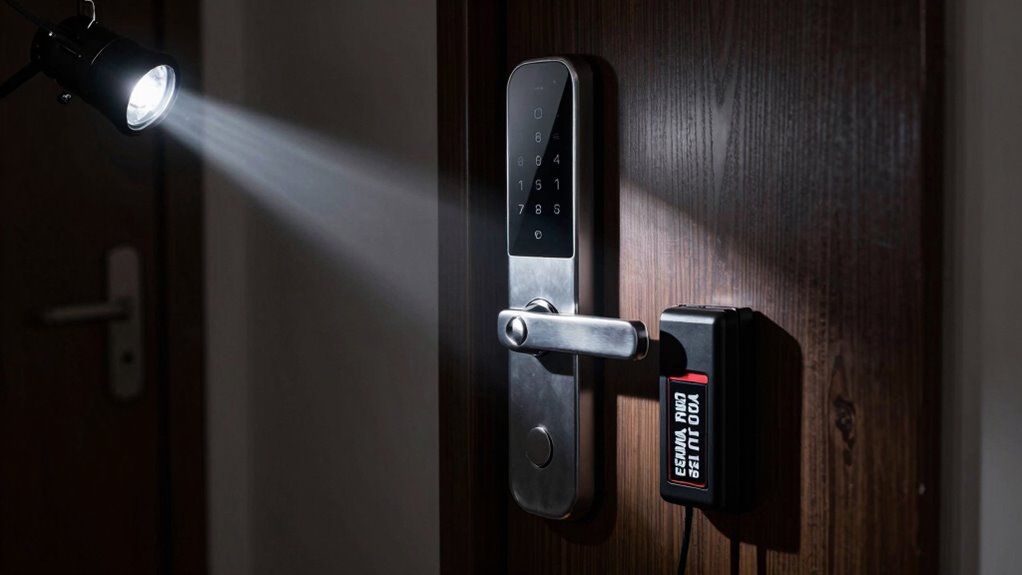

During a blackout, your smart lock needs a reliable power backup, like a rechargeable battery or external power source, to stay functional. You also want a manual override, such as a hidden key or mechanical lock, for emergencies. Regularly testing these backups guarantees they work when needed. Proper maintenance and understanding how to access manual options will keep your lock secure and accessible. Keep going to discover more ways to ensure your smart lock’s resilience.

Get backup power and energy gear delivered free with Prime
- Fast, free delivery on millions of items
- Prime Video, Amazon Music and more included
- Member-only deals all year
Key Takeaways
- Reliable battery backup systems with long-lasting, rechargeable or replaceable batteries.
- Clear battery status indicators for timely maintenance.
- Easy-to-access manual override options, like physical keys.
- Regular testing and maintenance of backup power and override mechanisms.
- Integration of power backup solutions to ensure continuous lock functionality during outages.
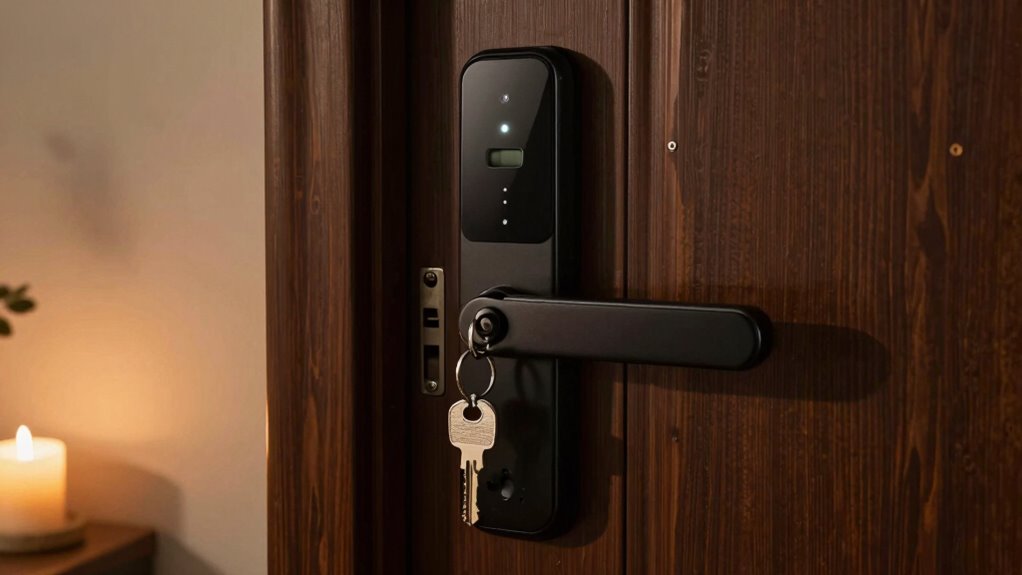
During a blackout, your smart lock’s reliance on power and internet connectivity can become a vulnerability, leaving you unable to open your door remotely or use keyless entry methods. Power outages can cut off the digital convenience you usually enjoy, making it essential for your smart lock to have backup solutions. Battery backups are vital because they supply power during a blackout, guaranteeing your lock remains functional even when the main power source is down. Many smart locks come equipped with built-in batteries or can be connected to external power sources. When selecting a smart lock, check if it has a reliable battery backup system that can last long enough for you to regain access or wait for power restoration. These backups are often rechargeable or replaceable, giving you peace of mind that your lock will stay operational during extended outages. Ensuring your smart lock has power resilience is crucial for maintaining security and convenience during emergencies. To maximize reliability, consider smart locks that incorporate battery status indicators so you can monitor their charge levels regularly. Additionally, some models feature long-lasting battery life, which can be a decisive factor when choosing a dependable device. Regularly testing these backup methods, including verifying the condition of your batteries, can prevent unexpected failures when you need them most. Incorporating redundant safety features can further enhance your lock’s reliability in critical situations.
In addition to battery backups, manual overrides are equally important. They provide a fallback method for unlocking your door when electronic systems fail. Manual overrides typically involve a physical key or a mechanical keyhole hidden behind a cover, allowing you to unlock your door without relying on power or internet connectivity. It’s essential to familiarize yourself with how to use this feature beforehand, so you’re not caught unprepared during a blackout. Making sure the manual override is accessible and easy to operate can save you a lot of trouble in emergencies. Some smart locks even incorporate a combination of manual override options, like a traditional key alongside a digital keypad, giving you multiple layers of security and accessibility. Regularly testing these manual overrides and keeping spare keys in a trusted location can further enhance your readiness. Additionally, choosing a smart lock with manual override options designed for easy access can prevent unnecessary delays during power outages.
Having both a dependable battery backup and a well-designed manual override makes your smart lock resilient against power outages. These features work together to guarantee that you can maintain access to your home, regardless of external conditions. It’s also wise to regularly test these backup methods, replacing batteries when needed and practicing manual override procedures to ensure they work smoothly when necessary. By investing in a smart lock with these capabilities, you’re proactively safeguarding your home’s security and your peace of mind during blackouts. Ultimately, smart locks equipped with reliable power backup options and manual overrides turn a potential vulnerability into a manageable inconvenience, keeping you connected and secure no matter what.
As an affiliate, we earn on qualifying purchases.
Frequently Asked Questions
Can Smart Locks Operate Without Wi-Fi During a Blackout?
Smart locks generally can’t operate without Wi-Fi during a blackout unless they have backup options. If your lock relies on wireless connectivity, it needs a backup power source, like batteries, to function when power is out. Keep in mind, backup batteries increase power consumption, so check their lifespan. Without Wi-Fi or backup power, your smart lock may not open or lock remotely, but it might still work manually.
How Long Does a Backup Power Source Last for Smart Locks?
The backup power source for your smart lock typically lasts between a few hours to several days, depending on the battery lifespan and power duration. You’ll want to check your lock’s specifications to know exactly how long it can operate on backup power. Keep spare batteries handy, and consider using external power options if you anticipate extended outages, ensuring your lock remains functional when you need it most.
Are There Manual Override Options for Smart Locks in Power Outages?
Yes, many smart locks offer manual override options for power outages. You can typically release the door with a physical key, ensuring access even when power is out. Some models include a backup battery or a hidden keyhole for emergencies. Always check if your smart lock has a manual override feature, so you stay secure and have peace of mind during power outages. It’s a reliable backup plan when technology fails.
Do Smart Locks Have Battery Indicators for Blackout Readiness?
Yes, smart locks often have battery indicators to show power levels, helping you prepare for blackouts. You might worry about losing access, but these power indicators alert you when battery life is low, giving you time to replace or recharge batteries. Keep an eye on these indicators regularly, ensuring your lock stays functional during outages. This proactive approach guarantees your security system remains reliable when you need it most.
What Security Risks Are Associated With Backup Power Solutions?
Backup power solutions can introduce cybersecurity vulnerabilities if not properly secured, as hackers might exploit weak points to access your smart lock system. Additionally, power surges caused by outages can damage the lock’s electronic components. To stay safe, make certain your backup power includes robust power surge protection and implement strong cybersecurity measures, like updating firmware and using secure passwords, reducing risks during blackouts.
As an affiliate, we earn on qualifying purchases.
Conclusion
In a blackout, your smart lock remains a quiet sentinel, patiently waiting behind its digital curtain. With a few thoughtful preparations, it stays ready to welcome you home, even when the lights are dim. Think of it as a gentle guardian, still standing watch in the shadows, silently ensuring your safety. So, equip it with backup power and fallback options, and let it continue its watchful service—steadfast and dependable, no matter how dark the night.
smart lock with external power source
As an affiliate, we earn on qualifying purchases.
As an affiliate, we earn on qualifying purchases.
smart lock with battery indicator
As an affiliate, we earn on qualifying purchases.
As an affiliate, we earn on qualifying purchases.
Fall Picks
fall essentials
As an affiliate, we earn on qualifying purchases.