
TL;DR

Get backup power and energy gear delivered free — and shop member deals
- Fast, free delivery on millions of items
- Access to Prime Big Deal Days deals on October 6–7
- Prime Video, Amazon Music and more included
Prebuilt AI workstations now often match or beat DIY costs thanks to supply chain issues. They offer speed, tested thermals, and support, while DIY gives you customization and control. Your choice depends on your priorities for cost, time, and upgrade flexibility.
Imagine powering up a new AI project and having your system ready in minutes. No fuss, no hassle. That’s the promise of a prebuilt AI workstation. Or, if you love tinkering, you might enjoy the challenge of building your own, customizing every detail. But in 2026, the old rule — build cheap, buy expensive — no longer applies. Supply chain hiccups and bulk purchasing have shifted the landscape. Now, the real question isn’t just about savings, but which option matches your workflow, budget, and patience. This guide breaks down the key differences, so you can choose the setup that fits your goals.
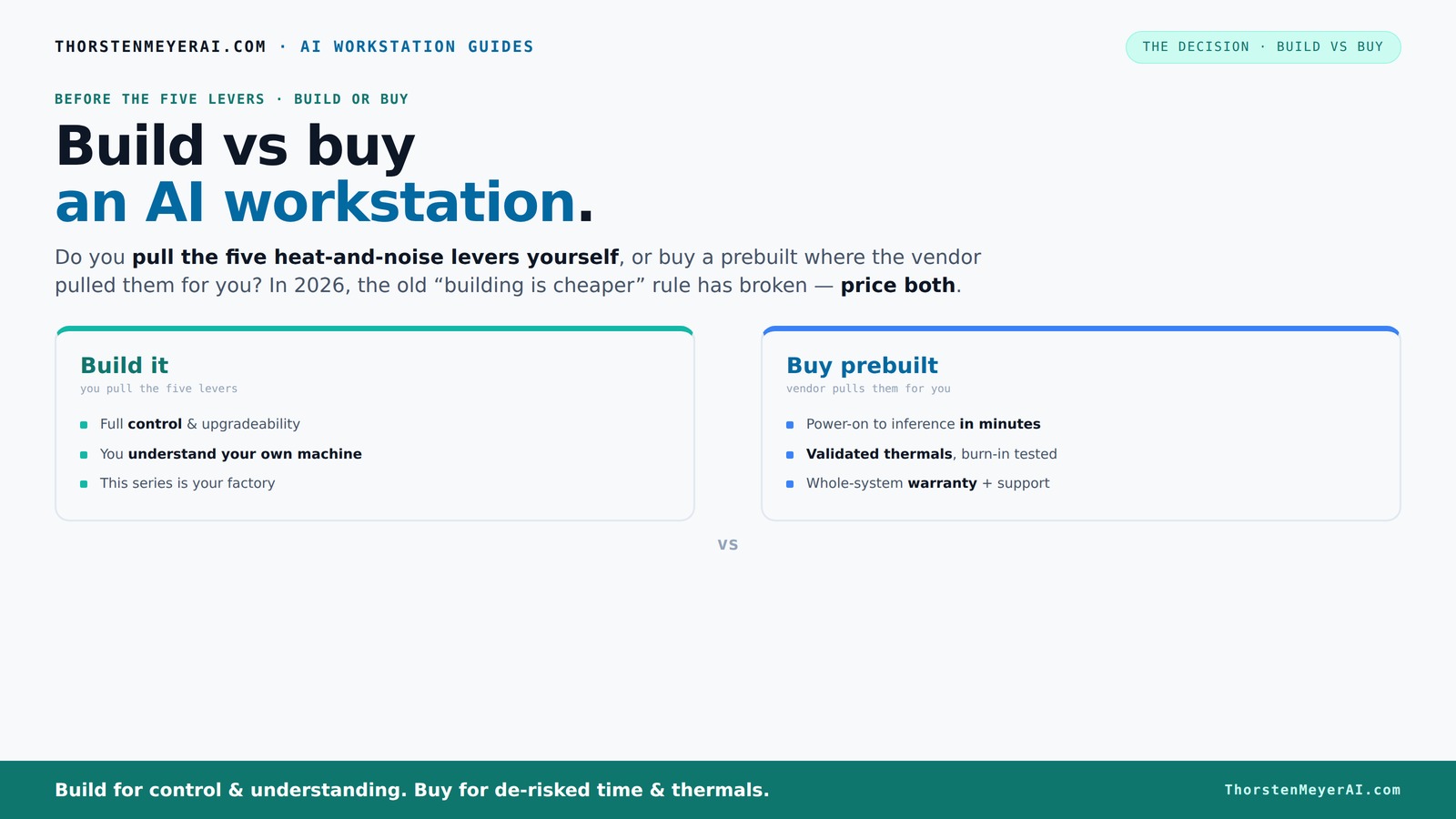
Build vs buy
an AI workstation.
The real question behind this whole series: do you pull the five heat-and-noise levers yourself, or buy a prebuilt where the vendor pulled them for you? And in 2026, the old “building is cheaper” rule has broken. Match your situation in Part 3.
Key Takeaways
- Recent component shortages have made prebuilt AI workstations sometimes cheaper than DIY, flipping the traditional cost advantage.
- Prebuilts save time, reduce thermal and compatibility risks, and often come with support and warranties that DIY can’t match.
- Building your own system offers customization, upgradeability, and learning opportunities, but requires time and technical skill.
- Thermal management is a key difference: vendors validate cooling solutions for quiet, stable performance, while DIYers tune their own setups.
- Your choice depends on whether speed and support or control and customization matter most for your AI projects.
As an affiliate, we earn on qualifying purchases.
What Exactly Is a Prebuilt AI Workstation, and Why Does It Matter?
A prebuilt AI workstation is a machine assembled by a vendor, tested for performance, and ready to run your AI workloads the moment you power it on. Think of it as a pizza — all the ingredients perfectly balanced, baked, and sliced. You get a system that’s been tuned for heat, noise, and stability. This matters because AI tasks — training models or running inference — demand sustained power, cooling, and reliability. Understanding your hardware setup can help optimize performance. Large vendors like Lambda or Puget Systems pre-test every machine with 24–48 hours of load testing, which is crucial because AI workloads often run continuously for hours or days. For more insights, visit Build vs Buy a Prebuilt AI Workstation. Without this validation, systems can overheat, throttle, or even fail mid-task, wasting time and resources. The pretesting process also identifies potential issues before delivery, saving you troubleshooting time and reducing downtime. This ready-to-go setup is perfect for teams that need to deploy fast or lack the time to source parts and assemble. It’s a plug-and-play solution that saves you from the headaches of compatibility and tuning, ensuring that your AI training or inference runs smoothly from the start, which can be a significant advantage in time-sensitive projects.
As an affiliate, we earn on qualifying purchases.
Why Building Your Own AI Workstation Is No Longer Always Cheaper
Building your own AI machine used to be the budget-friendly choice because you could select exactly what you needed and avoid markup. However, in 2026, this equation has shifted. Component shortages have caused GPU prices to surge, often by 20–30% compared to previous years, because demand from AI researchers and gamers alike has driven up prices and limited supply. This means that even sourcing parts yourself may not save as much as before, especially when factoring in the time and effort required for assembly, testing, and troubleshooting. Meanwhile, vendors who purchased parts in bulk before these shortages can leverage economies of scale, allowing them to offer fully assembled systems at prices that are competitive or even lower than DIY. Additionally, the cost of labor, cooling solutions, and potential delays can inflate the DIY price, sometimes exceeding prebuilt costs. The implication is that the traditional cost advantage of building your own system is eroding, and the decision now hinges more on control, customization, and timing rather than purely on cost. If you're considering your options, see Build vs Buy a Prebuilt AI Workstation for a detailed comparison. This shift emphasizes the importance of carefully comparing current prices and considering the value of time saved with a prebuilt versus the flexibility of a DIY setup.
As an affiliate, we earn on qualifying purchases.
The Five Levers: Who Controls the Heat and Noise?
Running a high-power AI system generates significant heat and noise, which can impact system stability and your working environment. The five levers—undervolting the GPU, choosing appropriate cooling solutions, optimizing case airflow, tuning fan speeds, and strategic placement—are critical to managing these factors. When you buy a prebuilt, the vendor handles these levers for you, investing in validated cooling solutions—often water cooling or custom airflow designs—that balance thermal performance with noise reduction. This validation ensures that the system can sustain heavy workloads without overheating or excessive noise, which is vital for long training sessions or continuous inference tasks. For DIY builders, control over these levers offers the potential for quieter, cooler operation, but it requires expertise. You need to select high-quality components, such as quiet GPUs and efficient fans, and fine-tune settings through software like MSI Afterburner or custom BIOS tweaks. Proper airflow design and component placement become your responsibility, and achieving optimal thermal performance involves trial, troubleshooting, and sometimes compromises. Learn more about cooling solutions at aeroguardians.com. The tradeoff is clear: trusting vendor validation can save time and reduce noise, but DIY tuning offers maximum control—if you have the skill and patience to get it right.
As an affiliate, we earn on qualifying purchases.
When Should You Choose a Prebuilt System?
If your priority is rapid deployment, reliable performance, and ongoing support, a prebuilt system is often the best choice. For example, if you need to start an AI project next week, waiting for parts, assembly, and testing isn’t feasible. Vendors like Lambda or Puget test each system under load, simulating real-world AI workloads to ensure stability and thermal performance before shipping. This validation process reduces the risk of thermal throttling, hardware failure, or system crashes during intensive tasks, which can be costly in time and resources. Their warranties and support services also mean you can get help quickly if issues arise, minimizing downtime. For multi-GPU configurations or high-end workflows, vendor expertise in cooling and power delivery ensures the system remains stable over long training sessions. The convenience of a ready-made, validated powerhouse can outweigh any additional cost, especially for teams or individuals who cannot afford delays or troubleshooting time. For home theater enthusiasts, check out 1hometheatreprojector.com for setup guides. This approach is ideal when reliability and speed are more critical than total customization.
When Is Building Your Own AI Machine the Better Choice?
If you enjoy the process of selecting components, customizing your setup, or want to maximize control over your system, building your own AI workstation remains attractive. For tips and guides, visit Build vs Buy a Prebuilt AI Workstation. For example, you can choose a specific GPU cooler that offers better acoustics, add extra RAM modules tailored to your workload, or upgrade individual components as needed, sometimes at a lower cost if you catch sales or repurpose parts from older systems. Building also provides a valuable learning experience—understanding how each component interacts can help you troubleshoot more effectively and prepare for future upgrades. However, this process involves sourcing parts, assembling, BIOS tuning, and extensive testing, which can take days or weeks. It’s more work upfront, but for those who derive satisfaction from hands-on building or need a highly tailored system, it’s worth the effort. Moreover, considering the current volatile component prices, building can sometimes be more economical if you capitalize on discounts or reuse existing parts, giving you a customized system that precisely fits your needs.
Which Should You Pick? A Side-by-Side Comparison
| Feature | Prebuilt AI Workstation | Build Your Own |
|---|---|---|
| Time to deploy | Minutes to hours — plug and play | Hours to days — assembly and testing required |
| Cost | Usually comparable or slightly higher due to support and validation | Potentially lower but depends on parts and sales |
| Thermal management | Validated by vendor, often with water cooling or custom airflow | Self-managed; requires tuning and troubleshooting |
| Support and warranty | Vendor-provided, often multi-year support | Self-managed; warranty depends on parts |
| Upgradeability | Limited by proprietary parts in some models | High; standard components make upgrades easy |
| Customization | Limited; factory options only | Complete; choose every component |
Who Should Buy Which?
Freelancers or students on a tight budget and eager to learn might prefer building. It’s cheaper per dollar and offers hands-on knowledge. Small studios or teams needing quick results and reliable performance should lean toward prebuilts. Enterprises with multiple projects and support needs benefit from vendor warranties and validated thermal performance. Think of it like this: if you value control and customization, build. If you prioritize speed, support, and assurance, buy.
Pre-Purchase Checklist: Make the Right Choice
- Define your workload: training, inference, or content creation?
- Set your budget, including support and future upgrades.
- Consider your technical skills: do you enjoy building or prefer support?
- Compare current prices for parts versus prebuilt systems.
- Assess your timeline: need it immediately or can wait?
- Check component compatibility, especially for multi-GPU setups.
Frequently Asked Questions
Is it cheaper to build or buy a prebuilt AI workstation?
It used to be that building was cheaper, but recent shortages and bulk buying have made prebuilts often match or beat DIY prices. Always compare current prices for your specific specs before deciding.
Which option provides better performance for AI workloads?
Both can deliver top-tier performance, but prebuilts tend to be optimized and validated for sustained loads, reducing the risk of thermal throttling. DIY can match performance if you tune it carefully.
What parts matter most in an AI workstation?
The GPU is king, especially for training and inference. CPU, RAM, and cooling are also critical — a balanced system prevents bottlenecks and thermal issues. Check out our detailed guides on [quiet GPUs](https://thorstenmeyerai.com/quiet-gpus-local-ai/) and cooling.
How much does warranty and support influence the decision?
Prebuilts often come with multi-year warranties and dedicated support, reducing downtime. DIY systems rely on individual component warranties, which may complicate troubleshooting and repairs.
Will a prebuilt limit future upgrades?
Some prebuilts use proprietary parts or connectors, making upgrades trickier. Building your own offers maximum flexibility with standard components, but check the vendor’s upgrade policies before buying.
Conclusion
Deciding between build and buy isn’t about which is cheaper — it’s about which matches your workflow, patience, and long-term goals. In 2026, the best choice hinges on support, speed, and how much control you want. Either way, your perfect AI workstation awaits — just pick the path that feels right, and get to work.
Fall Picks
fall essentials
As an affiliate, we earn on qualifying purchases.