
TL;DR
A solar backup power station, also called a portable power station, stores electricity in a rechargeable battery and supplies it through built-in outlets. Choose one by checking both battery capacity in watt-hours and output in watts, then estimate runtime from your actual loads and account for slower solar charging in shade, clouds, and winter.
Compare both watt-hour capacity and watt output; stored energy alone does not tell you what a station can start or run.
Treat runtime calculations as estimates: inverter losses, battery limits, and cycling appliances reduce real-world hours.
Choose compatible solar panels within the station’s input range, and expect shade, clouds, and winter daylight to slow charging.
Check chemistry, warranty, cycle-life terms, ports, and expansion support against how you plan to use the station.
Never feed station power into a household outlet; have a licensed electrician install compatible transfer equipment for home circuits.

Get backup power and energy gear delivered free with Prime
- Fast, free delivery on millions of items
- Prime Video, Amazon Music and more included
- Member-only deals all year
What a solar backup power station can run during an outage
A solar backup power station stores electricity in a battery and supplies it through built-in outlets, but it can only run devices that fit its output limits. A model’s watt-hour capacity describes stored energy; its watt output describes how much power it can deliver at once. You need both numbers to judge whether it can run an appliance and for how long.
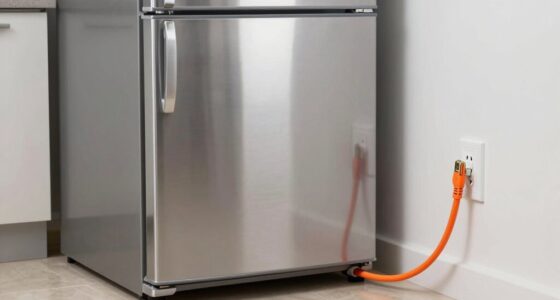
Think of capacity like the water in a bucket and output like the width of the tap. A large bucket can hold plenty, but a narrow tap cannot supply a sudden rush. A refrigerator may use modest power while its compressor runs, then briefly demand more when it starts. That startup surge can trip a station whose output rating looks sufficient for the refrigerator’s normal draw.
For example, a 1,000 Wh station might seem suited to a 100 W device for ten hours. In actual use, inverter losses, battery limits, and changing loads cut into that estimate, so the device may run for less time. A phone charger is an easy load; a pump or refrigerator takes more careful checking. Look up the appliance’s running watts and startup needs, and compare both with the station’s continuous and surge ratings.
Before buying, list what you want to keep on: perhaps a router, two phones, and a medical device. Add their expected use over the outage, and check the output limits for each. A station that can run those essentials may still be a poor fit for an electric kettle or space heater, which can draw substantial power.
Products Worth Considering

Bose Home Speaker 500 Smart Bluetooth Speaker, Black

Bose Lifestyle Ultra Wireless Home Speaker, White Smoke

Bose SoundLink Max Portable Bluetooth Speaker, IP67 Waterproof, Black
As an affiliate, we earn on qualifying purchases.
How to estimate runtime before the power goes out
A solar backup power station’s runtime depends on the energy your devices consume, not just their startup or peak wattage. As a rough first estimate, divide usable battery capacity in watt-hours by the device’s average draw in watts. Real runtime will be shorter because power conversion and device behavior affect the result.
For instance, suppose you want to power a 50 W router from a 500 Wh station. The simple calculation gives ten hours, but you should treat that as an upper estimate, not a promise. If the station has less than 500 Wh usable, or the router’s draw varies, you will get less. Keeping a reserve for phones or an unexpected need also changes how long the router can run.
A refrigerator needs extra care because it cycles on and off. Its compressor may draw a brief startup surge, then use energy intermittently rather than continuously. Check the station’s surge rating for startup and look for the refrigerator’s energy-use information, such as its label or measured daily consumption. A small plug-in energy meter used before an outage can help you see how much electricity the appliance actually uses over a day.
Use this quick sizing sequence to turn guesses into a practical shortlist:
- List essential devices and how many hours you expect to use each.
- Record each device’s running watts and any motor startup surge.
- Estimate energy use by multiplying average watts by hours, then add the devices together.
- Choose a station with enough usable capacity and output headroom for your plan.
If the estimate leaves no spare capacity, compare a larger station or plan to run devices in shifts. A household that alternates charging phones and running a router may stretch a smaller battery farther than one that powers everything at once.
Why solar recharging can take longer than the label suggests
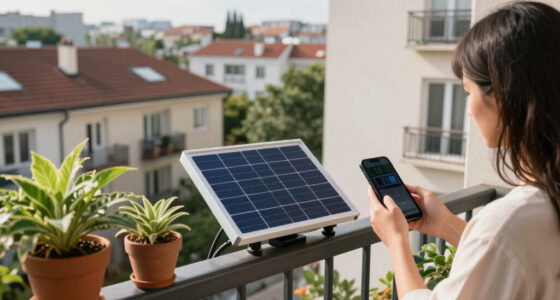
Solar panels recharge a station only as fast as sunlight, panel conditions, and the station’s input limits allow. A panel’s advertised wattage is a rating under test conditions, not a steady output you can count on all day. Shade, panel angle, heat, passing clouds, and short winter daylight can all reduce the energy reaching the battery.
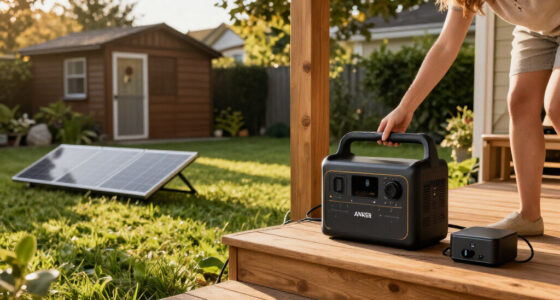
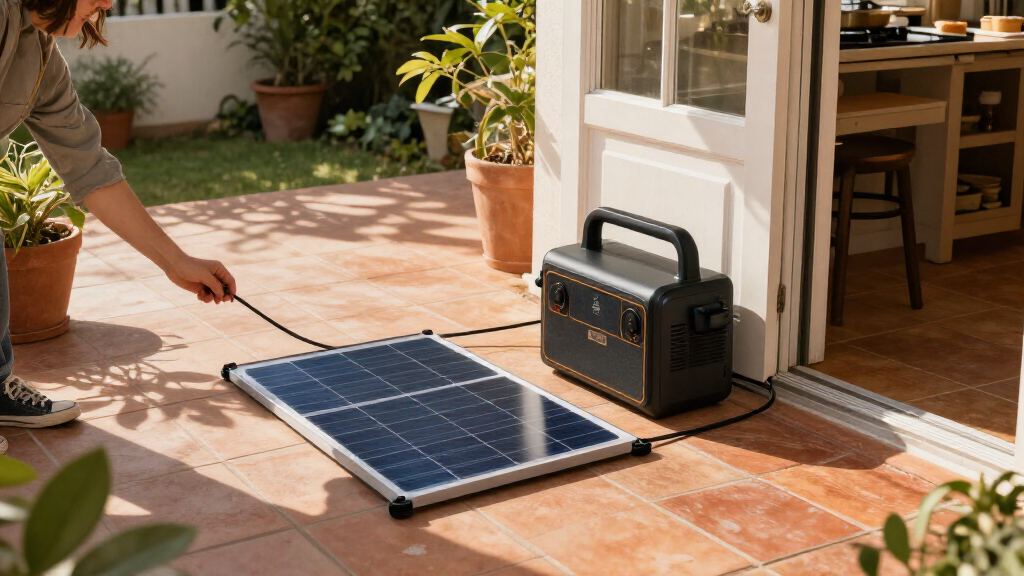
Imagine setting a foldable panel beside a cabin in late autumn. At midday, the sun slips behind a tree for part of the afternoon, and the panel’s output falls. Even if the panel has a high nameplate rating, that patchy exposure can leave the station charging much more slowly than an ideal estimate suggests. A clear, sunny summer day with a well-positioned panel can produce a very different result.
Check the station’s permitted solar-input range before choosing panels. Connecting panels that exceed its voltage or input limits can be incompatible with the unit’s specifications; a larger panel does not automatically mean faster charging. Also check whether the model allows charging from panels while it powers devices. Some systems support that arrangement, while others limit or prohibit particular combinations.
For a more realistic plan, treat solar as a way to replenish energy when conditions cooperate, not as a guarantee of endless power through an outage. If cloudy weather lasts for several days, panel charging may not keep up with your loads. A wall outlet can provide a faster pre-storm charge on models that support it, while a vehicle input may offer another option when you can safely reach the vehicle. Compare the available charging methods and their rated speeds before relying on any one of them.
How battery chemistry, ports, and add-ons affect your choice
Battery chemistry, available connections, and expansion options affect how a station fits your life. Many current models use lithium iron phosphate (LFP), a chemistry that generally supports many charge cycles and a long service life. Other lithium-ion models may be lighter or more compact. Actual lifespan depends on the product and how you use it, so compare the manufacturer’s cycle-life definition and warranty instead of judging by the chemistry name alone.
Ports matter in a blackout. A family may need USB-C for newer phones and laptops, USB-A for older accessories, 12 V for certain vehicle gear, and AC outlets for household plugs. A station can have plenty of stored energy and still be inconvenient if it lacks the right connections or cannot supply a device’s required power. Check the continuous output across the ports you expect to use at the same time.
Some product lines support expansion batteries, app-based monitoring, faster AC charging, or higher-power USB-C. These features vary by model, and adding capacity can also add weight, cost, and setup complexity. Picture carrying a compact unit from a car to a picnic table: a lighter station may suit that job, while an expandable unit may be more practical when it stays at home beside backup supplies.
Compare a few features against your own scenario:
- For phones and a router: prioritize the ports you use and enough capacity for the expected hours.
- For a refrigerator: confirm both startup surge and energy capacity.
- For repeated outages: check warranty, cycle-life terms, and approved expansion batteries.
- For travel: weigh the station and panels together, and check how easily the panel folds and stores.
Service-life figures are estimates under stated conditions, not a guarantee of a set number of years. Heat, depth of discharge, and storage practices can affect battery life and readiness.
When a portable station beats a generator—and when it doesn’t
A portable power station suits quiet, modest backup needs, while a fuel generator can keep supplying power as long as you have fuel and operate it safely outdoors. A home battery system is typically larger and installed to work with household circuits through compatible equipment. These options solve different problems, so compare them by the loads, runtime, location, and setup your household needs.
Consider a short evening outage. A station can run a phone charger, router, and a lamp without the engine noise or exhaust of a fuel generator. That convenience matters in an apartment or near a sleeping child. But if you need to run several high-draw appliances for days, a portable unit’s stored energy may run down faster than you can replenish it, especially under gray skies.
Home backup through wiring needs equipment designed for that purpose and proper transfer switching. Never plug a station into a household outlet to energize circuits; that can send power where it should not go and create a serious hazard. If you want to power selected circuits or integrate a system with your home, have a licensed electrician assess compatible equipment and local code or permit requirements. Do not open electrical panels or alter wiring yourself; power must be isolated and appropriate protective equipment used during professional work.
A station’s lack of exhaust during normal battery operation makes it different from a fuel-burning generator, but follow the manufacturer’s placement, temperature, and charging instructions. For a cabin owner with occasional short outages, portability and quiet may outweigh limited capacity. For a home with prolonged outages and high loads, professionally designed home backup may fit better.
A simple outage plan makes your station more useful
A backup station is most useful when you know what you will connect, how long you need it, and how you will recharge it. A few minutes of planning can prevent the frustrating discovery that your favorite appliance exceeds the output rating or that your chosen panel cannot connect to the unit. Write the plan down and keep it with the charging cables.
For example, a household expecting a winter outage might reserve the station for a medical device, a router, and phone charging. They can keep the battery topped up according to the manual, store the panel where it is easy to find, and identify a sunny outdoor spot with a safe route for the cable. In a real outage, they can check the charge display and decide whether to run the router continuously or in blocks.
Before an outage, verify the stored charge level, inspect cables and panels, and confirm the station still powers a small test load. Follow the manufacturer’s storage and maintenance guidance, including recommended charge levels and temperature limits. Battery readiness and longevity can both suffer when storage conditions fall outside the manual’s instructions.
Keep these practical checks in your plan:
- Confirm your devices’ running watts and motor startup requirements.
- Place the station on a stable surface and follow its ventilation and temperature directions.
- Use only compatible panels and charging configurations listed for the model.
- Keep critical medical-device backup plans aligned with the device maker’s guidance and your clinician’s advice.
A station can help with an outage, but it cannot replace a medical backup plan or solve every home power need. Knowing its limits ahead of time lets you use its stored energy where it matters most.
Frequently Asked Questions
What can a solar backup power station run?
It can run devices whose power draw fits its output rating, as long as enough battery capacity remains. Phones, routers, and lights are often modest loads; refrigerators, pumps, and tools need checks for both running watts and startup surge.
How long will a station run a refrigerator?
It depends on the refrigerator’s energy use, the station’s usable capacity, and whether its inverter supports compressor startup. Refrigerators cycle on and off, so their startup watts do not equal their energy use over a full day. Check the appliance’s energy data or measure it over time for a better estimate.
How many solar panels do I need?
Start with the station’s permitted solar-input range and the panel wattage it supports. Real output changes with sun angle, shade, clouds, heat, and season, so a panel’s rated wattage is not a promise of constant charging speed. Check the manual before connecting panels.
Can a portable power station run a whole house?
Usually, a portable station by itself cannot supply a whole home for long. Whole-home or selected-circuit backup needs suitable capacity and inverter output plus compatible transfer equipment. Ask a licensed electrician to assess the system and relevant code or permit requirements.
Is it safe to use a power station indoors?
During normal battery operation, it produces no exhaust, unlike a fuel-burning generator. Follow the manufacturer’s instructions for placement, ventilation, temperature, and charging, and keep the station away from conditions the manual prohibits.
Can I charge it from solar panels while using it?
Some models allow solar charging while powering devices, and some support charging from more than one source. The permitted configuration is model-specific, so check the manual rather than assuming pass-through or simultaneous charging is available.