

Choosing the best UPS for a work from home setup involves balancing power capacity, reliability, and budget. The GOLDENMATE 1000VA/800W Lithium UPS stands out for its high-capacity lithium batteries and impressive surge protection, making it ideal for critical equipment. Meanwhile, the APC Back-UPS 425VA offers a compact, affordable option for basic needs like routers and modems. A common challenge is finding a UPS that provides enough runtime without overspending or sacrificing quality. Continue reading for a detailed breakdown of the best options and what makes each suitable for different needs.

Get backup power and energy gear delivered free — and shop member deals
- Fast, free delivery on millions of items
- Access to Prime Big Deal Days deals on October 6–7
- Prime Video, Amazon Music and more included
Key Takeaways
- Top picks balance capacity, runtime, and affordability for typical home office setups.
- Lithium-based UPS models generally offer longer lifespan and better efficiency than traditional lead-acid options.
- Size and number of outlets vary widely; choose based on your device load and future expansion plans.
- The best UPS for critical workstations provides enough runtime for safe shutdowns and updates.
- Budget options often sacrifice runtime or surge protection quality, so consider the value over initial price.


More Details on Our Top Picks
GOLDENMATE 1000VA/800W Lithium UPS Battery Backup and Surge Protector with LiFePO4 Batteries, 8 Outlets, LCD Display
This UPS stands out for its 10-year lifespan thanks to advanced LiFePO4 batteries, surpassing traditional lead-acid models like the APC BE425M. Its 800W capacity makes it suitable for protecting multiple electronics during extended outages, but the limited 800W output means it cannot handle high-demand devices simultaneously. The LCD display offers real-time monitoring, which is a step above basic models, and the quiet cooling ensures minimal noise disruption. However, the buzzer cannot be silenced, which could be bothersome during frequent power fluctuations. This pick makes the most sense for users who prioritize long-term durability and want a quiet, reliable backup for multiple essential devices without frequent battery replacements.
Pros:- Long-lasting LiFePO4 battery with 10-year lifespan
- Multiple outlets with surge protection
- Real-time LCD display for easy monitoring
- Quiet cooling system
Cons:- Buzzer alarm cannot be turned off during outages
- Limited to 800W power output, restricting high-demand device use
Best for: Home office users who need dependable, long-lasting power backup for multiple devices with minimal maintenance.
Not ideal for: Users with high-power equipment like large monitors or laser printers, as the 800W max capacity may be insufficient.
- Capacity:1000VA/800W
- Battery Type:LiFePO4
- Battery Capacity:230.4 Wh
- Outlets:8 NEMA 5-15P
- Lifespan:10 years
- Charge Cycles:over 5000
Bottom line: This UPS is ideal for those seeking a durable, quiet backup solution for multiple low- to mid-power electronics over the long term.
APC Back-UPS 425VA / 255W UPS Battery Backup Surge Protector, 6 Outlets, Small UPS for Router, Modem & Home Office, BE425M
The APC BE425M is a compact solution tailored for safeguarding essential low-power devices like routers and modems, making it a strong choice over larger models like the CyberPower ST425 when space is limited. Its 255W capacity provides up to 15 minutes of runtime at 100W load, enough for typical home office essentials but insufficient for high-demand equipment. The six outlets include both backup and surge-only options, simplifying setup in small spaces. While it offers reliable surge protection and a 3-year warranty, it lacks advanced features like network management or higher capacity for future expansion. This model suits users who need a simple, space-efficient backup for critical but low-power equipment, but not those with higher power demands or needing detailed monitoring.
Pros:- Compact and space-saving design
- Reliable backup for essential low-power devices
- Includes surge protection for all outlets
- Wall-mountable for flexible placement
Cons:- Limited runtime for high-power devices
- No advanced network management features
Best for: Small home office setups with essential devices like routers, modems, and a single computer or monitor.
Not ideal for: Users with high-power desktops, gaming rigs, or multiple monitors, as the 255W limit restricts usage.
- Capacity:425VA / 255W
- Outlets:6 (4 backup + surge, 2 surge-only)
- Runtime:Up to 15 minutes at 100W
- Warranty:3 years
- Protection:$75,000 Equipment Protection
- Form Factor:Wall-mountable
Bottom line: This UPS works best for those needing a simple, reliable backup for critical low-power equipment in tight spaces.
CyberPower ST425 Standby UPS Battery Backup and Surge Protector, 425VA/260W, 8 Outlets
The CyberPower ST425 offers a straightforward, energy-efficient backup with 260W capacity, making it suitable for protecting essential home office gear like computers, routers, and small peripherals. Its eight outlets, split evenly between backup and surge protection, provide flexible setup options. The LED indicators simplify status checks, and the three-year warranty adds peace of mind. However, its limited 260W capacity restricts use with more demanding devices or multiple high-power peripherals simultaneously. The simulated sine wave output may not be compatible with all electronics, especially sensitive audio or video equipment. Compared to larger or more advanced models, this UPS is best for basic protection in space-constrained environments, but not for power-hungry setups.
Pros:- Compact, energy-efficient design
- Multiple outlets with both backup and surge protection
- LED status indicators for easy monitoring
- Includes a 3-year warranty and connected equipment guarantee
Cons:- Limited backup power for high-demand devices
- Simulated sine wave may not suit sensitive equipment
Best for: Home office users with low to moderate power needs seeking an affordable, compact backup solution.
Not ideal for: Users with high-power desktops, gaming PCs, or multiple monitors, due to capacity constraints and wave form limitations.
- VA:425VA
- Wattage:260W
- Outlets:8
- Warranty:3 years
- Connected Equipment Guarantee:$75,000
- Waveform:Simulated sine
Bottom line: This UPS suits those who need basic, space-efficient backup protection for essential devices at home.
GOLDENMATE 1000VA/600W Lithium UPS Battery Backup and Surge Protector with 8 Outlets and LCD Display
This UPS stands out for its use of LiFePO4 batteries that deliver over 10 years of lifespan and 5000+ charge cycles, making it an excellent choice for a work from home setup that demands consistent, long-term power. Compared with the Amazon Basics model, which offers a more basic backup, the GOLDENMATE provides detailed real-time monitoring via its LCD display, giving me clear insight into battery health and load status. While its quiet operation and surge protection are beneficial, the fan noise during heavy use can be disruptive, especially in quiet environments. Its advanced safety features and long-lasting batteries justify a higher price point, but handling the unit carefully in hot or humid conditions is necessary to maintain performance. This pick is ideal for users who want a durable, low-maintenance backup with comprehensive monitoring, even if noise might occasionally be an issue.
Pros:- Exceptional battery lifespan of over 10 years with 5000+ charge cycles
- Multiple outlets with surge and overload protection
- Real-time LCD display for performance monitoring
- Quiet operation with low-noise fan
Cons:- Fan activates during high load, causing noise
- Requires careful handling in hot or humid spaces
- Buzzer alarms may be disruptive if not muted
Best for: Home office users who prioritize long-term battery life and detailed system monitoring
Not ideal for: Those who need a compact, lightweight solution or operate in hot/humid environments
- Capacity:1000VA / 600W
- Battery Type:LiFePO4
- Battery Capacity:153.6 Wh
- Lifespan:Over 10 years
- Charge Cycles:5000+
- Outlets:8 NEMA 5-15P
- Cooling System:Low-noise fan
- Protection Features:Surge, voltage fluctuation, overload
- Display:LCD
Bottom line: This UPS is best suited for users seeking a durable, smart backup with extensive longevity and monitoring features.
Amazon Basics UPS Battery Backup & Surge Protector, 400VA/255W, 6 Outlets
The Amazon Basics UPS offers a straightforward, space-efficient solution for basic power needs, making it suitable for small home office setups or supplementing a router and modem. Compared to the GOLDENMATE, which provides advanced monitoring and longer battery life, this model focuses on simplicity and affordability, delivering about 6 minutes of runtime at half load. Its six outlets, with a mix of surge-only and backup options, cover essential devices but fall short for larger setups requiring more outlets or longer backup. The limited runtime and software requirement for management software mean it’s less suited for power-dependent critical equipment. This UPS makes sense for users who need a reliable, no-frills backup for essential devices without breaking the bank, but not for those with high power demands or long outages.
Pros:- Compact and easy to integrate into small spaces
- Reliable surge protection and short-term backup
- Affordable price point
Cons:- Limited runtime at full load, only about 1.5 minutes
- Requires software download for power management
- Load should stay below 80% for optimal performance
Best for: Home users with basic backup needs, such as routers, modems, or small office electronics
Not ideal for: Power users or those with high-energy devices needing longer runtime or more outlets
- Capacity:400VA / 255W
- Outlets:6 (3 surge-only, 3 backup)
- Runtime at half load:6 minutes
- Runtime at full load:1.5 minutes
- Cord length:5 feet
- Plug type:NEMA 5-15P right angle
Bottom line: This UPS is ideal for budget-conscious users needing basic, reliable backup for essential devices in a small home office.
How We Picked
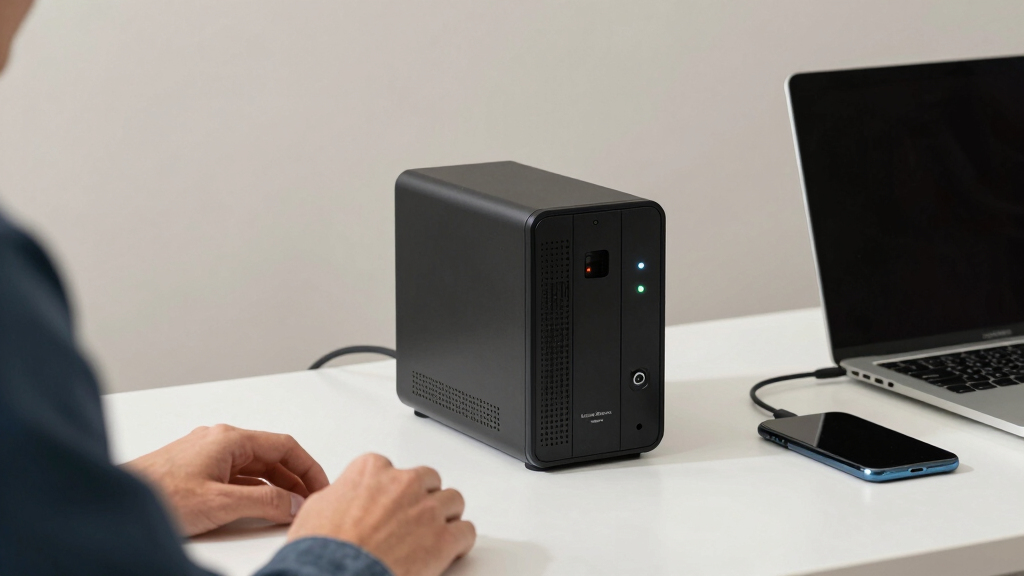
I evaluated each UPS based on several key criteria relevant to a home office environment. Performance metrics like power capacity (VA and wattage), runtime, and surge protection were primary considerations, ensuring the units could handle typical work equipment reliably. Build quality and ease of use, including display features and setup simplicity, also played a role. I prioritized models that offered good value—combining durability with affordability—and looked for versatility in outlet configurations. Products were ranked to serve different user needs, from basic setups to premium, high-capacity solutions, providing a comprehensive selection across price points.Factors to Consider When Choosing Best UPS For Work From Home Setup
When choosing the best UPS for your work from home setup, several factors deserve your attention beyond just capacity. Understanding these considerations can help you avoid common pitfalls like underestimating power needs or overspending on unnecessary features. The right UPS should not only keep your devices running during outages but also protect against surges and provide sufficient runtime for safe shutdowns. Here are key factors to weigh before making your choice.Power Capacity and Runtime
Power capacity, measured in volt-amperes (VA) and watts, determines how many devices your UPS can support during an outage. A higher VA rating generally means more runtime and better support for multiple devices. However, large capacity units tend to be more expensive and bulkier. Consider your essential equipment—if you only need to keep a router and a computer running, a smaller model may suffice. For full workstation setups or multiple peripherals, investing in higher capacity models ensures you won’t be left powerless when the grid fails.
Number of Outlets and Configuration
Examine the number and type of outlets to match your device load. Some UPS units feature a mix of surge-only and battery-backed outlets, which can help prioritize critical equipment. Overestimating your needs can lead to unnecessary costs, while underestimating may result in insufficient backup. Consider future expansion—if you plan to add peripherals or a monitor, choose a model with extra outlets or modular configurations to accommodate growth without replacing the entire unit.
Battery Technology and Lifespan
Most home UPS units use lead-acid batteries, but lithium-ion models are increasingly common due to their longer lifespan, lighter weight, and faster recharge times. While lithium options tend to cost more upfront, they often offer better long-term value by requiring fewer replacements. Be aware that batteries are the most vulnerable component—regular testing and maintenance can extend their useful life. Investing in a UPS with a durable battery chemistry can save money and reduce inconvenience over time.
Surge Protection and Noise Filtering
Beyond backup power, surge protection shields your equipment from voltage spikes, which are common during storms or grid fluctuations. Look for models with certified surge protection ratings and noise filtering features to improve overall device stability. Cheaper units might omit these protections, leaving your equipment vulnerable. Combining surge protection with battery backup ensures your devices are protected both during power outages and transient voltage events, adding peace of mind.
Ease of Use and Monitoring
User-friendly interfaces, such as LCD displays showing remaining runtime and load levels, help manage your backup power more effectively. Some UPS units include software for automatic shutdown and detailed diagnostics, which can prevent data loss or hardware damage. Simplicity matters if you’re not technically inclined—models with straightforward controls and clear indicators reduce setup time and ongoing management. Investing in a UPS with monitoring features can extend its lifespan by alerting you to issues early.
Frequently Asked Questions
How much runtime do I need from my UPS for work from home?
Typically, a UPS should provide at least 5-10 minutes of backup power to save your work and shut down safely during an outage. For essential equipment like a computer, monitor, and router, aim for a unit that offers around 10-15 minutes of runtime at your current load. If you want to keep your setup running longer, consider a higher-capacity model or one with lithium-ion batteries, which often deliver extended runtime and longer lifespan. Always estimate your total power load to select a UPS that can support your devices adequately during outages.
Is it better to choose a lithium-ion UPS over a lead-acid one?
Yes, lithium-ion UPS units generally offer longer lifespan, faster recharge times, and are lighter than traditional lead-acid models. While they tend to cost more initially, their durability and reduced replacement frequency often make them more cost-effective over time. Lithium batteries also handle deeper discharges better, meaning they maintain performance longer with regular use. For a home setup where reliability is key, investing in a lithium-based UPS can provide peace of mind and extended service life, especially if you experience frequent outages or power fluctuations.
Can I run multiple devices on a single UPS without overload?
Most UPS units specify a maximum load capacity, so it’s important to add up the wattage of all connected devices and compare that total to the UPS’s rated capacity. Running devices beyond this limit can cause the UPS to shut down or degrade quickly. To avoid overloading, prioritize critical devices and consider using a higher-capacity unit if you have multiple peripherals. Distributing your equipment across multiple outlets or UPS units can also help manage load and extend runtime for essential items.
How often should I test and maintain my UPS?
Regular testing—ideally once every 3-6 months—helps ensure your UPS is functioning correctly and that batteries are holding charge. Many units include self-test features or diagnostic software to simplify this process. If your UPS has removable batteries, inspect them periodically for corrosion or swelling, and replace them as recommended by the manufacturer. Proper maintenance extends the lifespan of your UPS and ensures it performs when you need it most, reducing the risk of unexpected failures during outages.
What are common mistakes to avoid when choosing a UPS?
One common mistake is underestimating your power needs, which leads to insufficient runtime or overloads. Avoid selecting a UPS based solely on price—cheaper models may lack surge protection or have lower-quality batteries. Not considering future expansion can also cause problems later, so choose a unit with extra outlets or higher capacity than your current setup demands. Lastly, neglecting regular testing and maintenance can shorten your UPS’s lifespan and compromise reliability when outages occur. Carefully assessing your needs and future plans helps prevent these pitfalls.
Conclusion
For most home office users, the GOLDENMATE 1000VA/800W Lithium UPS offers a solid balance of capacity, longevity, and advanced features, making it the best overall choice. Budget-conscious setups will find the APC Back-UPS 425VA sufficient for small devices like routers and modems. If you’re seeking a premium, long-lasting solution with extended runtime, investing in a lithium-ion model can pay off over time. Beginners might prefer simpler units with clear indicators, while power users needing to support multiple devices should opt for higher-capacity units. Match your specific needs, budget, and future plans to select the best UPS that keeps your work from home setup running smoothly in 2026.
Fall Picks
fall essentials
As an affiliate, we earn on qualifying purchases.





![[Fact Check] Lee’s Claim Blaming Oh For Seoul Home Prices? - 최보식의언론](https://wattreserve.com/wp-content/uploads/2026/09/fact-check-lee-s-claim-blaming-oh-for-seoul-home-prices-featured-260x140.jpg)