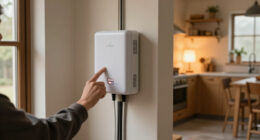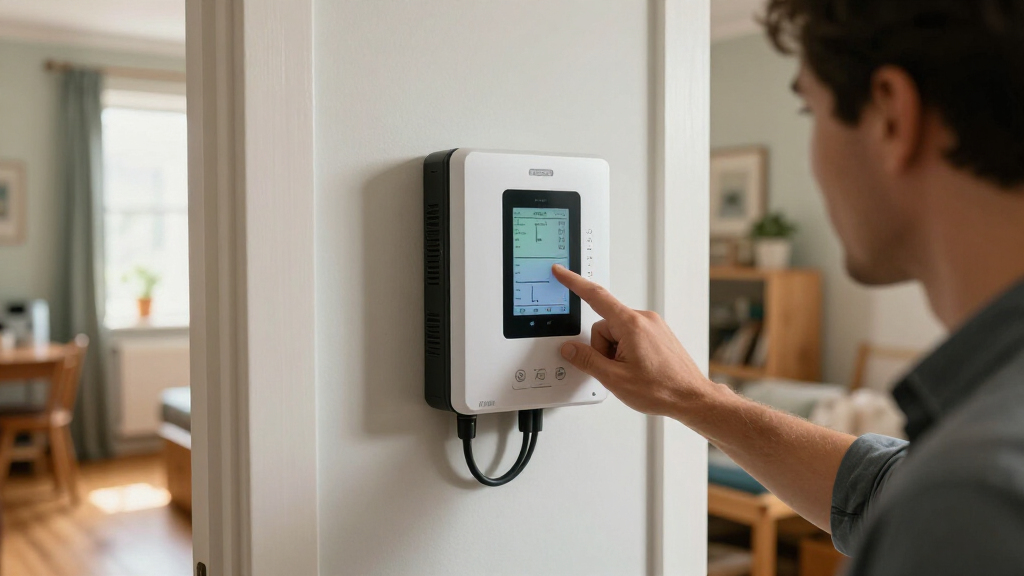
Home energy monitors range from whole-panel systems that track individual circuits to smart plugs that measure one appliance at a time. My best overall pick is the Emporia Vue 3 Home Energy Monitor with 16 Circuit Sensors, which pairs broad circuit coverage with a practical path to finding major loads. The Refoss EM16P stands out for shoppers who want an Open API and Home Assistant support, while the Emporia Vue Bundle with 16 Sensors and 4 Smart Plugs suits homes that need both panel and appliance-level readings. The main tradeoff is between detailed whole-home visibility, simpler plug-based monitoring, and the installation or smart-home setup each requires. Read on for the full breakdown and guidance on choosing a system that fits your electrical panel and monitoring goals.

Get backup power and energy gear delivered free — and shop member deals
- Fast, free delivery on millions of items
- Access to Prime Big Deal Days deals on October 6–7
- Prime Video, Amazon Music and more included
Key Takeaways
- Panel coverage is the main dividing line: Emporia Vue 3 and the 16-sensor Refoss options are aimed at tracking multiple circuits, while the Eve and Emporia smart plugs monitor selected outlets or appliances.
- Emporia’s lineup offers distinct levels of detail: the Vue 3 with 16 sensors focuses on circuit data, the smart-plug packs track plug-connected loads, and the bundle combines both approaches.
- Home Assistant users have a clear standout: the Refoss EM16P is the option in this group specifically identified with Open API and Home Assistant support.
- Not every home needs panel-level monitoring: a smart plug can be a simpler fit for a few plug-in appliances, but it cannot give the same circuit-wide view as a panel monitor.
- Installation fit matters as much as sensor count: panel monitors require compatible electrical-panel access and careful installation planning; check panel layout and installation requirements before choosing one.
| Smart Home Energy Monitor with 16 Circuit Sensors |  | Best for Flexible Connectivity | Circuit sensors: 16 × 50A | Connectivity: Dual-band 2.4 GHz/5 GHz Wi-Fi; RJ45 Ethernet | Monitoring: Whole-home and individual circuit power usage | VIEW LATEST PRICE | See Our Full Breakdown |
| WiFi Home Energy Monitor with 2 × 120A CTs |  | Best for Solar Export Tracking | Current transformers: 2 × 120A CTs | Connectivity: 2.4 GHz Wi-Fi | Monitoring: Voltage, current, power, and total energy | VIEW LATEST PRICE | See Our Full Breakdown |
| Emporia Vue 3 Home Energy Monitor with 16 Circuit Sensors |  | Best for Detailed Usage History | Circuit sensors: 16 branch sensors, 50A | Supported systems: Single phase, single-split phase, and 2-wire; some 3-wire and 3-phase systems require an additional 200A sensor | Connectivity: 2.4 GHz Wi-Fi and internet connection required | VIEW LATEST PRICE | See Our Full Breakdown |
| Eve Energy Matter Smart Plug and Power Meter, 2-Pack |  | Best for Monitoring Individual Appliances | Pack size: 2-pack | Connectivity: Matter and Thread | Functions: Remote and voice control; power metering | VIEW LATEST PRICE | See Our Full Breakdown |
| Smart Home Energy Monitor with 16 Circuit-Level Sensors |  | Best for Home Assistant and Local Data | Sensors: 16 clamp-on sensors, 50A each | Voltage support: Single-phase up to 240VAC line-neutral; split-phase 120/240VAC; three-phase up to 415Y/240VAC; no Delta | Connectivity: 2.4 GHz Wi-Fi; local MQTT with Home Assistant | VIEW LATEST PRICE | See Our Full Breakdown |
| Emporia Vue 3 Home Energy Monitor |  | Best for Solar Monitoring | Installation: Circuit panel with clamp-on sensors | Supported systems: Single phase, single-split phase, and 2-wire; selected 3-wire and 3-phase systems with an additional sensor | Wi-Fi requirement: 2.4 GHz Wi-Fi with internet connection | VIEW LATEST PRICE | See Our Full Breakdown |
| Emporia Energy Monitoring Smart Plug, 4-Pack |  | Best for Outlet-Level Tracking | Pack size: 4 smart plugs | Operating voltage: 120 V | Maximum peak load: 15 A for up to 1 hour per day | VIEW LATEST PRICE | See Our Full Breakdown |
| Refoss EM16P Smart Home Energy Monitor with Open API and Home Assistant |  | Best for Local Data and Home Assistant | Main circuit sensors: 2, 2–200 A each | Branch circuit sensors: 16, 1–60 A each | Accuracy: ±1%; ±2% at low current | VIEW LATEST PRICE | See Our Full Breakdown |
| Meross Smart Home Energy Monitor with Real-Time Power and Cost Tracking |  | Best for Detailed Electrical Readings | Supported circuits: 2 main circuits (200 A) and 16 branch circuits (60 A) | Measurement accuracy: ±1% | Data storage: Up to 5 years | VIEW LATEST PRICE | See Our Full Breakdown |
| Emporia Vue Home Energy Monitor Bundle with 16 Sensors and 4 Smart Plugs |  | Best Complete Monitoring Bundle | Circuit sensors: 16 | Smart plugs: 4 Wi-Fi plugs | Monitoring: Whole-home, individual circuits, and connected outlets | VIEW LATEST PRICE | See Our Full Breakdown |
| Emporia Vue 3 Home Energy Monitor |  | Best for Solar and Net-Metering Tracking | Installation: Circuit panel with clamp-on sensors | Supported systems: Single phase, single-split phase, and 2-wire; select 3-wire and 3-phase systems with an additional 200A sensor | Connectivity: 2.4 GHz Wi-Fi and internet connection required | VIEW LATEST PRICE | See Our Full Breakdown |
| Refoss Smart Home Energy Monitor with 16 Circuit Sensors |  | Best for Local Control and Long-Term Circuit Data | Model: EM16P | Main sensors: 2 sensors, up to 200A | Branch sensors: 16 sensors, up to 60A each | VIEW LATEST PRICE | See Our Full Breakdown |
| home energy monitor | Connectivity | Warranty |
|---|---|---|
| Smart Home Energy Monitor with | Dual-band 2.4 GHz/5 GHz Wi-Fi; RJ45 Ethernet | — |
| WiFi Home Energy Monitor with | 2.4 GHz Wi-Fi | — |
| Emporia Vue 3 Home Energy Moni | 2.4 GHz Wi-Fi and internet connection required | 1 year |
| Eve Energy Matter Smart Plug a | Matter and Thread | — |
| Smart Home Energy Monitor with | 2.4 GHz Wi-Fi; local MQTT with Home Assistant | 1 year |
| Emporia Vue 3 Home Energy Moni | — | 1 year |
| Emporia Energy Monitoring Smar | 2.4 GHz Wi-Fi | — |
| Refoss EM16P Smart Home Energy | Wi-Fi, Open API, and MQTT | 2 years |
| Meross Smart Home Energy Monit | — | 2 years |
| Emporia Vue Home Energy Monito | — | — |
| Emporia Vue 3 Home Energy Moni | 2.4 GHz Wi-Fi and internet connection required | 1 year |
| Refoss Smart Home Energy Monit | — | — |
More Details on Our Top Picks
Smart Home Energy Monitor with 16 Circuit Sensors
This monitor is a strong fit for buyers who want whole-home and circuit-level readings without being locked into Wi-Fi alone. Its 16 included 50A sensors let you separate usage by circuit, while Ethernet or dual-band Wi-Fi gives more placement flexibility than the 2.4 GHz-only Emporia Vue 3. Alerts for unusual power use add a practical way to spot changes, though the supplied details do not specify data retention or measurement accuracy. Like the Fusion Energy SEM-Meter, it requires access to the electrical panel, so it is not a plug-in shortcut for renters. Its main limitation is electrical compatibility: it supports several single-, split-, and three-phase configurations but not Delta three-phase. Choose it for connection options; choose the Emporia Vue 3 if its listed accuracy and data-retention details matter more.
Pros:- Tracks whole-home use and up to 16 individual circuits
- Offers dual-band Wi-Fi and wired Ethernet connectivity
- Can send alerts for unusual power usage
- Supports several single-phase, split-phase, and three-phase configurations
Cons:- Requires installation inside the home’s circuit panel
- Does not support Delta three-phase systems
- Provided specifications do not state measurement accuracy or data-retention limits
Best for: Homeowners who want circuit-by-circuit monitoring and the option to connect the monitor through Ethernet rather than relying on Wi-Fi.
Not ideal for: Renters or households with Delta three-phase service, since installation requires circuit-panel access and Delta is unsupported.
- Circuit sensors:16 × 50A
- Connectivity:Dual-band 2.4 GHz/5 GHz Wi-Fi; RJ45 Ethernet
- Monitoring:Whole-home and individual circuit power usage
- Alerts:Notifications for abnormal power usage
- Installation:Clamp-on sensors installed in the circuit panel
- Supported electrical systems:Single-phase up to 240 VAC line-neutral; split-phase 120/240 VAC; three-phase up to 415Y/240 VAC
- Delta configuration:Not supported
Our verdict“Pick this monitor if you want 16-circuit visibility with Ethernet as an alternative to Wi-Fi and your electrical system is supported.”
WiFi Home Energy Monitor with 2 × 120A CTs
For a solar household, the key distinction here is bidirectional tracking: this monitor reports both electricity drawn from the grid and energy exported back to it. That makes it more focused on import/export flows than the 16-circuit Emporia Vue 3, which can break usage down by branch circuits. The two 120A CTs and Smart Life app also support alerts, automation, dynamic load balancing, and zero-export mode with compatible solar or battery equipment. Those functions can help coordinate energy flows, but compatibility is tied to a single-phase, 3-wire system, and connection requires 2.4 GHz Wi-Fi. It measures voltage, current, power, and total energy with Class 1 accuracy, but does not provide the many circuit-level readings offered by the Vue 3 or Fusion Energy SEM-Meter. This is a targeted choice for compatible solar setups, not the broadest household audit.
Pros:- Tracks both grid consumption and electricity export
- Measures voltage, current, power, and total energy
- Supports Smart Life alerts and automation
- Includes dynamic load balancing and zero-export functions for compatible systems
Cons:- Designed for single-phase, 3-wire electrical systems
- Requires 2.4 GHz Wi-Fi
- Does not offer the 16-circuit breakdown available from the Emporia Vue 3 and Fusion Energy SEM-Meter
Best for: Owners of compatible single-phase solar or battery systems who want app-based tracking of grid consumption and exported energy.
Not ideal for: Households seeking individual circuit breakdowns or using an electrical setup other than single-phase, 3-wire.
- Current transformers:2 × 120A CTs
- Connectivity:2.4 GHz Wi-Fi
- Monitoring:Voltage, current, power, and total energy
- Power tracking:Bidirectional consumption and grid export
- Electrical system:Single-phase, 3-wire
- Accuracy:Class 1
- Power source:Battery powered
- App compatibility:Smart Life app; smartphone control
Our verdict“Choose this monitor for bidirectional solar tracking on a compatible single-phase system, not for detailed circuit-by-circuit auditing.”
Emporia Vue 3 Home Energy Monitor with 16 Circuit Sensors
The Emporia Vue 3 earns its place through a useful balance of 16-circuit monitoring and clearly specified data history. It records one-second readings for three hours, one-minute readings for seven days, and hourly data indefinitely, giving it a stronger documented history profile than the Smart Home Energy Monitor with 16 Circuit Sensors, whose supplied details do not list retention periods. Solar and net-metering monitoring also make it relevant for homes that generate power. The tradeoff is connectivity and system fit: it needs 2.4 GHz Wi-Fi and internet access, and some three-wire or three-phase installations need an additional 200A sensor. Its one-second data is available only while the app remains open, so it is not a continuous high-resolution archive. I’d favor it for households that value an established app workflow and specified records over Ethernet or local MQTT options.
Pros:- Includes 16 branch sensors for circuit-level monitoring
- Supports whole-home, solar, and net-metering monitoring
- Lists specific retention periods for second-, minute-, and hourly data
- UL and CE listed
Cons:- Requires 2.4 GHz Wi-Fi and an internet connection
- Some three-wire and three-phase systems need an additional 200A sensor
- One-second data is retained for only three hours and is available only while the app is open
Best for: Homeowners who want individual circuit readings, solar and net-metering support, and clearly defined usage-history periods in an app.
Not ideal for: Buyers who need wired Ethernet, offline monitoring, or a supported installation without purchasing an extra sensor for certain systems.
- Circuit sensors:16 branch sensors, 50A
- Supported systems:Single phase, single-split phase, and 2-wire; some 3-wire and 3-phase systems require an additional 200A sensor
- Connectivity:2.4 GHz Wi-Fi and internet connection required
- Data accuracy:±2%
- Data retention:1-second data for 3 hours; 1-minute data for 7 days; hourly data indefinitely
- Warranty:1 year
- Certifications:UL and CE Listed
Our verdict“Choose the Emporia Vue 3 if you want circuit-level and solar monitoring with defined history periods and can accept its internet and sensor requirements.”
Eve Energy Matter Smart Plug and Power Meter, 2-Pack
The Eve Energy plugs serve a different purpose from panel monitors: they meter specific plug-in appliances rather than the household or its branch circuits. That makes this two-pack a practical complement to the Emporia Vue 3, not a replacement for it. Matter and Thread support allow integration across compatible smart-home platforms, while local operation without an Eve cloud account or tracking will appeal to privacy-minded users. You can also control connected lights and appliances remotely or by voice. The boundary is scale: two outlets cannot explain whole-home demand or cover hardwired equipment, and the plugs require a compatible platform hub. Compared with circuit-panel systems, setup can be less involved for suitable appliances, but platform and operating-system requirements narrow compatibility. Choose these when the question is how much a few plug-in devices use, not where the entire home’s energy goes.
Pros:- Measures power use at individual outlets
- Matter and Thread support enables use with compatible smart-home platforms
- Local operation without an Eve cloud account, registration, or tracking
- Two plugs can monitor separate appliances
Cons:- Does not provide whole-home or circuit-panel energy monitoring
- Requires a compatible platform hub
- Requires iOS/iPadOS 16.4 or later or Android 8.1 or later
Best for: Smart-home users who want to measure and control a few plug-in appliances locally across a compatible Matter platform.
Not ideal for: Buyers who need whole-home or circuit-panel monitoring, or who lack a compatible hub and supported phone or tablet.
- Pack size:2-pack
- Connectivity:Matter and Thread
- Functions:Remote and voice control; power metering
- Certification:UL-certified
- Minimum operating system:iOS/iPadOS 16.4 or later; Android 8.1 or later
- Hub requirement:Compatible platform hub required
- Privacy:No Eve cloud, registration, or tracking
Our verdict“Choose the Eve Energy two-pack for privacy-conscious monitoring and control of a few plug-in devices, rather than whole-home energy tracking.”
Smart Home Energy Monitor with 16 Circuit-Level Sensors
The Fusion Energy SEM-Meter is the most flexible pick here for buyers who want local Home Assistant data alongside whole-home and circuit-level readings. Its 16 clamp-on sensors cover individual circuits, and the system can include solar and net metering; configurable time-of-use rates turn usage into cost estimates that better reflect a utility plan. Compared with the Emporia Vue 3, it offers local MQTT/Home Assistant monitoring and a stated 1% accuracy range, while the Vue 3 lists detailed data-retention periods and UL/CE listings. Hourly exports are available for 90 days, with day, month, and year exports permanent. MQTT monitoring depends on Home Assistant, though, and installation still means opening a compatible panel. Like the other panel-based 16-sensor monitor in this batch, it does not support Delta three-phase systems.
Pros:- Monitors up to 16 circuits, including appliances and rooms
- Supports solar and net-metering monitoring
- Offers local MQTT integration with Home Assistant
- Provides time-of-use cost settings and a stated 1% accuracy range
Cons:- Installation requires access to a compatible circuit panel
- Does not support three-phase Delta systems
- Local MQTT monitoring requires Home Assistant
Best for: Homeowners who use Home Assistant and want local MQTT access, circuit-level energy readings, and cost tracking based on time-of-use rates.
Not ideal for: Renters, households without panel access, or buyers who want local monitoring without setting up Home Assistant and MQTT.
- Sensors:16 clamp-on sensors, 50A each
- Voltage support:Single-phase up to 240VAC line-neutral; split-phase 120/240VAC; three-phase up to 415Y/240VAC; no Delta
- Connectivity:2.4 GHz Wi-Fi; local MQTT with Home Assistant
- Measurement accuracy:1% accuracy range
- Usage history:Hourly exports available for 90 days; day, month, and year exports are permanent
- Dimensions:3.1 × 1.2 × 4.18 inches
- Weight:4.05 pounds
- Warranty:1 year
Our verdict“Pick the Fusion Energy SEM-Meter if local Home Assistant access and time-of-use cost tracking matter more than a simpler app-only setup.”
Emporia Vue 3 Home Energy Monitor
For a household that wants to compare solar production with electricity drawn from the grid, the Emporia Vue 3 brings those readings into the Emporia app alongside real-time household use. It installs at the circuit panel with clamp-on sensors, and its stated ±2% sensor accuracy provides a useful view of consumption without requiring a separate monitor for solar net metering. Compared with the Emporia Vue Home Energy Monitor Bundle, this is a simpler starting point: the bundle adds 16 circuit sensors and four smart plugs, while this model leaves extra branch monitoring to separately purchased sensors. That keeps the setup more modular, but adds cost and planning if you want a full circuit-by-circuit view. It also depends on 2.4 GHz Wi-Fi and internet; one-second readings are limited to app-open use and retained for only three hours.
Pros:- Tracks household electricity use, solar production, and net metering
- App includes reports, notifications, and automation features
- Cloud data can be exported
- Supports expansion with up to 16 separately purchased branch sensors
Cons:- Requires 2.4 GHz Wi-Fi and an internet connection
- Additional circuit sensors are sold separately
- One-second readings are available only while the app is open and are retained for three hours
Best for: Solar-panel owners who want to follow household use and net metering in one app, with the option to add circuit sensors later.
Not ideal for: Buyers who want many circuit-level readings included or need local monitoring independent of an internet connection.
- Installation:Circuit panel with clamp-on sensors
- Supported systems:Single phase, single-split phase, and 2-wire; selected 3-wire and 3-phase systems with an additional sensor
- Wi-Fi requirement:2.4 GHz Wi-Fi with internet connection
- Sensor accuracy:±2%
- Additional circuit monitoring:Up to 16 branch sensors, sold separately
- Certifications:UL and CE listed
- Warranty:1 year
Our verdict“Choose this Vue 3 if solar and net-metering visibility matter more than having a full set of circuit sensors included.”
Emporia Energy Monitoring Smart Plug, 4-Pack
The Emporia Smart Plug 4-Pack answers a different question from panel monitors: how much electricity does a particular plug-in appliance use, and can it be switched remotely or on a schedule? Its app tracking, voice control, and four included outlets make it useful for checking devices such as lamps or small appliances without opening the electrical panel. Compared with the Emporia Vue 3 Home Energy Monitor, these plugs offer easier, device-level control but cannot show whole-home demand or consumption on hardwired circuits. Their load limits also narrow the use cases: the stated continuous limit is 10 A, despite a peak rating of 15 A for up to one hour per day. A 2.4 GHz Wi-Fi connection is required for remote operation, so this is a focused add-on rather than a substitute for a home energy monitor.
Pros:- Monitors energy use at the connected device
- Provides app-based remote control and scheduling
- Works with Amazon Alexa and Google Assistant
- Four plugs allow tracking several separate appliances
Cons:- Does not support 5 GHz Wi-Fi
- Limited to a 10 A continuous load
- Cannot monitor whole-home use or hardwired circuits
Best for: Renters or homeowners who want to track and schedule a few accessible, 120 V plug-in appliances without installing equipment in a breaker panel.
Not ideal for: Buyers seeking whole-home or hardwired circuit readings, or anyone needing to control loads above the stated 10 A continuous limit.
- Pack size:4 smart plugs
- Operating voltage:120 V
- Maximum peak load:15 A for up to 1 hour per day
- Continuous load:10 A
- Wattage:1200 W
- Connectivity:2.4 GHz Wi-Fi
- Control methods:App, remote, touch, voice, and push button
- Compatible assistants:Amazon Alexa and Google Assistant
Our verdict“Pick this four-pack for manageable plug-in appliances and outlet-level insights, not as a replacement for the Vue 3 or another panel monitor.”
Refoss EM16P Smart Home Energy Monitor with Open API and Home Assistant
The Refoss EM16P is the clearest fit here for buyers who want energy data to work with a locally managed smart home. Its Open API, MQTT, and Home Assistant integration give technically inclined owners more control over how readings feed into automations, while support for two main circuits and up to 16 branch circuits offers a broad view of household loads. The included circuit coverage is a stronger starting point than the basic Emporia Vue 3, which sells its extra branch sensors separately. Refoss also stores up to five years of historical data and does not require cloud services for local access. The tradeoff is a more involved panel installation and a system that may take more setup than an app-first monitor. Its stated accuracy falls from ±1% to ±2% at low current, so small loads are less precisely measured.
Pros:- Local web access, Open API, and MQTT support
- Integrates with Home Assistant
- Includes sensors for two main circuits and up to 16 branch circuits
- Stores up to five years of historical data for export
Cons:- Requires installation in the home circuit panel
- Accuracy is ±2% at low current rather than the stated ±1% under other conditions
- Local integrations may require more configuration than an app-centered monitor
Best for: Home Assistant users and technically confident homeowners who want local access, automation options, and long-term circuit-level records.
Not ideal for: Buyers who want a plug-in, setup-light monitor or who are not comfortable arranging circuit-panel installation.
- Main circuit sensors:2, 2–200 A each
- Branch circuit sensors:16, 1–60 A each
- Accuracy:±1%; ±2% at low current
- Connectivity:Wi-Fi, Open API, and MQTT
- Integration:Home Assistant
- Data storage:Up to 5 years
- Certification:ETL; compliant with UL 61010
- Warranty:2 years
Our verdict“Choose the Refoss EM16P if local data and Home Assistant matter more to you than a simpler, app-first setup.”
Meross Smart Home Energy Monitor with Real-Time Power and Cost Tracking
The Meross EM16 suits buyers who want more than a simple consumption chart: it tracks power, voltage, current, and power factor, with reported ±1% measurement accuracy and up to five years of stored data. Like the Refoss EM16P, it supports Home Assistant and local access, and both cover two main circuits plus up to 16 branch circuits. Meross stands out for the included current transformers and detailed electrical measurements, while its system compatibility needs a close check before purchase: it supports specified single-phase, split-phase, and grounded-neutral Wye systems, but not Delta. That makes it a less universal pick than a buyer might assume from its broad circuit coverage. It also requires installation at the panel, so its richer readings are best suited to owners who can confirm their wiring and arrange a qualified installation.
Pros:- Tracks power, voltage, current, and power factor
- Supports Home Assistant, Open API, web control, and local data storage
- Monitors two main circuits and up to 16 branch circuits
- Includes two main and 16 branch current transformers
Cons:- Not compatible with Delta electrical systems
- Requires a compatible setup and circuit-panel installation
- The broad system support still depends on matching the listed wiring configuration
Best for: Homeowners with a compatible US electrical system who want detailed electrical measurements, local access, and multi-circuit monitoring.
Not ideal for: Owners with Delta systems or buyers who cannot verify electrical compatibility and arrange circuit-panel installation.
- Supported circuits:2 main circuits (200 A) and 16 branch circuits (60 A)
- Measurement accuracy:±1%
- Data storage:Up to 5 years
- Compatibility:Single-phase 2-wire, split-phase 3-wire, and 3-phase 4-wire Wye systems with earthed neutral; no Delta
- Connectivity and integrations:Home Assistant, Open API, Wi-Fi, and web control
- Dimensions:4.5 × 3.48 × 1.1 inches
- Warranty:2 years
- Included components:Monitor, Wi-Fi antenna, wire harness, 2 × 200 A current transformers, 16 × 60 A current transformers, plugs, wire nuts, and extra wire
Our verdict“Choose the Meross EM16 if its supported wiring matches your home and you want detailed readings with local smart-home integration.”
Emporia Vue Home Energy Monitor Bundle with 16 Sensors and 4 Smart Plugs
The Emporia Vue bundle is the most ready-to-cover option in this group for buyers who want readings at the panel and at selected outlets. It pairs whole-home monitoring with 16 circuit sensors and four smart plugs, so owners can compare larger circuit loads with individual plug-in devices in the Emporia app. That is a broader out-of-the-box package than the standalone Emporia Vue 3, where additional branch sensors are sold separately, and more suitable for a multi-point energy audit than the four-plug pack alone. The bundle also supports solar net metering, schedules, automations, and Alexa. Its main compromise is reliance on cloud-stored data, which may not suit buyers who prefer local access, such as those drawn to the Refoss EM16P. Panel access is required, so this is not a renter-friendly, no-install option.
Pros:- Includes whole-home monitoring and 16 individual circuit sensors
- Four smart plugs add outlet-level energy tracking and remote control
- Supports solar net metering, schedules, and energy-management automations
- Works with Alexa-enabled devices and iOS and Android apps
Cons:- Energy data is stored in the cloud
- Installation requires access to the home’s electrical panel
- The supplied product details do not specify sensor accuracy, Wi-Fi requirements, or warranty
Best for: Homeowners who want whole-home, 16-circuit, and four-outlet monitoring in one Emporia app, especially those tracking solar use.
Not ideal for: Renters, buyers seeking local-only data access, or households that need a bundle with clearly stated panel compatibility and technical specifications before purchase.
- Circuit sensors:16
- Smart plugs:4 Wi-Fi plugs
- Monitoring:Whole-home, individual circuits, and connected outlets
- App support:iOS and Android
- Compatible devices:Smart plugs, energy monitors, solar systems, iOS devices, Android devices, and Alexa-enabled devices
- Solar support:Solar systems and net metering
- Data storage:Cloud-stored energy data
- Installation:Requires access to the home’s electrical panel
Our verdict“Choose this bundle if you want broad Emporia monitoring across panel circuits and four outlets without buying those sensors and plugs separately.”
Emporia Vue 3 Home Energy Monitor
The Emporia Vue 3 is a strong fit for households that want to see both electricity use and solar production in one app. Its clamp-on sensors monitor circuits in the panel, while the system can track net metering and support energy-management automation. Compared with the Refoss EM16P, it offers a more focused route to solar and net-use visibility, while Refoss has a stated ±1% accuracy and longer daily-data retention. Emporia’s ±2% sensor accuracy is still useful for identifying usage patterns, but the data history is more limited: one-second readings remain available for just three hours. Installation also depends on a compatible panel, and some three-wire or three-phase setups need an extra sensor. This pick makes the most sense when solar insight matters more than extensive local integrations or long-term data archiving.
Pros:- Tracks household electricity use, solar production, and net metering
- App supports monitoring and energy-management automation
- ±2% sensor accuracy
- UL and CE Listed
Cons:- Requires 2.4 GHz Wi-Fi and an internet connection
- Some three-wire and three-phase configurations need an additional 200A sensor
- One-second data is retained for only three hours
Best for: Homeowners with solar panels and net metering who want app-based visibility into household use and production.
Not ideal for: People seeking long-term local data storage, cloud-independent integrations, or monitoring for a three-wire or three-phase system without adding a sensor.
- Installation:Circuit panel with clamp-on sensors
- Supported systems:Single phase, single-split phase, and 2-wire; select 3-wire and 3-phase systems with an additional 200A sensor
- Connectivity:2.4 GHz Wi-Fi and internet connection required
- Sensor accuracy:±2%
- Data retention:1-second data: 3 hours; 1-minute data: 7 days; 1-hour data: indefinitely
- Certifications:UL and CE Listed
- Warranty:1 year
Our verdict“Choose the Emporia Vue 3 if solar and net-metering visibility in an app matter more to you than long-term data retention or local-first control.”
Refoss Smart Home Energy Monitor with 16 Circuit Sensors
The Refoss EM16P suits buyers who want detailed circuit coverage without making cloud access the center of their setup. It includes two main sensors and 16 branch sensors, supports local control through a Web UI, and offers integrations such as Home Assistant, MQTT, and an Open API. Its stated ±1% accuracy and up-to-five-year retention of daily data give it an advantage over the Emporia Vue 3 for keeping a long-running record of household usage. That breadth comes with a more involved installation: the sensors go inside the breaker box, so panel access and electrical compatibility matter. The Refoss supports single-phase, split-phase, and three-phase 4-wire Wye systems, but not every three-phase arrangement is listed. Choose it for circuit-level detail and local integrations; skip it if you want a simpler, less hands-on monitoring setup.
Pros:- Includes two main sensors and 16 branch sensors for up to 18 circuits
- Local Web UI, Open API, MQTT, WebSocket, and Home Assistant support
- Stores daily usage data for up to five years and supports exportable reports and alerts
- Specified accuracy of ±1% and a two-year warranty
Cons:- Sensors require installation in the breaker box
- Three-phase support is specified for 4-wire Wye systems only
- Circuit-level setup may be excessive for households seeking basic whole-home tracking
Best for: Technically confident homeowners who want broad circuit coverage, Home Assistant or API integrations, and multi-year usage records.
Not ideal for: Buyers who want a plug-in monitor, are not comfortable arranging breaker-panel sensor installation, or need a three-phase configuration other than 4-wire Wye.
- Model:EM16P
- Main sensors:2 sensors, up to 200A
- Branch sensors:16 sensors, up to 60A each
- Accuracy:±1%
- Supported electrical systems:Single-phase, split-phase, and 3-phase 4-wire Wye
- Connectivity and integrations:Wi-Fi, Local Web UI, Open API, MQTT, WebSocket, Home Assistant
- Data retention:Daily data stored for up to 5 years
- Certifications and warranty:ETL certified; 2-year warranty
- Dimensions and weight:4.5 x 3.5 x 1.1 inches; 4.27 pounds
Our verdict“Pick the Refoss EM16P if local integrations, 18-circuit coverage, and long-term daily records outweigh installation complexity.”
How We Picked
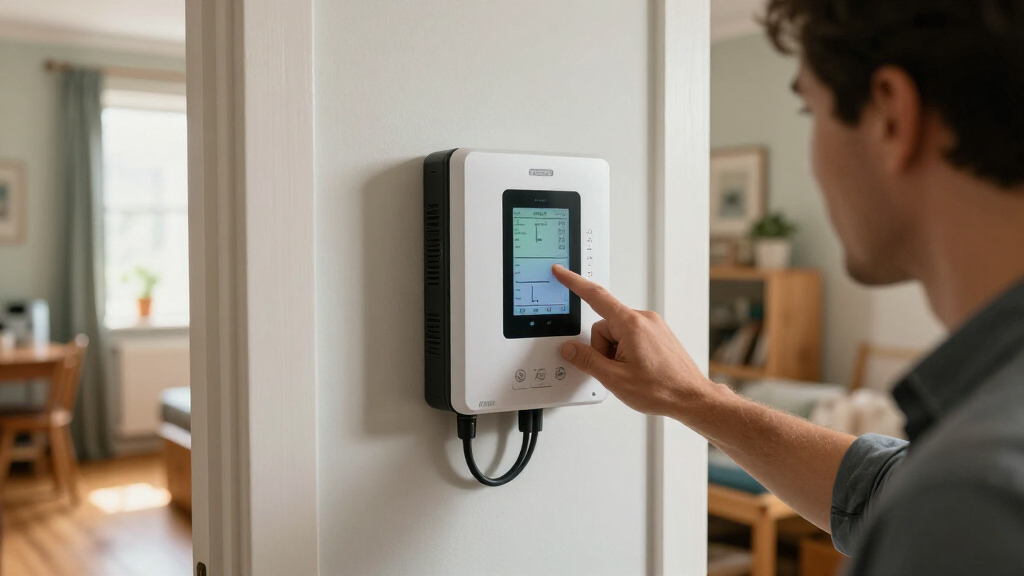
I ranked these home energy monitors by how well their monitoring approach matches common buyer needs: whole-panel and circuit visibility, appliance-level measurement, smart-home integration, and the amount of setup each approach implies. I gave more weight to products with a clearly defined role and useful coverage than to a long feature list on its own. That puts the Emporia Vue 3 with 16 Circuit Sensors first as a versatile panel-monitoring choice, while the Refoss EM16P earns a distinct place for open integration and the Emporia bundle is suited to buyers seeking both panel and plug data.
I also separated panel monitors from smart plugs rather than treating them as direct substitutes. A plug-based model can be easier to deploy for a single appliance, but it cannot replace circuit-level readings; panel monitors offer a wider view but require more installation planning. Similar models from the same brand are ranked by their stated differences and intended use, not by assumed performance differences. Product details here do not establish compatibility with every electrical panel or guarantee a particular savings outcome, so buyers should verify those points before purchase.
Factors to Consider When Choosing Home Energy Monitors
Before choosing among these home energy monitors, decide what you need to see: total household demand, individual circuits, or a handful of plug-connected appliances. That choice shapes installation, data usefulness, and whether a more involved system is worth it. The following factors help prevent paying for coverage you will not use—or buying a simple monitor that cannot answer your actual question.
Choose the Monitoring Level That Answers Your Question
Start with the question you want the data to answer. If you want to identify which parts of the house draw power, a circuit-level panel monitor is more informative than a plug meter. If you only want to compare a refrigerator, computer, or other plug-in device, smart plugs can keep the setup focused and avoid panel work. Whole-home totals alone may show when consumption rises without revealing which load caused it, so check whether circuit breakdowns are included. A common mistake is buying a plug monitor expecting it to measure hardwired equipment. Match the monitoring method to the loads you can actually access and want to track.
Check Panel Fit and Installation Before Buying
Panel monitors depend on physical access to the electrical panel and enough room for their current sensors and wiring. Before ordering, confirm the monitor’s supported panel configuration, sensor placement, and installation instructions against your own setup. Do not assume a stated sensor count means every circuit in your home will be covered; panel layout and how circuits are arranged can affect what can be measured. If you are not qualified to work inside an electrical panel, plan for a licensed electrician rather than treating installation as a routine app setup. Smart plugs avoid that panel work, but only measure devices connected through them. This installation difference is one of the biggest reasons a less feature-rich option may be the better fit.
Think About Circuit Coverage Versus Load Coverage
More circuit sensors can provide finer visibility across a panel, but the useful amount of detail depends on how your home is wired and what you hope to learn. Some important loads may share circuits, while hardwired appliances may not be measurable with a smart plug. If your priority is a specific appliance, verify that the system can isolate its consumption rather than assuming circuit data will do so. Buyers focused on broad patterns may find total and circuit readings enough, while those investigating one device may prefer a plug-level meter. The Emporia bundle illustrates why these methods can complement each other, but combining them adds devices and setup. Choose coverage for the decisions you plan to make, not for the largest sensor count alone.
Review App, Data, and Smart-Home Needs
Energy readings are most useful when you can review them in a way that fits your routines. Check what the manufacturer specifies about live readings, historical data, cost tracking, exports, and any account or cloud requirements. If you rely on Home Assistant or want to build your own integrations, open API support can matter more than a polished basic dashboard. By contrast, buyers who only want to check household use occasionally may not benefit from extra integration work. A common buying mistake is focusing on smart-home compatibility without checking whether the data remains accessible in the format you need. Verify supported platforms and data features before committing, since monitoring hardware alone does not guarantee the desired workflow.
Treat Cost Estimates as Estimates
Some monitors display an estimated electricity cost, but the number depends on the rate information entered and how well that rate matches your utility bill. Time-of-use schedules, seasonal rates, taxes, and fixed charges can make a simple per-kilowatt-hour setting differ from the final bill. Use cost tracking as a way to compare loads and spot changes, not as a guaranteed bill forecast unless the monitor supports your exact tariff structure. Check whether rates can be adjusted and whether the app represents time-varying rates. If your goal is to reduce consumption, consistent comparisons may be more useful than chasing an exact dollar figure. This distinction can prevent misleading conclusions about a device’s real operating cost.
Pay for Detail Only When You Will Use It
A higher-complexity setup makes sense when you will use circuit histories, integrations, or combined panel-and-plug data to guide specific changes. For a few appliances, smart plugs can answer focused questions without expanding monitoring across the panel. For a home with many hardwired loads or a need to understand circuit patterns, panel-level coverage may justify the installation planning. More data can also create more setup and interpretation work, so decide who in the household will review it and what decisions it will inform. Buyers new to energy tracking can start with a narrow goal, such as comparing two appliances, before paying for extensive coverage. The best fit is the system whose readings can lead to actions you are prepared to take.
Frequently Asked Questions
Should I choose a panel monitor or smart plugs?
Choose a panel monitor when you want household or circuit-level visibility, especially for hardwired loads that cannot be plugged into a meter. Choose smart plugs when you want to measure a few accessible plug-in appliances with less installation planning. The two approaches answer different questions, so neither replaces the other in every home. If you are not sure what is driving consumption, panel data can help narrow the search, while a plug meter can give a direct reading for a selected device. Check electrical-panel compatibility and appliance plug type before deciding.
Can I install a home energy monitor myself?
Smart plugs typically connect at an outlet, but a panel-mounted monitor involves working near electrical wiring and current sensors. Whether self-installation is appropriate depends on the product instructions, your panel, and your qualifications; do not assume that a monitor marketed for home use is a simple DIY job. If you are uncertain or the instructions call for professional installation, use a licensed electrician. Before buying, confirm that the panel has the space and configuration the monitor requires. Installation planning should happen before you select a model, not after it arrives.
Will a monitor tell me exactly what my electricity bill will be?
Usually, treat an app’s cost figure as an estimate rather than a bill match. The estimate can depend on the rate you enter and may not account for every utility charge, seasonal adjustment, or time-of-use period. Look for support for your rate structure if cost accuracy is a priority. Even when the dollar total differs from the bill, readings can still help compare usage across circuits or appliances over time. Use the monitor to identify patterns, then check the utility bill for the amount owed.
What should I check before buying a monitor with 16 circuit sensors?
Confirm that your panel’s layout and available space can accommodate the system’s sensors, and check whether the product supports the panel configuration in your home. A count of 16 sensors does not guarantee every circuit will be monitored in every installation. Consider which circuits matter to you, whether any important loads share circuits, and whether hardwired equipment needs separate identification. Review installation requirements and arrange qualified help if needed. If your main interest is only one or two plug-in devices, a smart plug may be a more direct solution.
Is Home Assistant support worth prioritizing?
It is most useful if you already use Home Assistant or want to combine energy readings with automations, dashboards, or other household data. The Refoss EM16P is the model in this roundup specifically described with Open API and Home Assistant support, giving it a distinct role for integration-focused buyers. Open access can offer flexibility, but it may require more configuration than a standard app. If you only want basic consumption readings, that extra setup may not improve your day-to-day experience. Verify the current integration method and the data you need before choosing based on compatibility alone.
Conclusion
For most buyers who want detailed household insight, my best overall choice is the Emporia Vue 3 Home Energy Monitor with 16 Circuit Sensors. The best value in capability is the standard Emporia Vue 3 Home Energy Monitor for shoppers who want a panel-monitoring foundation without the added smart-plug bundle; compare the included sensors and package details before choosing between Vue listings. For a broader monitoring setup, the best premium-style pick is the Emporia Vue Home Energy Monitor Bundle with 16 Sensors and 4 Smart Plugs, while the best for beginners is an Emporia or Eve smart-plug option when the goal is simply to track a few plug-in appliances. Choose the Refoss EM16P for Home Assistant and Open API priorities, or the Eve Energy Matter 2-Pack if Matter-enabled plug monitoring is your focus. If you need circuit-level readings across a panel, favor a panel monitor; if you only need answers about selected devices, start with smart plugs.
Halloween Picks
halloween
As an affiliate, we earn on qualifying purchases.